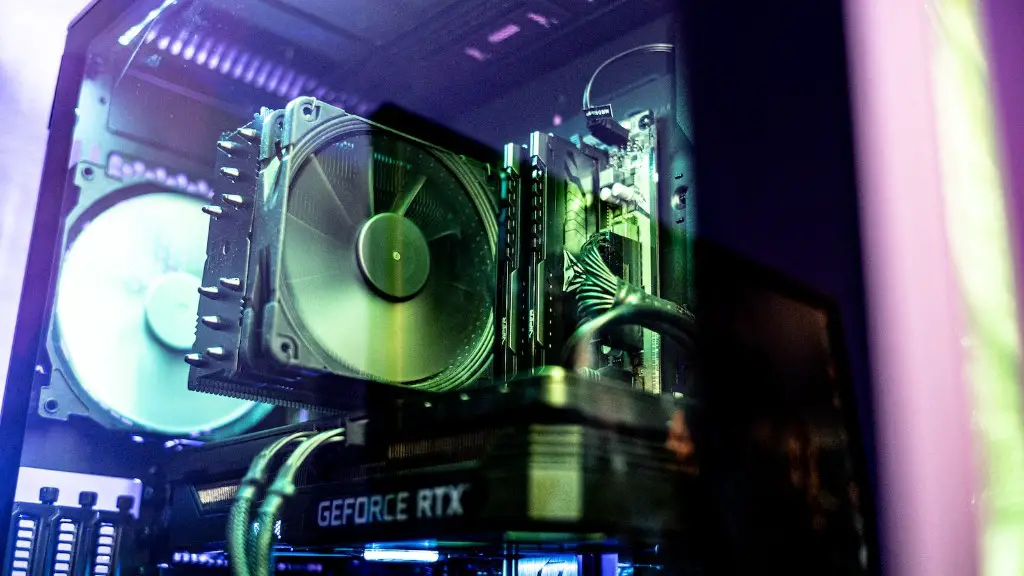
Building a gaming PC for under 500 dollars can be a daunting task. It is even more daunting when you take into account the needs of modern gaming. Choosing the right components while staying within budget is key, however it is not impossible. Here’s how to make a 500-dollar gaming PC.
Firstly, you’ll need the components. Finding quality parts for under 500 dollars can be a challenge in itself. The CPU is essential for any PC, but it can be especially important for a gaming PC. Many providers offer AMD Ryzen 3 3200G processors for around 100 dollars. This processor will offer enough power for gaming, so it should fit nicely within your budget. Furthermore, you’ll need a motherboard, RAM and storage. Look for motherboards with AMD socket AM4, DDR4 RAM, and SATA-based SSDs. This will help ensure you have everything you need, while staying within budget.
Next, you’ll want to consider the cooling and power supply. If you purchase a processor like the Ryzen 3 3200G, you won’t need an aftermarket cooler. Alternatively, you can consider investing in an aftermarket cooler if you want more performance. You’ll also need a power supply, so be sure to check the wattage rating on the processor to ensure you get the right one. You can find quality power supplies for less than 50 dollars.
Thirdly, you’ll want to pick out a case. Any mid-tower case should do the trick, just be sure to check the size of the case to make sure it fits your components. There are plenty of options for around 50 dollars or less. Be sure to double-check the size so your components fit properly.
Fourthly, you’ll need a graphics card. This is where it can get a little tricky as you’ll need to be careful to not overspend. For most gamers, a GTX 1050 Ti or RX 570 will do the trick, though you may need to increase your budget slightly. Many options for these cards will fit nicely within your budget.
Finally, you’ll want to complete the build by connecting all your components. This is where the instructions that come with the components can be very helpful. Make sure you connect all the necessary components, such as the CPU, GPU, RAM, etc. After the build is complete, you should be ready to load and play your favorite games.
How To Choose Components
When it comes to building a laptop, choosing the right components will be key. You want to be sure you are getting quality parts that won’t break your budget. First, you’ll want to decide on a processor. For under 500 dollars, you’ll want to check out the Ryzen 3 3200G from AMD. This processor will offer enough power for gaming and won’t break the bank. Next, you’ll want to pick out a motherboard, RAM and storage. Look for components with compatible sockets, such as AMD’s AM4 for the processor and DDR4 RAM.
You’ll also need to consider a power supply, as well as a case. Budget power supplies can be found for around 50 dollars, and a mid-tower case should do the trick for a gaming PC. You may also want to invest a bit more in an aftermarket cooler if you want more performance from your processor. Lastly, you’ll need a graphics card. Both the GTX 1050 Ti and RX 570 are good options, though you may need to adjust your budget slightly.
What To Look For In A Graphics Card
When it comes to building a gaming PC on a budget, the graphics card is often a difficult decision. You’ll want to get something that can handle modern games, while at the same time, not breaking your budget. For under 500 dollars, the GTX 1050 Ti and RX 570 are both excellent choices. They have enough power to handle most modern games, and are easy on the wallet. Alternatively, you can look for a used card if your budget is tight.
When selecting a graphics card, you’ll want to choose one with at least 4GB of RAM. This will ensure that you have enough power for modern games. You’ll also want to consider the clock speed of the card. This will determine how fast the card can process information, so the higher the clock speed, the better. Lastly, you’ll want to check the display connectors on the card. This will determine which displays you can use with your PC, so make sure you check to see which connectors your card has.
Installation Tips
Once you’ve got all the components you need, it’s time to put them together. This can be daunting for even experienced builders, so it’s important to follow the instructions that came with the components. Before you start, make sure you have all the necessary tools for the build, such as a screwdriver, pliers and if you’re using a CPU cooler, thermal paste. Begin by inserting the motherboard into the case, making sure to line up the ports and connectors.
Next, mount the processor and cooler onto the motherboard. Make sure to follow the instructions exactly to ensure a good connection. Secure the RAM into the RAM slots and insert the storage into the designated slots. You’ll also want to connect the SATA power cables and data cables, as well as the power cables for the graphics card. Finally, add the power supply and connect all the necessary cables.
Configuring The System
Once you’ve finished building the PC, it’s time to install the OS. Many of the components you purchased should include a copy of Windows 10, though if not, you’ll need to purchase a copy. Once the OS is installed, you’ll need to configure the BIOS. Depending on what processor you chose, you may need to adjust the settings for virtualization, overclocking, and more. After the BIOS is configured, you should have a functioning PC ready for gaming.
Connectivity Options
For most modern gamers, having the ability to connect to the internet is essential. Thankfully, most gaming PCs these days offer plenty of options for connecting. Wi-Fi and Ethernet are pretty common, so you should be able to find an adapter or port that fits your needs. Alternatively, you can also look into external solutions such as cellular dongles.
Checking For Compatibility Issues
Before you finish the build, you’ll want to check for any compatibility issues. Some components may not work with others, so it’s a good idea to double-check. You can use tools such as PCPartPicker to make sure all your parts are compatible. Keep in mind that some components may require firmware updates to work properly. Be sure to check the manufacturer’s website for any updates before you begin.
