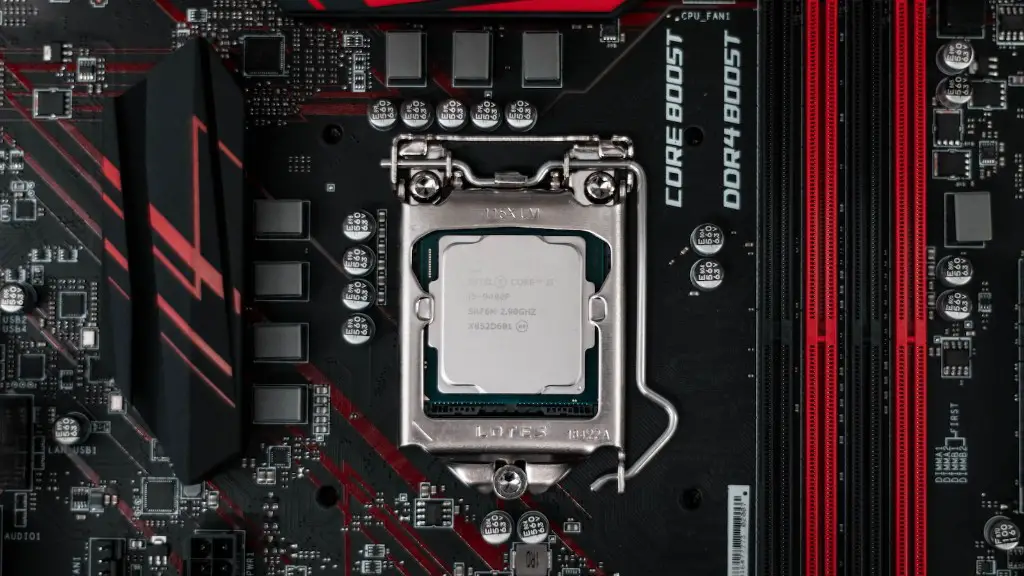
Building your own gaming PC can be a daunting task for those not technically proficient, however, with the right information, anyone can put together a powerful and fully functioning gaming machine. First things first, how much does a gaming PC cost? It goes without saying that while pre-built gaming PCs can be very pricey, you can save a lot of money by putting together your own parts — even if you’re starting from scratch, you can get yourself a decent system for as little as $500.
When it comes to building your own PC, the cost of building it will depend largely on the components you are choosing, although it’s possible to get a gaming PC assembled for around $800 dollars. If you plan on getting an enthusiast-level gaming rig however, you’ll need to be prepared to spend between $1500 and $2500 — maybe more. Generally speaking, the higher the cost of the parts, the better performing the gaming PC will be. The more you spend, the better your gaming experience will be.
The cost of the PC will also be dependent on what type of games you want to play and how recently they were released. More modern games — including those released within the last few years — are typically more graphically demanding and so require more powerful components. As such, these are the types of games that you’ll need to consider when budgeting for building your gaming PC.
When looking at components, one of the most important parts is, of course, the video card. Video cards are what allow you to display the images from the game on your monitor, so bear in mind that the higher-end video cards tend to be the most expensive components on offer.
Aside from the video card, you’ll also need to consider the processor, memory, and hard drive for your gaming rig. The processor and memory work hand in hand; the more powerful the processor, the more RAM the PC will need to run optimally. When it comes to the hard drive, you’ll need to consider the response time, which affects load times — try and go with a fast hard drive. Solid state drives (SSDs) are typically the faster option, although they are more expensive than regular hard drives.
Finally, you should also factor in a power supply unit; this supplies power to the components of your gaming PC. You’ll want to make sure you buy one that meets the specifications of the components you’ve chosen; otherwise you won’t be able to power your gaming PC. Consequently, buying a power supply unit with too high voltage or wattage can also be damaging to your components.
Gaming Computer Cases
Before one begins assembly of their gaming computer, the space or “home” for the components must be determined. Choosing the appropriate gaming computer case will house the parts in a neat and orderly fashion. Typically, gamers tend to use mid-sized tower cases that include plenty of air flow to cool the interior components. When looking at gaming computer cases they can cost anywhere from $50 to more than $150, depending on their size and features.
In addition to size and features, the gaming computer case should be an appropriate fit for any extra parts you may be looking to install. The two main components to consider here are the power supply unit and the motherboard. Make sure that the gaming computer case you choose is capable of fitting the size of the parts you’ve selected.
Finally, you should also consider what kind of ports you need on the gaming PC. Depending on the games you’re playing, there may be certain peripheral devices – such as a joystick or racing wheel – that you might need, and so the gaming PC needs to be able to accommodate those. If not, you’ll have to invest in an extension case or USB hub.
Peripherals For Gaming PCs
Peripherals for a gaming computer are an important factor to consider when building your rig. Any gaming computer puts a lot of emphasis on visuals; this means you’ll need to invest in a decent monitor as well as a good quality GPU (graphics processing unit).
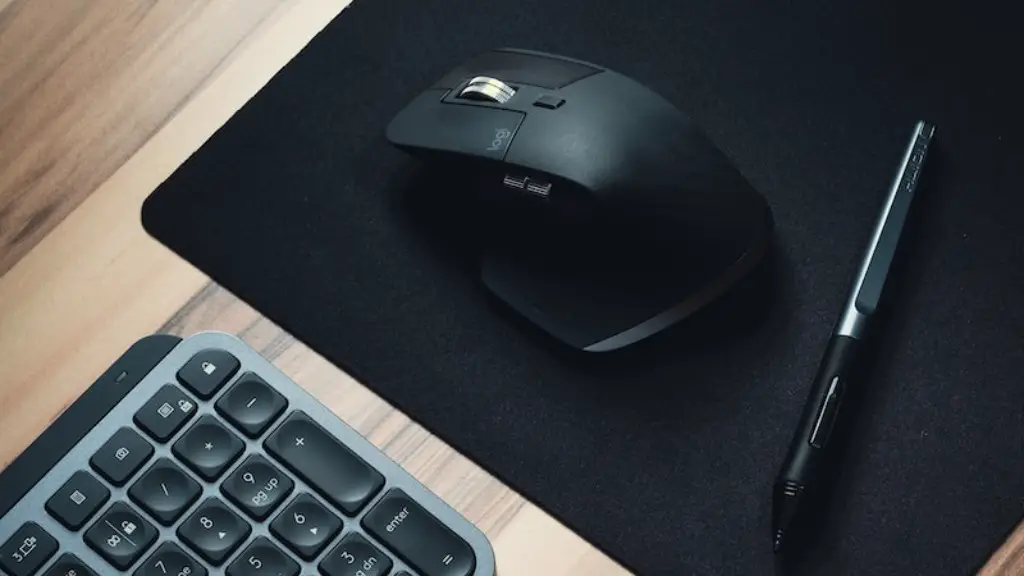
In addition to visuals, gamers may also require additional peripherals such as a gaming keyboard, gamepad, or mouse. For those playing more modern titles, the latter two are essential, as they’ll make playing the games much more enjoyable.
A gaming mouse is recommended as they tend to be far more precise than regular mice, and as such tend to perform better when it comes to gaming. Additionally, gaming keyboards often come with macro keys that can be programmed to perform certain actions, making them very useful for gamers.
The same goes for gamepads; the more expensive models come equipped with added features such as adjustable sensitivity, analogue triggers, and extra buttons. These all come in useful, particularly for racing games or other action titles.
In addition to these peripherals, you may also need to invest in a headset as well. When playing online it’s important to have clear sound and be able to communicate with other players, and a good headset can be the difference between a successful win or a bitter loss.
Gaming PC Accessories
Another thing to consider when putting together a gaming PC is what kind of accessories you need. Aside from the peripherals mentioned above, you may want to look into other items that can help you get the most out of your gaming PC. One such item is an SSD. SSDs are much faster than standard hard drives, and often times come with speeds of up to 500MB/s. These are ideal for those who want a super-fast gaming experience.
In addition, you may also want to invest in a custom cooling system for your gaming rig. These come in liquid-cooled and air-cooled variants, and as you can imagine, these help keep the components of your gaming PC running nice and cool.
Finally, you may also want to consider investing in a good quality power strip. These come with surge protectors, meaning they’ll protect your gaming PC from any power surges or blackouts.
Networking Cards For Gaming PCs
Another important component of any gaming rig is the networking card. This is what lets the PC connect to the internet, so it should be of a decent quality. For those playing online multiplayer games, a reliable internet connection is essential for a good experience, so you’ll need to invest in a good quality networking card.
Networking cards come in wired and wireless varieties, and either can be used for gaming. For those looking for lower latency — that is, a faster connection — you’ll want to opt for a wired card as these tend to have better speeds than the wireless varieties. It’s also worth considering models with dual-band support, as these are capable of connecting to both 2.4GHz and 5GHz networks.

Remember, the more you spend, the better your networking card is likely to be; however, you don’t necessarily need to opt for the most expensive option. Instead, go for something that fits your budget and that will be able to provide you with the speeds you need.
Protecting Your Gaming PC
Finally, you’ll want to make sure you’ve got good protection for your gaming PC, meaning you’ll need to invest in good malware and virus protection software. There’s a multitude of options out there; these range from free options to more expensive, advanced packages. Do some research and invest in a protection package that best fits your needs.
Aside from software solutions, you may also want to invest in an uninterruptible power supply (UPS). These provide additional protection against blackouts and power surges and can be very useful for those living in areas with questionable electricity supply.
Make sure that you keep your gaming components clean and dust-free too — regular cleaning will go a long way towards maintaining and improving the performance of your gaming PC. Consider investing in an air filter too, as these help to keep the internals of your gaming PC dust-free.
