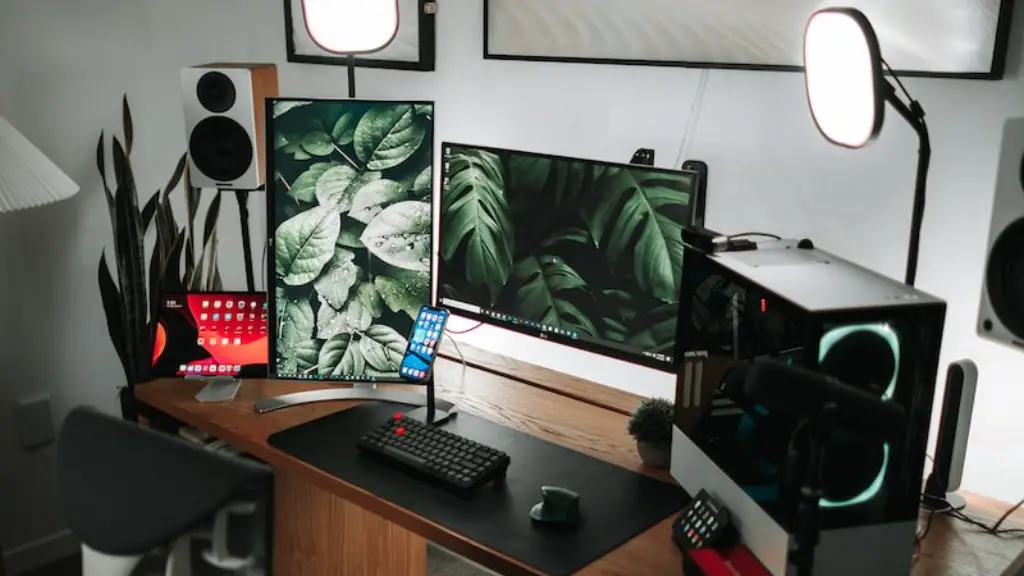
For every gaming enthusiast, choosing the right set of components is essential for optimum performance when playing games. Despite the increase in performance, the minimum specs required to run most modern titles remain the same. In this article, we will look at the minimum specs of a gaming PC and their importance.
Along with having the right hardware components, it is equally important for any gaming enthusiast to pay attention to software support as well. The popular game titles available today need optimum computing power that can only be provided by the latest generation of hardware. That being said, the minimum specs for a gaming PC should include, at the very least, a mid-range graphics card, a processor that offers at least two cores, and 8GB of RAM.
For those who want to explore more challenging titles, a higher set of minimum specs would be required. This includes having a processor with at least four cores, a dedicated graphics card, and 16Gb of RAM. Depending on the game, additional specs may also be necessary such as additional RAM, more powerful graphics card, and/or an improved cooling system.
It is also important to consider the operating system when looking at the minimum specs of a gaming PC. Most titles available today are available for both Windows and macOS and the minimum RAM requirement is 4GB for both OSes. However, the titles that require more computing power may require additional RAM and more powerful processors.
Aside from the hardware, the type of monitor used is also important when it comes to gaming performance. Most gamers prefer using a monitor with a refresh rate of 120 Hz. Higher refresh rates can yield better gaming performance as long as the hardware and software can support it.
Finally, it is also important to note that other criteria are needed for ensuring a good gaming experience. For instance, players should consider getting gaming peripherals such as mouse, keyboard, and headphones to get the most out of their gaming session. Other accessories such as an ergonomic chair or a gaming desk can be beneficial as well.
Graphic Card
When it comes to gaming, the graphics card is one of the most important components to consider. The type of graphics card you need to get the most out of your games will depend on the games you are playing. For those who are playing more intensive titles, it would be recommend to get a mid-to-high range graphics card such as an NVIDIA GeForce RTX 2070 or AMD Radeon VII.
It is also important to look at your budget when choosing the type of graphics card. If you are playing less demanding titles and are on a budget, then a mid-range graphics card such as an NVIDIA GeForce GTX 1050 or AMD Radeon RX 560 would be suitable. Despite its lower price, it can still handle most modern gaming titles.
On the other hand, if you are looking to play more recent game titles, then a high-end graphics card such as an NVIDIA Titan RTX or AMD Radeon RX Vega 64 would be necessary. These are the types of graphics cards that allow gamers to take advantage of the latest rendering and lighting technologies.
Processor
The processor is another critical component that should be taken into consideration when building a gaming PC. For those who are looking to play more recent gaming titles, a quad-core processor such as an Intel Core i5-8600K or an AMD Ryzen 5 1600 would be recommended. This type of processor should be able to handle most games without any issues.
However, if you are looking to play titles that are more demanding then a hexa-core or octa-core processor such as an Intel Core i7-8700K or an AMD Ryzen 7 2700X might be necessary. These types of processors are capable of delivering good gaming performance even with more demanding titles.
It is also important to note that, depending on the type of games you are playing, additional specs such as the number of cores, clock speed, and cache size might be needed. More cores and higher clock speeds can improve gaming performance while larger caches can help reduce loading times.
RAM
The amount of RAM you should get when building a gaming PC depends on the type of games you are playing and the operating system you are using. Generally, 8GB of RAM should be enough for most gaming enthusiasts. This should allow them to play most modern titles without any issues.
For those who are playing more demanding titles then the recommended amount of RAM would be 16GB. This should provide enough headroom for playing the most recent games and future releases.
It is also important to note that the type of RAM you are using also plays a role in gaming performance. DDR4 RAM is faster than DDR3 RAM and should be used if you want to get the most out of your games.
Storage
Another important component of a gaming PC is the storage. Most gamers prefer to install the game titles onto an SSD drive as this can drastically reduce loading times. The most commonly used SSD drives are SATA III and NVMe drives.
It is important to note that the size of the drive will also depend on the type of games you are playing. For those who are playing less demanding titles, a 128GB SSD would be enough. However, if you are playing more intensive titles then a larger drive such as a 512GB SSD would be recommended.
If you are looking to save money, then a combination of an HDD and an SSD can also be used. You can install the game titles onto the SSD for faster loading times while the data can be stored on the HDD. This can help save money while having a good gaming experience.
Cooling System
Having a good cooling system is important for any gaming PC as it helps prevent the components from overheating. There are two main types of cooling systems that are available, air-cooled and liquid-cooled. The type of cooling system you need will depend on the type of components you are using.
For instance, if you have a more powerful processor then it might be necessary to get a liquid-cooled system. This type of system is more efficient and can help regulate the temperature of the processor better. On the other hand, if you are using a less powerful processor then an air-cooled system would be enough.
The location of the cooling system is also important. Most air-cooled systems will need to be placed near an exhaust fan so that the warm air can be expelled. As for liquid-cooled systems, they are usually more complicated as they need additional parts such as pumps, reservoirs, and radiators.
Cooling systems are important for ensuring that the components of a gaming PC stay at optimum temperatures. This ensures that the computer can run smoothly without any issues and that the components don’t get overly heated.
