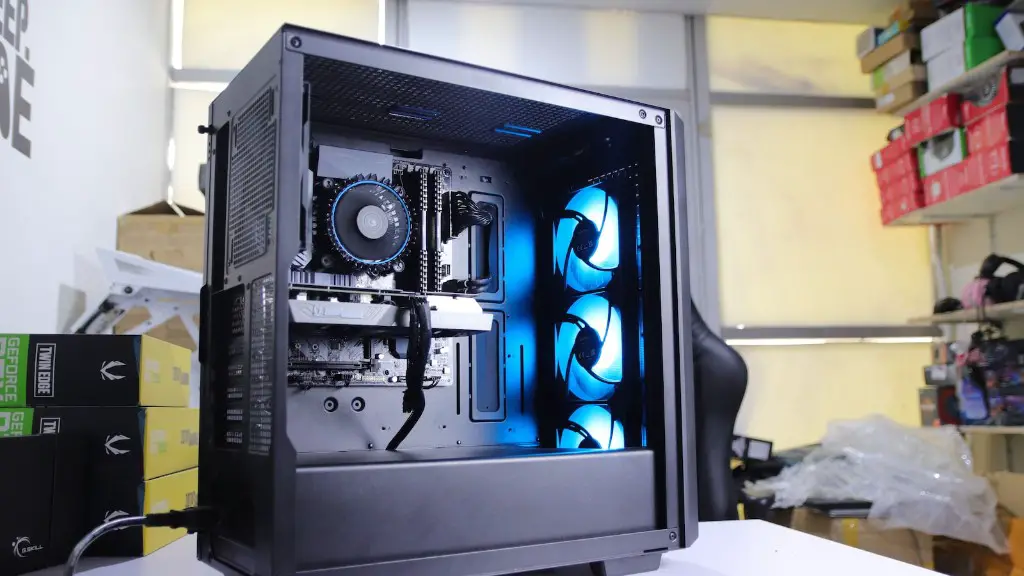
Getting into PC gaming can be a fairly expensive endeavor. But if you’re careful, you can build a low budget gaming PC that will play the latest games without sacrificing performance. Here’s a step-by-step guide on how to do it:
Step 1: Choose your parts. Choose an Intel or AMD processor with at least 4 cores, a mid-range dedicated GPU, 8GB or more of RAM, at least 128GB of storage, and a good quality power supply. Select parts that are in your budget and be sure to look for deals, as some components can come with discounts.
Step 2: Install the CPU. Put your processor in the socket and tighten the clamps securely. Insert the cooler’s fan on top of the processor and lock it in place. Connect the fan’s power cable to the power supply.

Step 3: Install the RAM. Locate the memory slots on the motherboard, open them, and insert your memory modules in an orderly fashion. Push the memories down evenly and close the slots.
Step 4: Install the GPU. Mount the GPU into the computer case. Connect the power cable from the GPU to the power supply.
Step 5: Install the storage. Connect the solid-state drive, hard drive, and optical drive to the motherboard. Securely attach the cables to the corresponding connectors.
Step 6: Connect the cables. Connect the power supply cables to the motherboard and GPU. Connect the frame for the case and the cooling fan to the motherboard.
Step 7: Install the software. Install the operating system, any drivers, and any application software that you may need. Make sure you install all the necessary drivers.
Optimizing
The secret to building a low budget gaming PC is how you optimize it for the best performance to cost ratio. The two key factors to this are selecting the right hardware and optimizing the software. Here are some tips for getting the most out of your components:
First, pay attention to the specifications on components. Choose a processor that offers the best performance in its price range, and the same goes for the GPUs and other components.
Secondly, pay attention to the cooling system. Make sure the power supply is properly ventilated, invest in a good CPU cooler, and select a case with good airflow. This will ensure your PC runs smoothly no matter what you’re doing.
Third, tune your software. Disable any unnecessary background processes, limit the memory allocation for your games, and make sure you’re running the most recent versions of your drivers.
Finally, consider investing in an SSD. This will drastically reduce the loading times, making your games far more enjoyable.
Overclocking
Overclocking is a viable option for slightly boosting your gaming performance, but it requires a bit of extra effort. Make sure you’re knowledgeable about the subject and that your components are supported.
If your processor doesn’t support overclocking, then you can look into using a utility such as Intel XTU to overclock your RAM and GPU. This can add a few extra frames per second in demanding games, but make sure you’re monitoring your temperatures to ensure the safety of your PC.
If you’re looking for a more extreme option, you can look into liquid nitrogen cooling, but this is an expensive endeavor and should only be considered if you’re an experienced overclocker.
Cables
If you’re building your own PC, you’ll need Organized, tidy wiring is important for a high-performance gaming PC and having the correct cables is the key to this. Choose well-made, reliable cables with good insulation and enough length for your setup. You’ll also need to consider cable management for a neat, organized look.
You should also invest in a cable bundle to ensure you have all the necessary connectors, such as SATA, PCIe, and ATX. Having the right cables is essential to ensuring your gaming PC is up and running.
Final Check
Before you turn it on for the first time, make sure you double-check that all of the components are properly installed and that there is no damage. Be sure to inspect the processor socket for any pin damage. Read up on any safety recommendations for your hardware and do a test run of your system before immersing yourself in the world of gaming.

It may also be a good idea to invest in surge protection for your system, as it can help protect against power outages and potential damage. This can save you from costly repairs in the future.
Upgrading
It goes without saying that if you want to take your gaming to the next level, you’ll need to upgrade your PC. Start by investing in a new GPU, as it’ll have the most significant performance impact on your gaming. You can also look into upgrading your RAM and processor.
If you’re willing to invest more money, you can look into high-end components such as liquid-cooling systems and multiple graphics cards. These investments will ensure that your PC can handle any games you throw at it without any hiccups.
Once you’ve upgraded your hardware, you should also tune the software for the best performance. Disable any unnecessary processes and reduce the graphics settings for your games to get the most out of your hardware.
Don’t forget to invest in good cooling options as well. Even if you’re upgrading your gaming PC, it’s important to keep your components cool to maximize their performance.
