Building a gaming PC can be quite a difficult process, especially since there are so many components and features to think about. It may be intimidating, but it can also be quite rewarding and exciting. Here are a few tips on how to spec a gaming PC that can help ensure your gaming experience is as smooth and enjoyable as possible.
To start off, you’ll want to pick a good gaming case. A good case doesn’t need to be expensive, but it should be sturdy and optically pleasing. Preferably, you’ll want to look for one with good air flow, plenty of cable management, and enough space for your components.
Next, you’ll want to decide what type of processor you’ll need. Generally, if you’re looking to play the latest games with max settings and high FPS, you’ll want to go with an Intel Core i7 or a Ryzen 7 processor. Although these may be a bit more expensive, they have excellent performance, so they’re really worth it.
You’ll also want to look at RAM. For a gaming PC, you should aim for 16GB or more, and make sure it’s compatible with your CPU and motherboard. You’ll also want to look at graphics cards. If you’re playing more post-modern games like CS:GO, LoL, and Overwatch, then an Nvidia GTX 1060 or higher will probably be a good choice.
Finally, make sure that you have a strong power supply. Power supplies can be quite expensive, but unless you’re going for an extremely high-end gaming PC, something like an EVGA SuperNOVA 650 Watt Gold is usually enough. Additionally, make sure that your power supply is compatible with all of your other components.
Getting Started
Getting started on specing your gaming work station is easy. You’ll need to start by deciding what type of gaming case you want, as well as how much space your components will require. By working out the physicality factor, you’ll decide which type of motherboard to use. It’s important to note that some motherboards have fewer slots, while higher-end ones can have much more.
Once you’ve chosen the motherboard, you’ll need to select a CPU. If you’re looking for serious gaming prowess and higher FPS, Intel’s Core i5 and i7 are ideal. They may cost more but they deliver better performance. Additionally, make sure to check the sockets available on your motherboard to ensure your processor is compatible.
When it comes to RAM, opt for 16GB or higher. You’ll want to check the RAM compatibility of your processor and motherboard to make sure you get the best performance from the system. It’s also important to remember that RAM comes in two types: DDR3 and DDR4.
Finally, you’ll need a good graphics card if you want your games to look great and play optimally. NVIDIA’s GTX 1060 range is perfect for most gaming budgets and provides excellent performance. Choosing a graphics card with a minimum 2GB of dedicated memory is recommended for leveraging higher resolutions or for cutting-edge gaming.
Cooling Solutions
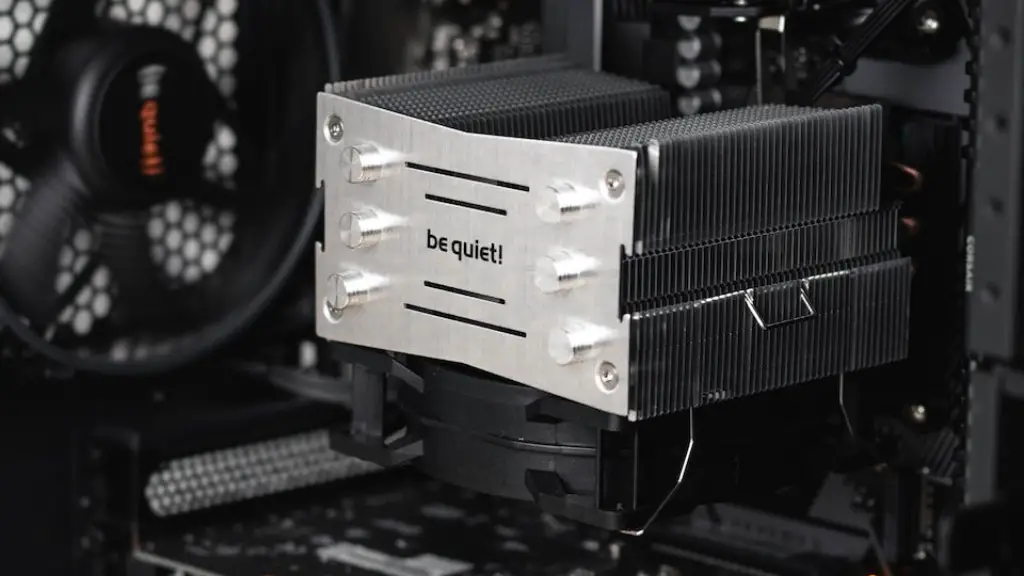
Having the best components will do no good to your gaming experience if your system runs too hot and causes thermal throttling. This is especially important if you’re overclocking, but even without overclocking, you should still have good cooling solutions in place. Good air flow is essential, so you’ll want to make sure that your case comes with good fans or vents.
Liquid cooling is also an option, but it’s usually only necessary if you’re overclocking or if you live in a hot environment. If you do opt for liquid cooling, make sure you get an AIO (all-in-one) solution, as these are the easiest to install. Additionally, you might want to invest in thermal pastes or pads to lower the temperature of your components.
Another important factor to consider is power efficiency. Make sure you opt for components that are efficient and come with low power consumption. This will help the longevity of your PC, as well as reducing your electricity bills. Thankfully, most gaming components now come with features like auto-sleep and power-saving to reduce power consumption.
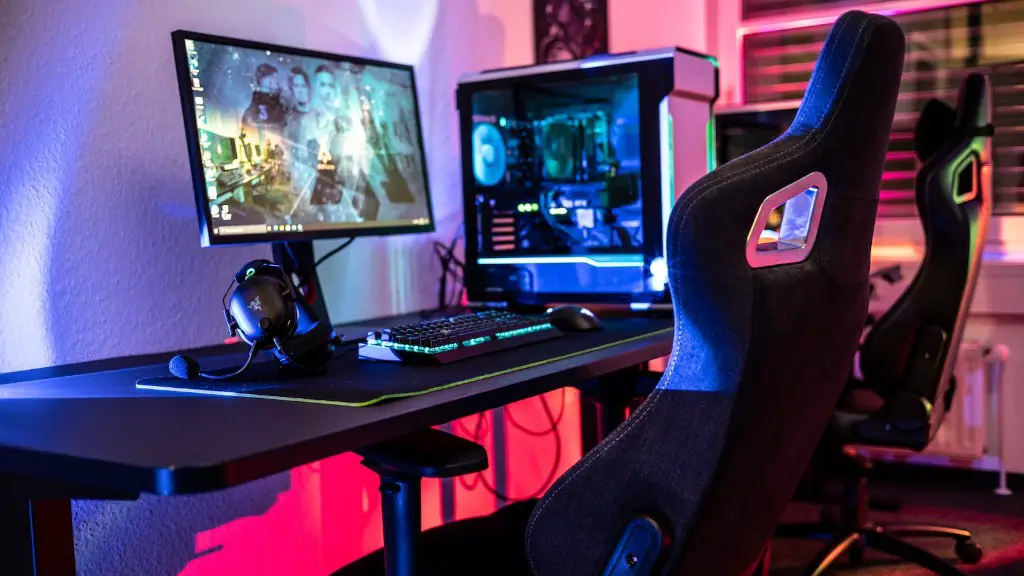
Finally, you’ll also want to invest in good peripherals. Think of the keyboard, mouse, monitor, and headset you want for gaming. While these are less important than the other components, if you want the best gaming experience, then you should consider getting the best accessories you can afford.
Compatibility
Before you buy any component, it’s important to check compatibility with the other components. Make sure that all of your parts are compatible with your motherboard, as well as your case. Additionally, you’ll want to check for any BIOS updates, as these are often required before you can use certain components.
You’ll also want to make sure that your graphics card, RAM and processor all have the same chipset and socket. This is essential for ensuring your hardware can work together without any issues. Additionally, it’s good to check the form factor of your components, as some cases will only support certain sizes and shapes.
Finally, check the power draw of components. If you buy components with higher power requirements, then you may need a bigger power supply. A good way to ensure a good user experience is to make sure your power supply can handle the wattage of all your components.
Building it Up
Now that you’ve got all the components, let’s talk about how to actually assemble them all. It’s important to understand some basic safety guidelines to ensure that no harm comes to you or your components. One important rule is to keep track of the screws and other connectors, as you’ll want to avoid putting components in the wrong places.
You’ll want to start by fitting your processor onto the motherboard. This is easily done by lifting the metal part located at the top of the CPU socket and carefully lowering the processor onto it. Make sure it’s seated properly, then push the metal part back into place. Afterwards, you can apply a small amount of thermal paste to the CPU socket.
Next, attach the RAM and the graphics card. With RAM, you’ll want to make sure the sticks are installed in the right slots. As for the graphics card, make sure to check the installation manual to make sure you fit it correctly. Make sure to tighten the screws correctly to avoid any issues.
Afterwards, you can attach the power supply and connect it to the main cables. Pay attention to the labels, as this will help you avoid any electrical accidents. Finally, you can connect the cables to the right ports, such as the USB’s, PCI’s, and SATA’s.
Testing and Finalizing
Once you have the PC built up, it’s time to test it and get your gaming PC ready. First, you’ll want to make sure your PC is stable. This can be done by running a stress test, such as Prime95 or Cinebench. It’s important to ensure any overclocks you’ve set are actually stable, as this will help avoid any hardware damage.
Next, you’ll want to check that your games are running smoothly. Install the game and set the graphics settings to what you’d like them to be. Then, actually play the game and check the FPS and other performance stats; if all looks good, then you can enjoy your new gaming PC.
Finally, you’ll want to make sure that all the components you bought are up to date. Check for any driver updates, as well as any BIOS or firmware updates, as these can often improve performance with certain games. Additionally, make sure your anti-virus is up to date and that you have good system monitoring software running.
