
Building a custom gaming PC can be an intimidating process for someone without much technical know-how. Thankfully, even those who have not built a PC before can get a great gaming machine of their own. With a few essential steps and a few less-than-essential ones, anyone can build a powerful gaming system to their exact specifications.
The first step to building your dream gaming PC is to choose the right parts. This can be a daunting task, as there are a seemingly endless number of components and configurations to choose from. It is important to do your research and make sure you pick components compatible with each other, as well as having the right performance and price points. CPU, motherboard, GPU, RAM, storage, power supply, and case are the core components to use, and finding the right balance of features and prices makes all the difference here.
Once you’ve picked out the parts for your build, it’s time to assemble them. Setting up the case, mounting the motherboard, installing the CPU and cooler, assembling the RAM and storage, attaching the GPU, and finally plugging in all the power connectors in the right places is a must for any good PC builder. Taking your time and focusing on each step along the way will ensure everything goes smoothly and will reduce the chances of mistakes.
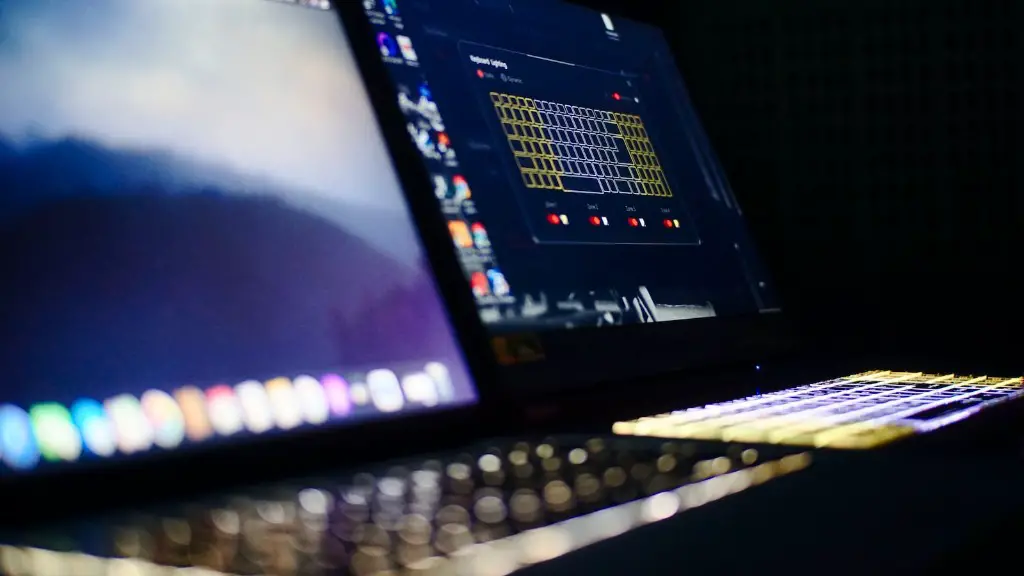
After assembling the components, it is time to pick and install an operating system. Windows, Linux, and Mac OS are the three main options here. The choice depends on what kind of gaming and applications you plan to do on your PC, and which ones you are more comfortable with. Assembling the disk and installing the operating system will be the last step of building your gaming PC.
Now that your build is complete, it’s time to enjoy your hard work. Once everything is installed and you’re playing your favorite games and applications, you can relax and start exploring your new machine’s capabilities. Whether it’s the latest games or creative applications, your custom gaming PC is the vessel of your computing experience.
Choosing the Right Parts
In order to create your custom gaming PC, the parts that you choose must work well together to provide the best performance. It is important to do your research and choose components such as a powerful CPU, GPU, RAM, storage device, case and power supply that are compatible with each other and are within your price range. While purchasing the parts, make sure to check the reviews of the various components to make sure they will suit your specific gaming needs.
Another important factor to consider when choosing the right parts is sufficient cooling. Without enough airflow, your computer components can overheat and eventually fail. Making sure you have adequate fans and heatsinks is a must for any gaming PC.
It is also advised to pick the parts with future upgrades in mind. Having room to expand the gaming PC’s capabilities in the future can save you a lot of money and time when it comes to upgrading.
Finally, keep in mind that certain components are essential for a gaming PC, such as the motherboard and RAM, while others are optional and can be added as bells and whistles depending on the type of budget available.
Installing the Components
Now that you have all the necessary parts, it’s time to install them and begin building your gaming PC. Installing the components can be a little tricky, especially if you’ve never done it before. To make sure everything goes smoothly, it’s important to take your time and focus on correctly understanding every step before you start.
One of the critical steps is to make sure the motherboard is properly mounted in the computer case and that all the parts are compatible with each other. It is advised to check the manual of the motherboard or the manufacturer website to ensure everything is correctly mounted.

The next step is to install the CPU and attach the cooler. After that, installing the RAM and storage is a must, as it will allow you to store all necessary files for your gaming PC. It is important to make sure that these components are sitting flush and properly connected to avoid any mistakes during this stage.
Once the RAM and storage are installed, connecting the GPU, power connector, and any other optional components is necessary. These components often come with different cables and ports, so it’s important to double-check the manual before connecting them.
The last step of building the gaming PC is to plug in the power supply and hook up the monitor and other peripherals. Making sure that everything is wired properly and the power supply is working will go a long way in ensuring a smooth build.
Installing the Operating System
Once all the components are connected, it is time to install the operating system. There are three main options when it comes to the operating system: Windows, Mac OS, and Linux. The choice of operating system depends on the types of games and applications you plan to use on your PC and what you are more comfortable with.

Installing the disc and setting up the operating system is the final step in building your gaming PC. There are lots of tutorials available online or in the manual that you can follow to help you through this process. Care must be taken here to make sure all the settings and preferences are correctly set up for optimal performance and usability.
Testing the System
Once the operating system is installed, it is time to run some tests and make sure your gaming PC is working correctly. Some basic tests such as running benchmark programs, checking temperature statistics, and testing other hardware components will help you decide whether your PC is performing as expected.
It is advised to run the tests with different settings to get the correct readings. Be sure to pay close attention to the fan speed, heat production and other settings as to not overstress the hardware. Since games can be resource-intensive, it is important to test the system with games as well to make sure it is powerful enough to handle the load.
Optimizing System Performance
One of the essential tasks after building your gaming PC is to make sure you optimize the system to the best of its capabilities. To do this, it is important to run the latest drivers for all your hardware, disabling unnecessary services, and disabling unnecessary software.
It is also recommended to clean and maintain the PC on a regular basis to make sure it is running smoothly. This includes dusting all components and cleaning the fan filters and vents. Taking this step can help prolong the life of your gaming PC and will ensure it is running efficiently.
Finally, if you find the system is not performing as expected, it might be time to upgrade the components. If you want more performance, adding more RAM or a faster GPU will be a must. With the right mix of components and upgrades, you should have a gaming system that is powerful and can run the latest games and applications.
Enjoying the Performance
Once your custom gaming PC is finished, it’s time to start enjoying it and appreciate the effort that went into building it. You can now start exploring the capabilities of your PC and what it can do for you. Whether it’s playing the latest games or creative applications, your gaming PC is now ready to provide you with the best computing experience possible.
It is also important to note that building a custom gaming PC can be an expensive undertaking so it’s important to make sure you choose the right parts and take your time to make sure everything is compatible. Following the right steps and understanding the importance of each component can go a long way in saving you money and ensuring your gaming PC performs optimally.
With the right parts and steps to building your custom gaming PC, you will be able to start enjoying your new machine as soon as possible. So, get ready to get your gaming PC up and running and start experiencing the power of superior gaming performance.
