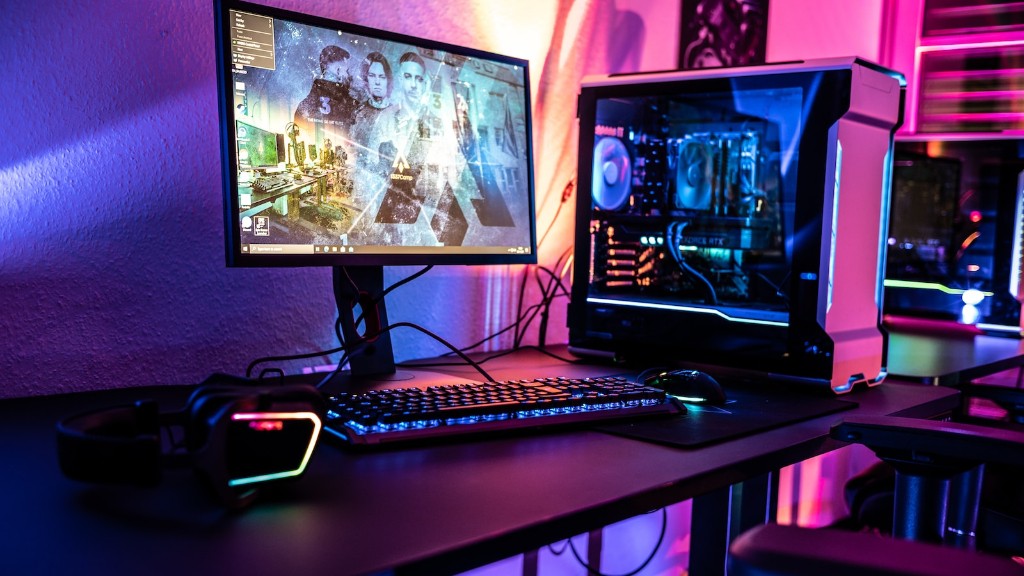
A gaming PC is the optimal option for gaming enthusiasts looking for an effortless, immersive experience. To build a gaming PC, there are certain components one must have. Primarily, a motherboard, central processor, graphics card, RAM, cooling components, storage, wireless and cables. Each component has its own purpose and can affect different elements in the system.
Motherboard is the foundation of the gaming PC assembly. It is important to consider the interface of the motherboard when looking for compatible CPUs and GPUs. Features such as maximum memory, expansion slots, and PCI channels are specific factors to look for when choosing the right motherboard.
The CPU is the brain of the gaming pc and is responsible for processing the game’s functions. The number of cores, clock speed, and thread count will determine the PC’s performance. High-end gaming PCs should possess a processor that has at least six cores and a clock speed of 3.5 GHz.

The graphics processing unit (GPU) enhances the graphics and 3D animations in a game. A compatible GPU should possess fast performance times, multiple displays, and the latest APIs. A powerful GPU is essential for the gaming system, as it processes the images to be rendered by the monitor.
Random access memory (RAM) helps store data for a shorter duration. A good gaming PC should have at least 8GB of RAM to allow the processor to quickly access the game’s resources internally.
There are several components that contribute to cooling the system while it is running. Fans, heatsinks, and liquid cooling systems are requirements when making a gaming pc. Without these cooling components, the system could be damaged.
Finally, storage and wireless components must be included in the assembly. Mass storage devices, such as Solid State Drives, should be incorporated to store large game files and data. Internal wireless cards are needed for communication between the PC and the router.
Motherboard Choices
When selecting a motherboard for a gaming PC, there are a few factors to consider. First, the user needs to decide if they want an ATX, microATX, or mini-ITX board. Each motherboard type has various size constraints and needs to fit inside the PC tower. Next, one must decide the chipset type. Intel or AMD are the two main options; Intel is recommended if the user is looking for great performance.
Furthermore, users must determine the amount of RAM they need and the type of RAM they would like to incorporate into their build. It also helps to think of the features the motherboard offers. For example, certain boards have built-in GPU overclocking, more PCI-E slots, and better audio.
It is also important to factor in the budget when building a gaming PC. Take into account what one can and cannot afford. Gamers also need to think about future upgrades and components, so the motherboard should support upgrades down the line. Overall, selecting the right motherboard is a very important decision.
Pros and Cons of a Gaming CPU
When it comes to selecting a CPU for a gaming PC, there are a few advantages and disadvantages to consider. To begin with, CPUs have higher core and thread counts compared to other components. A more powerful CPU means more power in certain games and tasks. Additionally, CPUs have faster clock speeds and higher cache memory. This helps with gaming performance and decreases loading time.
On the negative side, a higher-end CPU is quite expensive and could take away from the budget available to purchase other components. Advanced CPUs usually require more cooling solutions, too. You will want to devote more money and power to a cooling system if you will use the PC for hours at a time. Finally, some CPUs can be very power-hungry, which means the PC will require a large power source.
GPU Performance and Selection
When looking for a GPU, it is important to understand the underlying specifications. Memory bandwidth, clock speeds, and processor core count are few of the specs one should evaluate. Though clock speeds are helpful for calculating base performance, memory bandwidth is important for higher resolutions and HDR settings found on 4K displays. As for GPU core count, the higher the cores the better the graphics quality.
Knowing the GPU requirements will help decide which GPU is the best fit. This is where research comes into play. Understanding the features and benefits of each graphics card is essential to building a top-tier gaming system. Factors like power draw, temperature, benchmark scores and noise levels must also be taken into account.
Having one GPU may be enough to power certain games but some high-end games need more hardware resources than others. Generally speaking, more GPUs means more power and frames per second (FPS). In addition, having multiple GPUs will require SLI or Crossfire configurations. This helps gamers get the best gaming performance possible.
Importance of RAM and Cooling
RAM is important because it helps the CPU access data and temporary files. A gaming PC should have 8GB of RAM or more. Try to pick options that have higher clock speeds as well. Additionally, out of the two main RAM types, DDR3 and DDR4, the latter will offer a better performance.
It is essential to have adequate cooling solutions in a gaming rig to maintain a safe temperature while gaming. Included in the system should be fans, heatsinks, and liquid cooling systems. These components help prevent hardware damage and helps maintain cooler temperatures. Without these, the hardware could overheat and possibly become damaged.
Storage Options Available
Storage devices are needed for saving and accessing game files. For a better gaming experience, it’s recommended to use both a Solid State Drive (SSD) and a Hard Disk Drive (HDD). SSDs provide faster data read/write speeds, which means the game will boot up faster. Although an SSD is expensive and has low storage capacity, having one will increase overall performance.
HDDs are cheaper but are slower than SSDs. Although these provide a great amount of storage, they are not ideal for gaming purposes. It is recommended to use an HDD for archiving or storing older data and utilize an SSD for game files and applications.
Wireless Connectivity
Having Wi-Fi in a PC is ideal for most gamers. Without wireless connectivity, users would have to manually connect their PC to the router with an Ethernet cable. To solve this problem, an internal wireless adapter can be installed. It is important to make sure the adapter is compatible with the motherboard and that it operates the fastest standard, such as 802.11ac.
Also consider factors such as range and signal strength, which are essential when dealing with wireless networking. Gaming PCs should have at least 802.11ac connection with an AC1200 router in order to have smooth and consistent connections. This helps reduce latency, which is important for online gaming.
Choosing Cables for a Gaming PC
Cables are necessary in order to complete the system build correctly. For external connections, there should at least be a few USB 3.0, HDMI, and DisplayPort cables. HDMI is the most used cable type, as it supports 1080p and 4K resolutions, while Display Port supports 4K with higher refresh rates.
For internal connections, SATA cables must be obtained to hook up internal storage devices and optical drives. Additionally, the power supply unit (PSU) will have several other power cables. It is important to understand which connections each component requires and obtain the necessary cables.
