If you’re looking to buy a gaming PC, it can seem intimidating with all the different specs and components to choose from. But don’t worry – there isn’t a single perfect gaming PC for everyone. You just need to figure out what’s important for your gaming needs. To that end, here’s an overview of the features you should look for, and what you should consider when researching the best gaming PC for you.
The most important component for a gaming PC is, of course, the graphics card. It’s the component that’s responsible for processing graphics, so you want to make sure it has enough power to handle whatever game you’re playing. GPU technology changes a lot, so make sure to look at the latest generations of cards and choose the best based on what you need and your budget.
Next, you should take a look at the processor. It’s responsible for dealing with the game’s AI calculations and physics, and it also affects your PC’s overall speed and performance. Again, it’s important to understand the latest processor technology to ensure you get the best possible performance.
RAM is also essential for gaming, so make sure that your PC has enough of it. You may notice that some models come with different types of RAM – your best bet is to pick one that uses DDR4 RAM, which is the newest and fastest option.
Another important component is the storage device. The type of storage you should go for depends on your game library and budget. For instance, if you want a lot of space and you’re willing to spend a bit more, then an SSD (Solid State Drive) is the way to go. An HDD (Hard Disk Drive), on the other hand, is cheaper and still provides plenty of space.
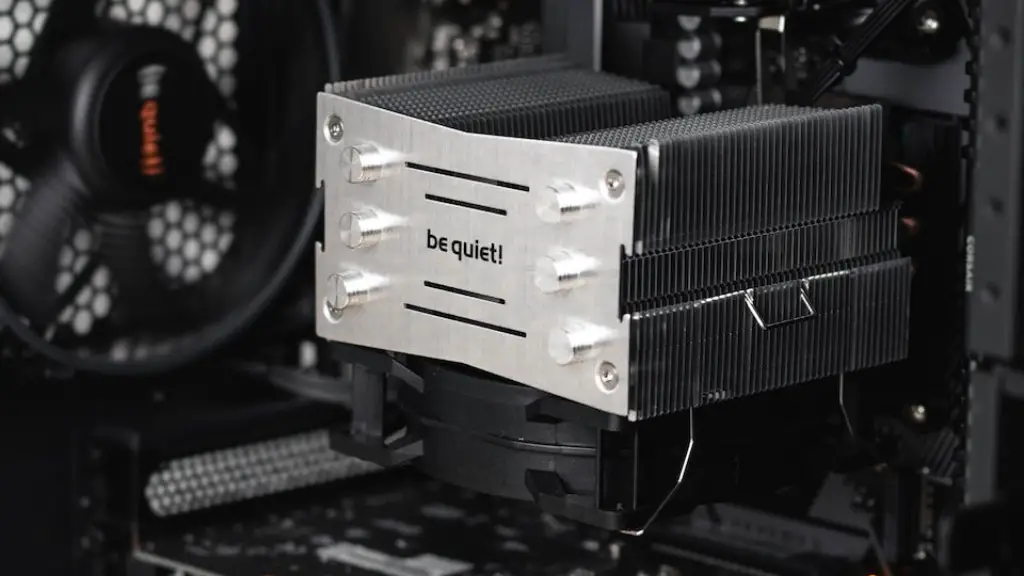
And lastly, you’ll also need to make sure your PC has a good cooling system. Most PC cases come with additional fans that can be installed, but you may also want to invest in a liquid cooling setup if your budget allows. This will keep your PC from overheating, ensuring reliable performance.
When you’re shopping for a gaming PC, it’s important to keep all of these components in mind. Knowing what you need and understanding the latest gaming technologies will help you make the best decision for your needs and budget. Just remember that there isn’t one perfect gaming PC for everyone – it all comes down to what you’re looking for.
Graphics Cards

Graphics cards are the most important component of any gaming PC. They are responsible for drawing pictures, carrying the majority of the work required to turn a game’s code into the beautiful visuals you see on the screen. If your gaming PC doesn’t have a powerful enough graphics card, you won’t be able to enjoy the latest games – or even run them at a reasonable frame rate.
When it comes to graphics cards, you want something that’s powerful but won’t break the bank. AMD and NVIDIA are your two options, and there are pros and cons to each. NVIDIA cards tend to have the best gaming performance, while AMD cards offer great value at a lower price. You should also make sure to research upcoming graphics cards in your budget range to stay up to date with the latest technology.
Finally, if you’re into competitive gaming like eSports or serious gaming in general, you may want to consider getting multiple graphics cards. This will lavish your gaming PC with extra power and will give you the edge you need to stay competitive.
Processors
Processors, commonly known as CPUs, handle the game’s AI calculations and physics, and they can also affect the overall speed and performance of your PC. Intel and AMD are the two most popular choices, and they each offer a variety of processors with different power levels. If you’re looking to get a powerful gaming PC, you’ll want a processor that comes with a higher clock speed and core count.
Another feature to consider is hyper-threading. This is an Intel technology that doubles the number of cores by creating virtual cores out of the original physical ones. This can be great for gaming, but it does come at a higher cost.
Finally, it’s important to note that CPUs have become increasingly important for gaming. Some of the latest games take advantage of the technology behind these processors, so don’t skimp on power to save a few bucks.
RAM
RAM, or Random Access Memory, is used to store data for quick access. This is incredibly important for gaming, as it helps reduce load times, increases framerate and improves multitasking. For gaming, you’ll want to make sure to get plenty of RAM – 8GB is considered the minimum, but 16GB is better if you can afford it.
In terms of the actual RAM chips, it’s best to go with DDR4. This is the newest and fastest type available, and it’s the preferred choice for gamers. It’s a bit more expensive than DDR3, but it has a higher bandwidth and faster speed.

Finally, you should look into how easily your RAM can be upgraded. The faster and more powerful gaming PCs are, the more RAM they require. Getting RAM that’s easy to upgrade can be a great investment in the long run.
Storage
Storage is another important factor to consider when buying a gaming PC. Storage is what you use to store games and other software, so you’ll need enough for the games you play and any additional software you may need. Luckily, it is easy to upgrade.
If you don’t mind spending a bit more, an SSD (Solid State Drive) is your best bet. These are faster and more reliable than HDDs (Hard Disk Drives), but they come at a higher cost. HDDs are cheaper, however, and still provide plenty of space.
Finally, you can also opt for hybrid drives, which are a combination of both SSDs and HDDs. They have a smaller SSD as the main storage for quick access to games, and a larger HDD for additional space. These are a great option if you’re looking for a balance of speed and budget.
Cooling Systems

Last but not least, make sure your PC has a good cooling system in place. Gaming PCs put out a lot of heat, and if it’s not managed properly your PC could overheat and crash. Most PC cases come with additional fans, so make sure to look out for those.
You may also want to invest in liquid cooling if your budget allows. This type of cooling uses liquid to further reduce your PC’s temperature. It’s more expensive, but it can keep your PC running smoothly and reliably – even during intensive gaming sessions.
Lastly, make sure to pay attention to the noise level of your cooling fans. Some more powerful models are louder than others, which can be distracting during gaming. Look for fans with higher RPMs if you want a quieter experience.
