Building a gaming PC requires more than just buying a set of components. It involves understanding your needs, choosing the right components, and ensuring the compatibility of each part. Professional expertise is not strictly necessary, but it is essential to know what components you need to build a gaming PC.
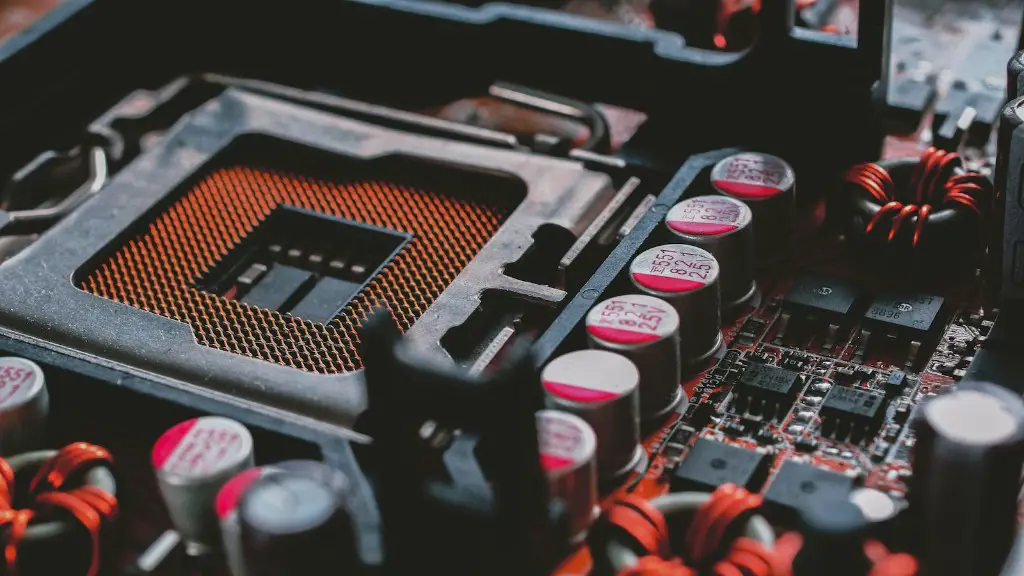
The system’s foundation is its processor. The processor determines the level of performance and the types of games you can play. You will want to get the best processor you can afford, as it will dictate how well the games run and how many you can run simultaneously. The next component is the motherboard. The motherboard must be compatible with the processor and provide the necessary slots and ports for the other components.
Graphic cards, or GPUs, are essential to playing games. Select the GPU that is appropriate for the types of games that your processor can handle, as well as the resolution of the monitor. Other video-related components you’ll need include a power supply to run the graphical card, as well as a monitor and an appropriate cable.
The CPU is also fundamental to gaming performance. It will determine how much multitasking you can do and how quick the game responds. When choosing the CPU, you should consider the types of games you will be playing and pick one that matches the games’ requirements.
Another significant component is the RAM. It helps increase the speed of the overall performance. The amount of RAM you need depends on the types of games you will be playing and the resolution settings of your monitor.
Lastly, you’ll need to factor in the data storage needs. Games require a lot of space so you need to pick a hard drive or an SSD that provides enough space for all the games you would like to install.
Compatibility of Components
When building a gaming PC, it is essential to ensure that each component is compatible and can be integrated into the system. Every component must be compatible with each other for the PC to function correctly, otherwise there could be performance issues or even further damage. Therefore, research must be conducted to determine if the components are compatible with one another, if the motherboards have enough slots, and if the RAM and CPU are adequately matched.

Additionally, you should check that each component is compatible with your operating system, as incompatible components could have a range of compatibility issues. Knowing what components are compatible and how they should be installed is vital for any effective build.
Furthermore, users should consider the compatibility of the components with the power supply. You should make sure that the processor, graphics card, and other components require less wattage than what the power supply can provide. If a power supply’s wattage is not sufficient to power the components, the PC may experience system crashes, damage, and other unexpected issues.
Finally, compatibility between the components should be tried and tested before a build is completed. It is paramount to ensure the correct pairing and installation of the components to ensure a system’s performance.
Choosing the Right Components
When selecting components for a gaming PC, you need to be mindful of the types of games you would like to play. The processor, graphics card, and other components should be chosen accordingly. It is also important to pick components that can handle the operating system and provide stability for long-term use.
The type of motherboard is also significant in a gaming PC build. Have a look at your processor and figure out what kind of socket it uses, so you can choose the right motherboard. Consider the slots and ports offered by the motherboard to make sure that you can add all the components you need.
Furthermore, the RAM is another component to consider very carefully. RAM has a significant impact on performance, so it’s important to choose RAM sticks with the right capacity and frequency. Make sure that the RAM you select is compatible with the motherboard.
The GPU is one of the most crucial components for gaming. High-end GPUs are expensive, yet their performance should be taken into account when making a purchase. However, ensure that the GPU can be supported by the power supply and can be operated by the CPU.
These components are the most important for gaming PCs; however, it is important to consider other components like cooling systems, monitors, and peripherals. Even though these may not be essential for a gaming PC, they can enhance the gaming experience.
Evaluating Features
Once you have chosen the right components for a gaming PC, you need to evaluate their features. This includes analyzing the processor’s speeds and threads, understanding the power supply’s wattage, determining the RAM’s frequency, and checking the GPUs capabilities.
You should assess the components based on your preferences, needs, and budget. Quality should also be taken into account when making the purchase, as some components offer better performance than others. Take time to research and compare components before making a selection.
Also, do not forget to be mindful of the upgrades and expansions you’ll need further down the line. As your needs change, you may need to add or remove components, which will require additional parts. Be sure to check if your current components can be upgraded or if you need to purchase separate components for potential changes.
It is highly recommended to get professional help for a gaming PC’s setup. A professional can ensure that the build is done correctly and can also help with any potential issues.
Monitoring Performance
Once a gaming PC is built, users should monitor the system’s performance. Observing the temperature of each component and the power consumption can help prevent overheating or overloading. Furthermore, monitoring the performance can help identify any bottlenecks that may need to be addressed.
Keep in mind, however, that components cannot always run at optimal levels, as the hardware might not always be able to handle the tasks. Therefore, it is essential to be mindful of the components’ performance and troubleshoot any issues promptly.
Additionally, keep the components up to date regularly. The drivers for each component should be updated as needed to ensure peak performance. Check for any firmware or software updates that can improve the overall performance.
It is also advisable to back up any data or games you may have. If something goes wrong with the build, your data and progress is safe, provided you have a backup.
Other Considerations
When building a gaming PC, there are a few other considerations you should take into account. Make sure that you have a safe environment in which users can play their favorite games. Harsh lightings, noise, and other distractions should be minimized to create a pleasant atmosphere.
It is also important to have the right peripherals—such as a mouse, keyboard, and gaming controller—to ensure a pleasant gaming experience. Moreover, make sure you have sufficient space for all the components, as this will ensure that the build does not overheat and does not pose any additional risk.
In summary, building a gaming PC involves more than just getting the right components. You must ensure their compatibility, evaluate each component’s features, and monitor the performance. Additionally, keep your data safe and initialize the components in the correct order. By following these steps, you can build a gaming PC that meets your expectations.
