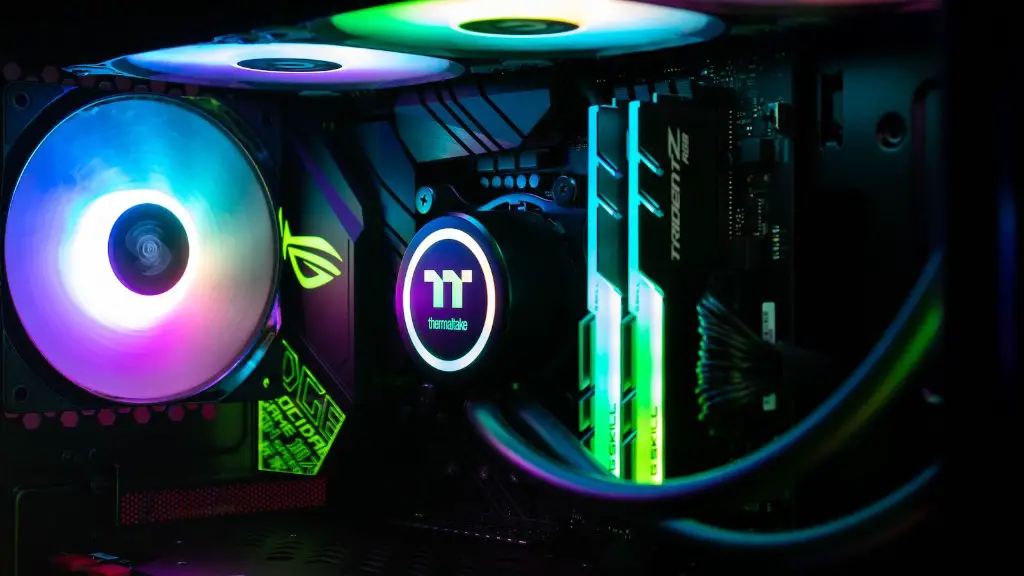
When gaming is your passion, it’s only natural to want to upgrade your PC to satisfy your needs. But knowing what to upgrade first is key. Here’s a guide to help you decide which upgrade will give you the most bang for your buck.
The most important part of any gaming PC is its processor. It’s the key factor in how well future games will run on your machine, so it’s the first thing you should upgrade. Look for a processor with the best single-threaded performance and a high core clock speed. Investing in a processor with advanced features such as Hyper-Threading and Turbo Boost will also help you get the most out of your PC.
When it comes to memory, you’ll want to increase the amount of RAM to ensure smooth gameplay. Check your motherboard’s RAM capacity and upgrade to the highest available amount. You may also want to consider the type of RAM, such as DDR3 or DDR4, to make sure it’s compatible with your components.

Graphics cards are an essential upgrade for any gaming PC. Your choice will depend on the types of games you play and the resolution of your monitor. Look for a card that is powerful enough to handle the latest games at high settings, while also striking a balance between power and cost.
Another important factor is your cooling system. You will want to make sure your PC is able to dissipate heat, especially if you’re running demanding processes or overclocking. A good CPU cooler and case fans are essential for this, as well as a reliable thermal paste. You may also want to invest in a liquid cooling system for even more efficient heat management.
The power supply is another crucial component for your gaming PC. A quality PSU will ensure your PC’s components receive enough power for performance stability. Look for a unit with the correct wattage, efficiency rating, and safety features to keep your PC running reliably.
Upgrading your storage is the final step. For the best performance, install an SSD, which provides faster loading times and improved overall performance. You can also increase the size of your hard disk drive if you need more space for games. Make sure you choose a reliable drive with good performance to get the most out of your gaming PC.
Processor
When selecting a processor to upgrade your gaming PC, you’ll want to consider the industry’s latest technology. Look for a processor with the best single-threaded performance and a high core clock speed. Invest in a processor with advanced features such as Hyper-Threading and Turbo Boost to ensure you get the most out of your PC. All of these features will contribute to the best gaming experience possible.
You’ll also want to look for a processor that is compatible with the motherboard. If you’re replacing your CPU, make sure the new processor works with your existing motherboard, otherwise you may need to upgrade that component as well. Be prepared to spend more if you decide to go with a more powerful processor, as prices can be quite high for leading models.
Finally, be sure to read reviews and do research to make an informed decision when choosing the right processor for your gaming PC. It’s worth the effort to identify the processor that has the power and features that you need.
Memory
Your computer’s RAM is the key component that stores data while your system is active. When it comes to memory, you’ll want to increase the amount of RAM to ensure smooth gameplay. Check your motherboard’s RAM capacity and upgrade to the highest available amount. Consider buying RAM in kits, as this will help to ensure compatibility.
You may also want to consider the type of RAM, such as DDR3 or DDR4, to make sure it’s compatible with your other components. DDR4 is the latest type of RAM available and provides higher speeds than DDR3, so it’s worth considering. As with processors, prices can be quite high. You may also want to look at second-hand options to save money.
Take your time to do some research on the right type of RAM for your gaming PC. Pay special attention to the various specifications and performance levels, such as latency and frequency. This will help you select the RAM that is best for your PC.
Graphics Card
Your graphics card is another essential upgrade for any gaming PC. When selecting your graphics card, your choice will depend on the types of games you play and the resolution of your monitor. Look for a card that is powerful enough to handle the latest games at high settings, while also striking a balance between power and cost.
Graphics cards can range from entry-level models to leading high-end models. The most expensive cards offer the highest levels of performance but can be costly. Decide how much you’re willing to invest in a graphics card and make sure you get one that meets your requirements. You may want to consider getting a second graphics card to increase performance.

Another factor to consider is the display ports the card provides. Look for a card with multiple ports, such as HDMI, DisplayPort, and DVI. This will allow you to improve your gaming experience by using multiple monitors.
Take your time to do some research and read reviews to decide on the graphics card that is best for your PC. It’s worth the effort to identify the card that has the power and features that you need.
Cooling System
When building or upgrading your gaming PC, you’ll want to make sure your PC is able to dissipate heat effectively, especially if you’re running demanding processes or overclocking. A good CPU cooler and case fans are essential for this, as well as a reliable thermal paste. You may also want to consider investing in a liquid cooling system for even more efficient heat management.
When selecting a CPU cooler, there are two main types: air coolers and liquid coolers. Air coolers are the more traditional type and typically cheaper, while liquid coolers offer more efficient cooling and quiet operation. Whichever type you chose, check your case and motherboard to make sure it is compatible.
Next, you need to decide on the number of fans you need. More fans will provide better cooling, but too many will generate noise. It’s best to read reviews and ask questions to make sure you get the right balance of cooling and noise. Finally, make sure the fans are compatible with your motherboard.
Take your time to do your research and decide on the perfect cooling setup for your gaming PC. Investing in a good cooling system will ensure your PC runs reliably and is future-proofed for new releases.
Power Supply
The power supply provides electricity to all of your PC’s components, so it’s important to make sure you have the right one. A quality PSU will ensure your PC’s components receive enough power for performance stability. Look for a unit with the correct wattage, efficiency rating, and safety features to keep your PC running reliably.
When selecting a PSU, the wattage is an important factor to consider. You will need to check the power requirements of all your components, then purchase a unit that is at least a little bit larger than the total wattage. This will help to prevent power supply overload. You’ll also want to look for a PSU that comes with a long warranty.
Finally, you’ll need to determine a good size and shape for your power supply. Generally, larger PSUs will be more efficient, but you may need to consider the space you have in your case. Many PSUs come in modular configurations, which allow you to reduce the size of the PSU, while still providing enough power for your components.
Take some time to research and select the perfect power supply for your gaming PC. A reliable power supply is essential for stable performance and longevity.
Storage
Upgrading your storage is the final step in building or upgrading your gaming PC. For the best performance, install an SSD, which provides faster loading times and improved overall performance. You can also increase the size of your hard disk drive if you need more space for games. Make sure you choose a reliable drive with good performance to get the most out of your gaming PC.
Before you buy a new hard drive, first check whether the drive is compatible with your PC’s components. You’ll need to check the maximum storage capacity of your motherboard. If you’re looking for more storage, you can always consider setting up an external storage solution.
Take some time to figure out the best storage solution for your gaming PC. Be sure to do your research and compare prices to get the best deal. You may also want to consider getting a second hard drive or a better quality model, as this will help to boost your gaming performance.
Finally, make sure to back up your data before you upgrade your storage. This will help to ensure your data is safe in case something unexpected happens.
