
The specs of a gaming PC are an important factor to consider when searching for a reliable, high-performance machine. The features and components vary significantly between different models, and understanding the specifics is essential for finding a machine that offers a truly enjoyable gaming experience. In this article, we’ll examine the specs for a new gaming PC, the benefits and drawbacks of each component, and what you should look for when making your choice.
The central processing unit (CPU) is one of the most important components of a gaming PC, and many machines now feature processors from Intel or AMD. Both manufacturers offer a range of products, and each is designed with a specific performance level in mind. Generally speaking, the faster the processor, the better the performance. Additionally, it’s important to select a processor with multiple cores, as this allows for more efficient multitasking.
The graphics processing unit (GPU) is another core component of a gaming PC. Most modern machines feature a discrete GPU, such as a NVIDIA GeForce or AMD Radeon. The performance capacity of these GPUs varies significantly, so it’s important to choose one that offers adequate performance for your desired games. Many of the GPUs purchased today can run most games at high or ultra quality settings, making them a great option for gamers.
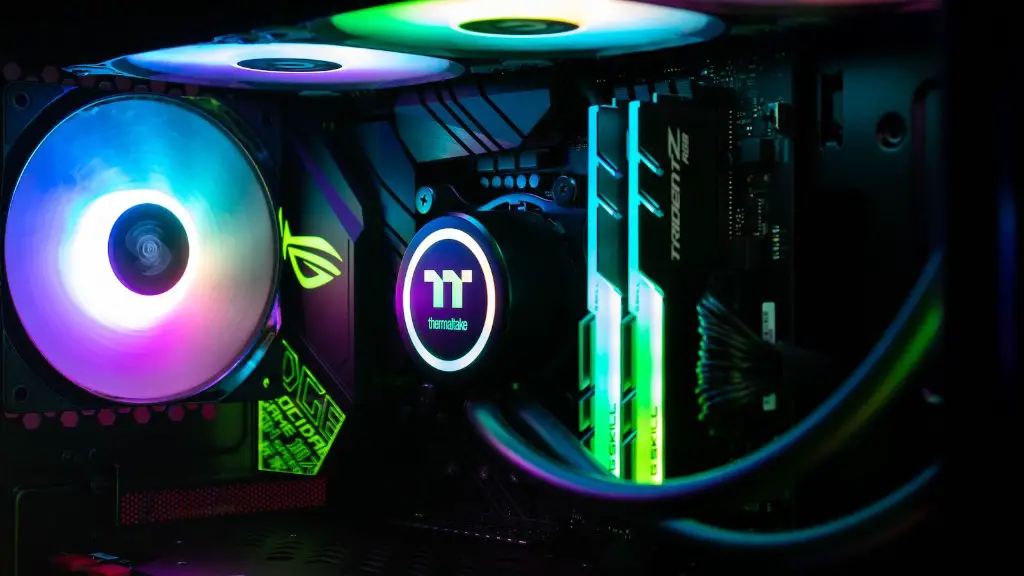
When selecting a gaming PC, it’s important to look at the RAM capacity. Generally, 8GB of RAM is a safe minimum, although 16GB would be preferred for gaming purposes. If you plan to stream content, additional RAM may be required. Additionally, you should select a quality motherboard with multiple RAM slots, allowing for easy upgrading in the future.
Storage capacity is another important consideration for gaming PCs. Ideally, you should choose a machine with both an HDD and an SSD. The HDD will provide more storage for games and other media, while the SSD will result in faster boot and loading times for games. Additionally, make sure to select a machine with multiple USB ports, allowing you to connect headsets, gamepads, and other peripherals.
Finally, your gaming PC should be equipped with a quality power supply. Quality power supplies minimize the risk of power throttling, offering reliable performance regardless of the graphical settings or the number of programs running. Additionally, the wattage capacity should be taken into account, as some games require a larger amount of power to run properly.
Connectivity Options
When selecting a gaming PC, it’s important to consider which types of connectivity options it offers. If you plan to engage in competitive gaming or stream content, you’ll need a machine with a reliable Ethernet connection. Alternatively, if you’re only playing single-player games you can opt for a wireless connection. Additionally, check to see if the machine offers adequate USB ports and other connections for your peripherals.
Cooling System
Modern gaming PCs generate a lot of heat, and it’s important to choose a machine with an effective cooling system. Some machines come with a multi-fan setup to maximize airflow, while others may feature a liquid-cooling system for more efficient cooling. Additionally, make sure to select a machine with a sufficient number of case fans, as this will help keep the components cool during long gaming sessions.
Size And Aesthetic
Finally, size and aesthetic should also be taken into consideration. You’ll want to choose a case that’s large enough to accommodate all of your other components, while also offering good airflow. Additionally, consider the type of aesthetic you’re looking for, as there are cases available in a variety of colors, shapes, and styles. Consider whether you’d prefer a traditional or more modern look, and make sure your chosen case will match the other components of your PC.
Maintenance And Durability
Caring for your gaming PC is essential for ensuring its health and longevity. When selecting a machine, make sure to read reviews to learn about the components’ durability and maintenance requirements. Some components may require regular cleaning to prevent dust build-up, while others may need to be replaced relatively often. Additionally, make sure to select a PC with easy access to the interior, allowing for easy upgrades or repairs.
Price
Price is paramount when choosing a gaming PC. It’s important to do research and find the best-priced machine with the specs that you need. With today’s technology, it’s possible to find an excellent gaming machine for an affordable price, so don’t let sticker-shock keep you from finding the perfect PC for your gaming needs.
Warranty

Finally, make sure to check the warranty that comes with your chosen gaming PC. Repairs can be expensive and time-consuming, so it’s vital to make sure that the manufacturer has a reasonable and reasonable-priced warranty policy. In addition, many components such as the processor, RAM, and graphics card have manufacturer warranty programs, so make sure to take advantage of them if possible.
