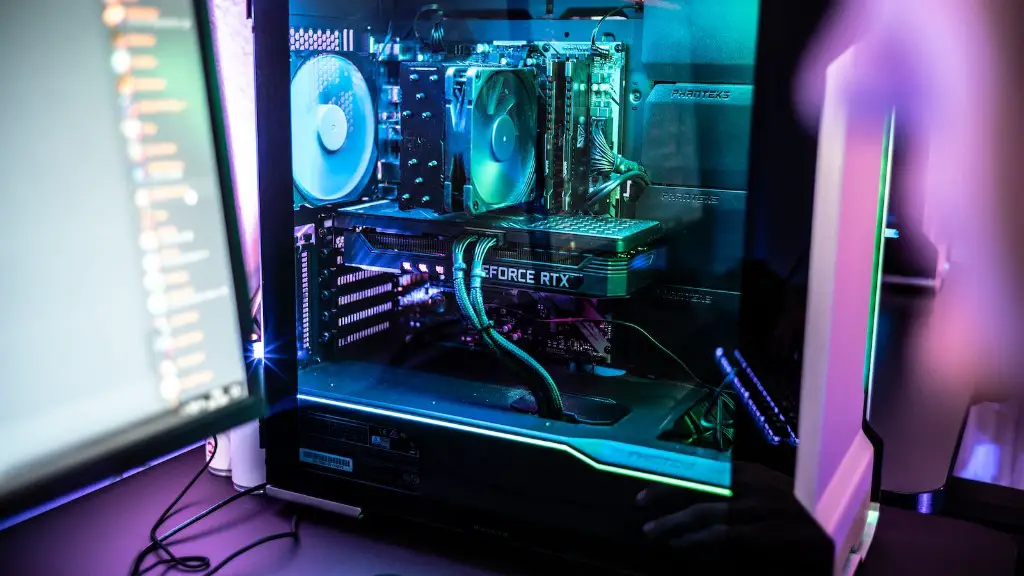
Is building a gaming PC hard? This is often a question asked by gamers, particularly those who are new to the PC gaming market. In truth, it can range from simple to quite challenging, depending on the components used and the complexity of the build. Newbies to PC building should expect a steep learning curve and a possible mountain of frustration. Even veterans to PC building may encounter some troublesome hiccups.
On one hand, building a PC can be a matter of choosing the right parts, assembling them into a neat package, adding a few cables, and voila – you are ready to enjoy your freshly built gaming PC. On the other hand, things are never so straightforward when it comes to PC building and there is likely to be a number of areas that demand attention. It is important to have knowledge of components, cooling solutions, and various general assembly techniques.
For instance, the choice of components can be tricky due to compatibility issues. Many of the individual parts must be selected with an eye towards the entire system. It’s not as easy as just picking any random parts and expecting it to work. You must be able to determine which combinations of processor, motherboard chipset, memory and other components that will work with the build.
Furthermore, a good gaming PC build requires cooling solutions for effective system temperature management. If a PC is not cooled properly, its performance will suffer, or worse, it could be permanently damaged due to heat. This entails selecting and installing the correct cooling solutions such as fans, radiators, and liquid coolers.
The process of assembly must also be carried out with caution. It is important to have adequate knowledge of the components, including their orientation and proper connections, as it may be difficult to make repairs if something goes wrong. Issues with assembly can range from things as small as not properly seating components in the sockets to more serious issues of connecting power cables incorrectly.
Once the initial building is finished, additional steps must be taken to ensure the most accurate and efficient gaming experience. This can range from setting up the performance profiles of each component to configuring PC settings for best game performance. There are many things that need to be taken into consideration.
Selecting the Components
Choosing the components for a gaming PC can be difficult for those new to building PCs, as compatibility issues may arise that are not immediately apparent. It is important to research on the individual parts and determine what will work best with the build. This requires an in-depth knowledge of the various components that come into play, as they must be chosen with the entire system in mind.

For instance, the requirements of the system and the components selected must be compatible. A low-powered processor will likely be bottlenecked by a powerful graphics card, while a high-end processor would be wasted in a low-powered system. The same is true with the motherboard, as components will have to be chosen that are compatible with the sockets and slots. Additionally, the chosen components must match the requirements of the operating system.
It can also be helpful to determine what kind of games will be played and how well the system must run them. This will help in selecting components for the build, such as choosing a graphics card that will provide the best performance for the particular games. The same goes for memory, as certain games require more RAM for optimal performance.
Once the compatibility issues have been overcome and the correct components are chosen, a budget must be determined for the build. This will help narrow down the choices and further refine the component selection to match the budget. Knowing the budget of the build will help prevent overspending and make the entire process much simpler.
Cooling Solutions
In order to keep the components running as efficiently as possible, cooling solutions must be employed. Without proper cooling, the system may overheat, reducing its overall performance or, in extreme cases, damaging the components. The best cooling solution is a combination of fans, radiators, and liquid coolers.
Fans are the most cost-effective method of cooling and are generally used to help circulate air through the system. As a basic solution, fans can be adequate for normal operation, but most gaming PCs require a more efficient cooling system as the components generate more heat due to the more intensive load. This is where radiators and liquid coolers come into play.
Radiators are usually more effective than fans, as they can help move more air at a faster rate. For even more efficient cooling, liquid coolers are designed to transfer heat from the components to a fluid, which is then moved away from the system to be cooled by a radiator.
It is important to determine the best cooling solution for the build and have adequate knowledge of installation and maintenance. The system should be monitored if possible, as this will help determine if the cooling system is working properly and, if not, can help identify areas that need improvement.
Building Process
Once the components are chosen and the cooling solution is determined, the actual building process can begin. It is important to keep all components handling to a minimum, as to not damage the components. The components should be manually plugged in and not forced, as this may cause damage.

The recommended order for assembly is to start with the motherboard, then install the processor, memory, and storage, followed by the graphics card. After these components are installed, fans, radiators, and liquid coolers can be added in. Once these components are in place, the power supply can be secured, cables connected and the case assembled.
As mentioned earlier, mistakes can be made during assembly that could cause serious damage to the system. It is important to know how to orient components correctly, such as situating the processor correctly on the motherboard and plugging cables into the right slots. It is also essential to know that power connections must be properly set, as wrong connections can destroy components.
Finally, once the system is assembled, it should be tested. This can be done by booting up the system and running some benchmarks or other tests to ensure that components are working correctly. This will also help to determine if the cooling system is sufficient.
Configuration
Once the system is up and running, configuration is needed for the optimal gaming experience. This involves setting up drivers, performance profiles and operating system settings. Drivers are essential to the system’s functioning and should be updated regularly. The performance profiles of each component should also be personalized, as they may not be optimized out-of-the-box. Operating system settings should also be tweaked to increase gaming performance, such as disabling unnecessary startup processes or disabling windows animations.

Additionally, overclocking may be useful in some cases. Overclocking involves setting the components to run at higher speeds than normally possible, increasing performance levels. Generally, overclocking requires some knowledge of the components and the BIOS of the motherboard, as well as a good cooling solution, as the components will produce more heat than usual.
It may be beneficial to adjust power settings for games, by creating a game plan in the PC’s operating system. This will allow the user to tweak settings such as monitor resolution, file downloading, and other settings to help optimize gameplay. It is important to note that the gaming rig must be powerful enough to handle the settings.
Finally, it is important to configure the network settings for the PC. Wired connections are generally preferred over wireless, as they offer better speeds and stability. If a wireless connection is necessary, the router should be placed in a central location in order to get the best connection to the device.
Maintenance
Gaming PCs, like any electronic device, need regular maintenance in order to keep them running properly and increase their lifespan. Basic maintenance tasks include keeping the components clean and dust-free, updating drivers, and periodically running diagnostics tests to identify any potential issues.
Additionally, it is important to check the cooling system regularly and ensure that it is properly installed and running correctly. This means checking the fans, radiators, and liquid coolers for proper functioning and making adjustments as needed. It may also be necessary to clean the interior of the case, as dust accumulation over time can reduce cooling performance.
Software updates should also be performed, as the operating system and other installed programs typically receive periodic updates that can improve performance or fix security vulnerabilities. Malware scans should also be performed on a regular basis to ensure the system is not infected with any malicious software.
Finally, it is important to ensure that the PC is connected to a reliable power supply, as power outages or surges can be damaging to the system. A power strip with surge protection is recommended, which will keep the system safe in the event of a power surge.
