When it comes to making sure a gaming PC is up to the highest standards, there are some key components that are essential. From the core of the machine, all the way through to the peripherals, the right components can make all the difference in providing the top-of-the-line performance on which many gamers stake their reputations. So, what is most important in a gaming PC?
The CPU is the most important component in any PC build, and it is at the center of any gaming rig. This is the brain of the system, determining the base speed and processing capabilities at which all other components will operate. When looking for a gaming PC, it is important to look for the latest in CPU technology. In 2021, the Intel’s top end Core i9 processor and AMD’s Ryzen 9 models are the most popular processors for gamers.
The motherboard serves as the foundation for the PC build. Not only does this component house the CPU, but it also provides the connections for all other components. The quality and features of the motherboard are essential to make sure the gaming PC runs efficiently, with fast data transfer and stability. Modern motherboards provide a wide range of features to support gaming performance, such as the ability to overclock a processor and install larger memory for enhanced performance.

A gaming PC’s graphics card is also incredibly important. This component is responsible for creating the visual elements of games and providing the amount of on-screen detail. As gaming technology advances, so does the level of detail and graphical fidelity achievable from gaming PCs. The graphics card is a vital component to any PC build and requires bespoke processing power that only dedicated graphics cards can provide.
Having a large RAM is also critical for gaming PCs. This component is what helps the overall system run faster and smoother, allowing games to quickly access the data stored in memory. Without a sufficient amount of RAM, a sparsely-designed game will suffer serious performance issues. It’s recommended that gamers opt for at least 16GB of RAM, as this should be more than enough to handle the majority of the latest games.
A solid state drive is an optional extra for those who don’t have the budget for one. Solid state drives greatly improve system performance, offering instantaneous start-ups and noticeably faster loading speeds to all tasks. It’s best to go for modern NVMe drives as these are much faster than traditional spinning hard disk drives, offering improved responsiveness and loading speeds.
Finally, a reliable power supply should not be overlooked. This component is responsible for supplying power to all the parts of the PC. While a gaming PC needs higher power than a non-gaming PC, it’s still important to only go for a power supply that has the correct wattage rating for the PC components, especially the graphics card.
Cooling System:

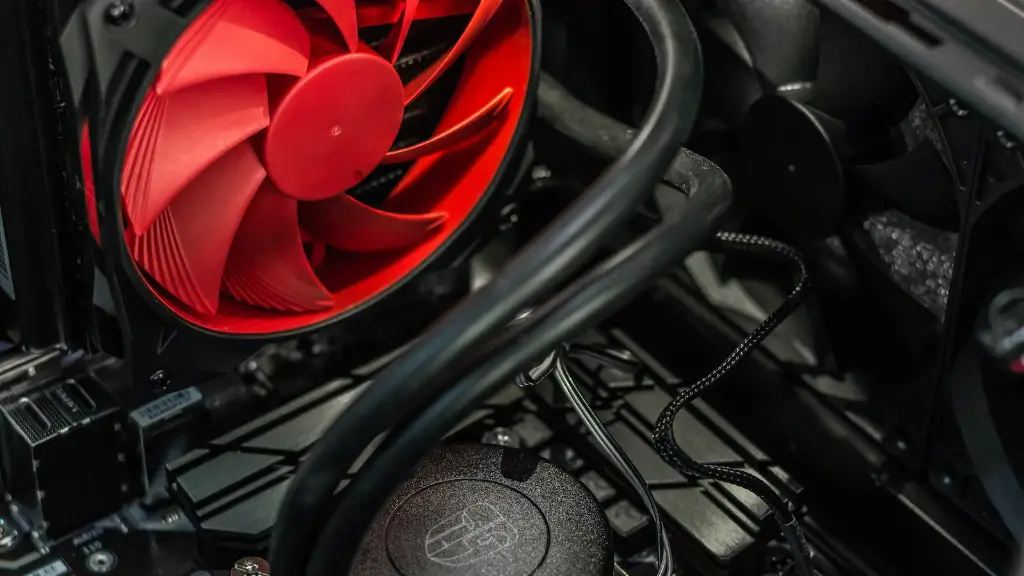
Maintaining a steady temperature inside the system is also vital, as overheating can cause hardware failures. This is where a quality cooling system comes in. Liquid cooling systems have become more popular in recent years, as they have become more cost effective and offer much better cooling capabilities than air-cooled systems. However, air cooling remains a viable option for those who don’t want to invest in a more expensive liquid cooling solution. It’s important to understand the different cooling systems available and carefully consider which one is right for a given setup.
Peripherals:
The peripherals set up for any gaming PC is also essential for getting that competitive edge. Quality components, such as keyboards and mouse, should be taken into account, as these are the tools that help gamers bring out the best in their PC performance. It is highly recommended to invest in quality peripherals, as this will ensure an accurate and responsive gaming experience.
Networking & Storage:
A reliable network connection is also key for gaming. When discussing the network aspect of gaming PCs, it’s important to understand the need for low latency communication. The faster a connection, the less latency will be experienced, allowing for smooth gaming experiences. A good connection also helps reduce game-associated lags and hitches. Quality routers and home networks should be taken into account.
Storage is the last important component to consider when building a gaming PC. Latency is a key factor here, as quality storage plays a major role in the overall responsiveness of the machine. This is why gamers must consider both the size and speed of the hard drive on their gaming PC, with the technological advancements of today pushing for the use of solid state drives. This will also help with efficiency as games are stored on SSDs when compared to standard hard drives.
Upgrades:
Finally, when building a gaming PC, gamers should consider possible upgrades in the future. While it can seem counter-intuitive to buy components for the purpose of upgrading later, this can prove to be a cost-efficient move in the long run. People looking to build a PC must continuously research on potential upgrades to choose the best-value components when making a purchase and plan ahead for simple upgrades to futureproof their gaming machines.
Software & Security:
Software requirements also play an important role in gaming PCs, with gamers needing to install the latest versions of popular gaming platforms such as Steam and Uplay. Investing in quality software certainly pays off by having improved performance, as well as added functionality such as easy access to online games and libraries. It’s also important to consider the face of cybersecurity when using a gaming PC. gamers should invest in a suitable set of antivirus software to protect themselves from malicious software, phishing attacks and other cyber threats.
Support & Maintenance:
The lifespan of any gaming PC will depend on how well it is maintained. This means gamers should be prepared to clean their hardware and undertake basic repair work when needed. Investing in quality peripherals will help with durability, as well as easy identification of flaws. Gamers should also keep an eye out for optional maintenance tools and solutions designed to extend the life of their gaming PCs.
