
Making a budget gaming PC is relatively easy, and it can be done by anyone who follow the right steps. Firstly, you should determine what kind of graphics card you need. If you want to play the latest games at maximum settings, then you should go for one of the best graphics cards on the market. However, if you’re just looking for a decent gaming experience, then you can save some money by going for a mid-range or low-end graphics card. Secondly, you should choose the right processor for your setup. This should be based on the type of games you want to play, as well as the resolution of your monitor. Thirdly, you should select a good quality motherboard. This will be the backbone of your system, so it’s important to choose one that is reliable and compatible with the other components. Fourthly, you should decide on the type of RAM you need. Again, this should be based on the type of games you want to play and the resolution of your monitor. Lastly, you should choose an adequate power supply for your system. This is important for ensuring that all the components are adequately powered and will work together without any problems.
Identifying the kind of graphics card
Choosing the right graphics card for your gaming PC is extremely important. This is because it determines the kinds of games you can play and the graphics levels you can achieve. If you are looking for a top-end gaming experience, then you should go for a high-end graphics card such as the Nvidia GeForce RTX 3090. On the other hand, if you are looking for a more budget-friendly gaming setup, then you can opt for a mid-range or low-end graphics card such as the Nvidia GeForce GTX 1050. It is important to note that the type of graphics card you choose will largely depend on the resolution of your monitor.
Choosing the right processor
The processor is the brain of your gaming PC, so it is important to choose a model that will provide the performance you need. The type of processor you should choose will depend on the type of games you plan to play and the resolution of your monitor. If you plan to play demanding games at high resolutions, then you should opt for a processor from Intel’s Core-X or AMD’s Ryzen series. However, if you’re looking for a more budget-friendly solution, then you can go for a processor from Intel’s Core-i or AMD’s Ryzen series.
Selecting the right motherboard
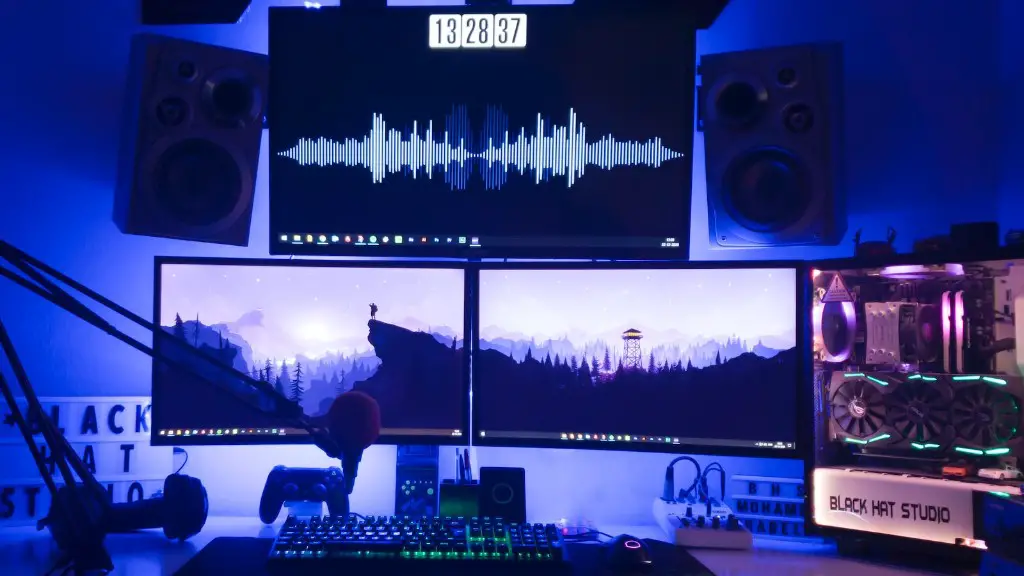
The motherboard is the backbone of your gaming PC, so you must ensure that it is compatible with the other components and can provide enough power and cooling for them. When choosing a motherboard, you should make sure that it is compatible with the processor and graphics card you have chosen, as well as the other components you plan to use. Additionally, you should ensure that it has enough ports and connectors for all your peripherals, such as external storage, USB devices, and additional fans.
Selecting the right RAM
Random Access Memory (RAM) is an important part of a gaming PC as it helps to improve the performance of the system. When selecting RAM, you should choose a model that is compatible with your motherboard and is fast enough to provide high-quality gaming experiences. The amount of RAM you should choose will depend on the type of games you plan to play and the resolution of your monitor. If you plan to play the latest games at maximum settings, then you should opt for 8GB or more RAM.
Choosing an adequate power supply
Finally, it is important to choose an adequate power supply for your gaming PC. This will ensure that all the components are adequately powered and will work together without any problems. You should choose a power supply with a rating of at least 500 watts to ensure that it is powerful enough to power all the components. Additionally, it is important to check that it is compatible with your other components and that it comes with the necessary cables.
Making Use Of A PC Building Guide
Making use of a PC building guide is an essential part of the process when it comes to making a budget gaming PC. Such guides provide essential information on the different components you need to choose, as well as detailed instructions on how to assemble the different parts. Additionally, they can provide advice on the best ways to optimize your system for peak performance.
Installing The Right Cooling System
Another important aspect of building a gaming PC is choosing the right cooling system. The type of cooling system you need will depend on the components you have chosen and the type of gaming you plan on doing. If you plan to play intensive games at higher resolutions, then you should go for a liquid-cooling system, which is more effective at dissipating heat than air-cooling systems. Additionally, it is important to ensure that the cooling system is compatible with all the components and can be easily installed.
Considering Provisions For Future Upgrades
Finally, when building your budget gaming PC, it is important to consider provisions for future upgrades. This will allow you to upgrade the system when you can, without having to buy a brand new system. When choosing components, it is wise to go for models that are slightly more powerful than what you need currently, so that they can be used for future upgrades. Additionally, it is important to ensure that the components are compatible with each other and can be easily installed.
