Video gamers often require a powerful computer system to facilitate the high performance gaming requirements. An average gaming PC contains higher end components and an array of features that are designed for gamers. These PCs come in both desktop and laptop versions, allowing for a variety of use for gamers. Although there are many brands and specifications to choose from, the average gaming PC typically contains the following components and features.
Processing Power connects all components of the average gaming PC. A fast processor capable of data manipulation is a must in order to achieve smooth gaming experience. Specialized gaming processors are available from a variety of manufacturers, such as Intel and AMD. The processor is the brain of the gaming PC and helps control all other components.
The power also lies in the Random Access Memory (RAM). This type of memory stores data that can be accessed quickly, enabling gamers to respond quickly to rapidly-changing onscreen events. A good RAM can boost performance and help the gaming PC run current games at larger resolutions and faster frame rates. The amount of RAM needed will depend on the amount of memory required by the specific type of game.
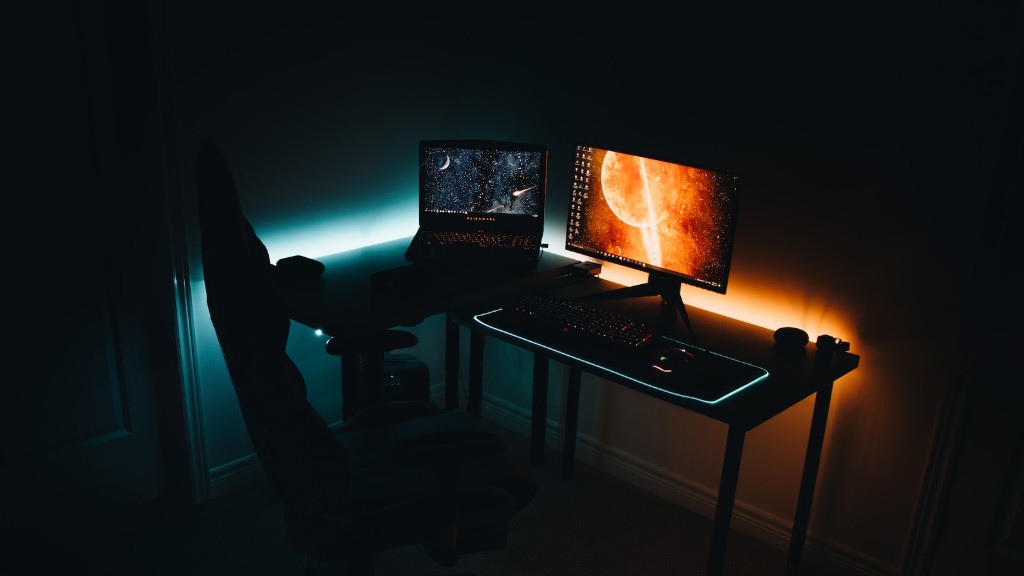
A good graphics processing unit (GPU) is necessary for serious gaming. GPUs allow for the games to display more detailed landscapes, life-like characters and faster animated actions. To get the most out of higher end games, a dedicated graphics card from manufacturers such as NVIDIA or AMD Radeon is advised.
The storage system hardware is also important. The hard drive stores all your software and games. An average gaming PC should contain a hard drive with a capacity of 1TB or more. Nowadays, solid state drives (SSD) are also gaining popularity, since it can reach faster data access speeds than HDD. This might be useful for gamers who are more into online gaming as its quickness can help to reduce lagging.
Finally, the average gaming PC is equipped with a good quality gaming monitor. The size, resolution, response time and refresh rate of the monitor influence the gaming experience. When buying a monitor, gamers should make sure it is compatible with their graphics card.
Building An Average Gaming PC
Building an average gaming PC can be a daunting task, with the range of components and specifications offered in the market. It is common to encounter difficulty while determining the components needed for the desired performance and budget. A good starting point is to focus on the heart of the gaming PC, which is its processor. Once this is determined, other components such as the RAM, graphics card, storage and monitor can be selected accordingly.
A good gaming PC should also be built with adequate cooling and airflow for the components. Heavy gaming will generate a lot of heat, which can put the components in danger of being damaged or crashing. Installing fans and liquid cooling systems can help a gaming PC remain cool, even through long gaming sessions.
Average Gaming PC Cost
When it comes to building an average gaming PC, the costs can vary significantly. It all depends on the components and specifications chosen. A mid-tier gaming PC could cost around $1000, while a top of the line model could cost in the range of $2000 – $2500. Of course, cheaper components can be considered, however, these may limit the gaming experience and would not be suitable for intense gaming.
Pre-built gaming PCs are usually more expensive, as they come with an integrated components and gaming exclusive features. However, if a specialised manufacturer is chosen, a guarantee on parts can be expected and any potential problems with the gaming PC may be addressed.
Average Gaming PC Performance
The performance of the average gaming PC is dependent on its power and components. A good gaming PC with the latest processors and GPU should provide great performance. It should be able to perform any game at 1080P rendering and handle all current gaming titles. This PC should also be able to play game at 1440P resolution and higher if the settings are dialled down a bit.

To boost the performance of the average gaming PC, components can be upgraded. Overclocking the processor, upscaling the RAM, or changing the graphics card can help improve the gaming performance. However, careful planning and adjustments should be made, as overclocking can reduce the life of the components.
Average Gaming PC Upgrades
Upgrading a gaming PC is inevitable if one wants to stay on top of the gaming industry. Keeping track of new developments in the gaming world can help you identify the necessary upgrades for the average gaming PC. A good course of action would be to upgrade only those components that will have the greatest impact on performance.
For instance, if the processor is not suitable for newer games, then it should be upgraded with the latest version. Alternatively, if the graphics card is the bottleneck, an upgrade like changing to latest version of NVIDIA or AMD will be most beneficial. RAM can also be upgraded, albeit it should not be done too often as the cost can add up quickly.
Average Gaming PC Tips
Although an average gaming PC might be able to handle most current games, it is important for gamers to take different measures to ensure the best gaming experience. Firstly, gamers should keep their gaming PC regularly updated with the latest drivers. This helps keep the components up to date and boosts performance.
Furthermore, drivers should be kept clean by getting rid of useless apps that may be taking up precious RAM and/or hard drive memory. Additionally, it is advisable to keep the system free of dust and debris by regularly cleaning the interior of the system.
Keeping an eye on the temperature of the system components is also crucial. The ideal temperature for the average gaming PC should range between 30-40 degrees Celsius. If not, the components may be over-heating and adjustments must be made to the cooling system.
Average Gaming PC Maintenance
An average gaming PC requires regular maintenance. This includes regularly performing virus scans and disk de-fragmentation. This helps ensure that unwanted malicious content and apps are removed and optimises the performance of the gaming PC. It is also important to periodically clean the interior of the gaming PC.
Aside from this, the gaming PC should have its power supply tested for the correct voltage and wattage to ensure that all components receive proper power for optimum performance. Additionally, the hard drive needs to be checked for errors and if there is enough free space available.

Finally, all components of the gaming PC should be checked for their lifespan. If a component becomes outdated, it is recommended to replace it for the best gaming experience.
