Building your own gaming PC can seem daunting and overwhelming. However, with the right tools and knowledge, it is an achievable objective. As a starting point to build a gaming PC, you would need a few basic tools such as a screwdriver, some kind of cutting tool, and a pair of pliers. Along with these essential tools, you need some additional tools that can make your life much easier. Here are a few important tools you should have when building a gaming PC:
- A Motherboard Standoffs Kit: A set of standoffs is designed to secure the motherboard to the case. They also serve as spacers which prevents the motherboard from coming in contact with the case.
- A Cable Management Kit: A cable management kit includes tools that help you to route and organize cables inside the case. This will not only give you a cleaner look but also improve airflow, allowing your components to function properly and delay their degradation.
- A Power Supply Tester: A power supply tester is used to test the functionality and stability of your power supply. This tool is essential for verifying that your power supply is working as it should.
- A Flash Drive: A flash drive is a storage device which is used to store the operating system. This will give you an efficient and clean setup, which allows you to easily update your system in case of any issues.
- A screwdriver kit: You need different types of screwdrivers in order to assemble different components in the PC, including screws for hard disk drives, optical disk drives, motherboards and graphics cards. A screwdriver kit will have all the screws and screwdriver heads you need to assemble your PC.
- A Thermal Paste: Thermal paste helps to transfer heat away from the components, allowing them to cool down faster. This is especially important for components like the processor and GPU as they tend to heat up quickly during gaming sessions.
- A Bit of Patience: Building a PC requires some degree of patience. If you take your time, read up more about what components to get, and follow instruction given the internet, you will be able to build a good quality gaming PC.
The Motherboard
The motherboard is the most important part of the PC when it comes to gaming. It acts as a hub for all the components to connect to. You must choose a compatible motherboard for the size of your case, as well as for its type and power requirements. A good quality motherboard will also have a good number of USB and audio ports, as well as a proper cooling system.
You must choose the right chipset for your motherboard. Chipsets are the brains of your motherboard and they control how components interact with the rest of the PC. You must also consider the type of RAM that the motherboard supports. For a gaming PC, a minimum of 8 gigs of RAM is recommended.
The number of PCIe slots is also important for your motherboard as you will need to account for any expansion cards such as the graphics card.This number varies from motherboard to motherboard. Along with PCIe slots, you should also consider other ports and connections that come with the motherboard such as SATA, M.2, and USB ports.
Lastly, you should consider the cost of the motherboard as it is typically the most expensive part of a gaming PC. You must be realistic when it comes to budgeting for a motherboard as you do not want to overspend and yet do not want to skimp on important features either.
The Processor
The processor is one of the most important components in a gaming PC. It is the core of the system and allows for high-end gaming performance. For a gaming PC, you must consider the type of processor, its number of cores, and its clock speed. The more cores and higher clock speed, the better performance you will get out of the processor.
It is also important to consider the processor’s integrated GPU, if one exists. With an integrated GPU, you can save costs on the graphics card. For a gaming PC, an integrated GPU is not ideal, as it lacks powerful graphical capabilities but it can still provide decent gaming performance.
Another important factor when it comes to processors is its socket type. This has to match with the motherboard that you choose in order to be compatible with the PC. Processors typically come with multiple sockets, so you may have to determine which socket type is best for your setup.
Lastly, you must consider the cost of the processor. Consider the type and number of cores that you need, as well as its clock speed. Do not skimp on the processor too much as this will affect the overall performance of your gaming PC.
The Graphics Card
When building a gaming PC, the graphics card is arguably the most important component. It is responsible for rendering the graphics and offering smooth gameplay. Therefore, it is important to choose the right graphics card for your gaming needs. This will depend on the type of games you want to play and how demanding they are on the GPU.
The type of graphics card is also important. For most gaming PCs, a discrete graphics card is the best choice. This is because discrete graphics cards offer significantly higher performance than integrated graphics cards.
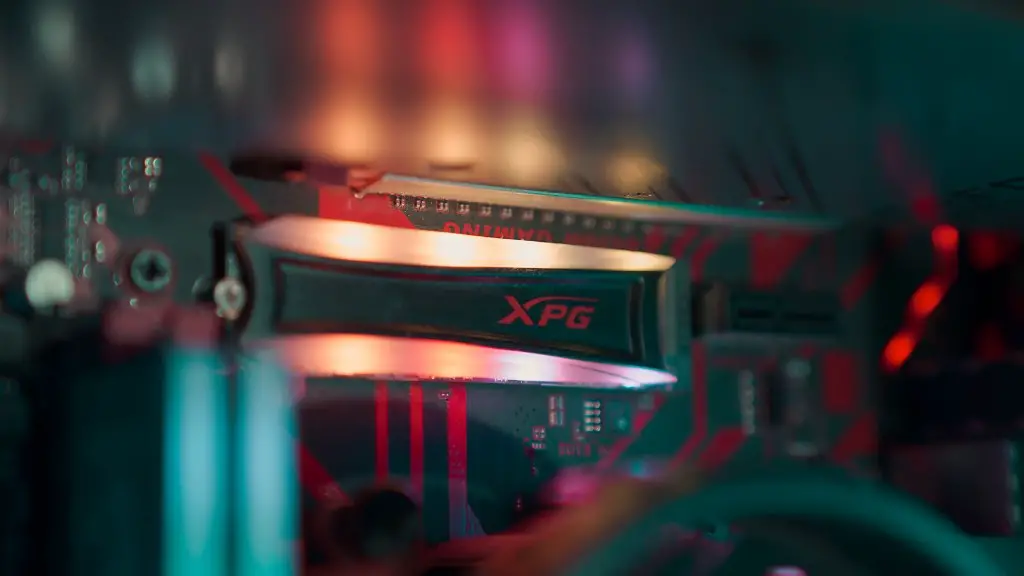
You must also consider the size of the graphics card as it must fit in the space allocated in the case. There are also a variety of bus types that graphics cards use, and they must also match with the motherboard. Lastly, the graphics card must have a compatible power supply.
Lastly, the cost of the graphics card should be considered. Graphics cards can be pricey but they can also provide a great value for money. Therefore, it is important to compare the performance and features of different graphics cards when deciding which one to buy.
The Power Supply Unit
The power supply unit is an essential component of any gaming PC. It supplies power to all the components of your PC, and it must be capable of delivering enough power to all of them simultaneously. A good quality power supply is also essential for keeping your components safe from any power surges.
For a gaming PC, a good quality power supply should be rated for at least 750W. This should be enough for powering the components in the PC. It is also important to consider the efficiency of the power supply as this can affect how much power is delivered to the components. Look for a power supply that is rated for 80+ efficiency.
The type of connections the power supply has is also important. It must have the right types of connections for the motherboard and other components, such as electrical connections for the graphics cards and Molex connections for fans. Lastly, the cost of the power supply should also be considered.
The Storage Drive
For a gaming PC, you will need a lot of storage space in order to store the games and other files. This can be done either with a hard disk drive (HDD) or a solid-state drive (SSD). HDDs are cheaper but offer lower read and write speeds, whereas SSDs are more expensive but offer higher speeds.
It is important to choose the right size and type of drive for your gaming PC. Generally, a 1TB HDD is enough but if you require more storage, you can opt for a 2TB HDD or higher. SSDs are typically smaller in size and come with 256GB up to 1TB of storage.
It is also important to consider the type of connection the drives have. Most modern drives use SATA connections, though some also have M.2 connections as well. Lastly, you must also consider the cost of the storage drives. Choose a drive that offers the most storage for the least amount of money.
The RAM
Random Access Memory (RAM) is essential for loading games and programs quickly and without any lag. To run games effectively, you must choose the right type and amount of RAM for your gaming PC. For most gaming PCs, 8GB of RAM is sufficient.
It is also important to consider the type of RAM that is best for your gaming PC. There are two types of RAM, DDR3 and DDR4. Generally, DDR4 is the superior option as it offers faster speeds and consumes less power. You should also consider the latency of the RAM as this affects its performance.
The number of slots the RAM has is also important. You must check to make sure that the motherboard has enough slots to accommodate all the RAM that you require. Last but not least, be sure to consider the cost of the RAM. Choose RAM that is within your budget and also meets your performance requirements.
The Case
The case houses all the components of the gaming PC. It is important to choose the right type of case that can accommodate all the components that you want to use. Different cases are designed for different sizes of components. It is therefore important to consider the size of your components before choosing a case.
When choosing a case, you must consider the cooling capabilities. This is important for keeping the components cool and allowing for better performance. The case must also have a good number of fans to provide sufficient airflow. You should also consider the aesthetic appeal of the case as this is something that reflects your personality.
The cost of the case should also be considered. Different materials and designs can affect the cost of the case. However, it is important to not skimp too much on the case, as it is the one part that is always visible.
In conclusion, building a gaming PC requires the right tools and knowledge. With the right combination of components and the right tools, you can build a powerful gaming PC that will meet your performance needs. Do not forget to purchase the necessary tools beforehand.
