Building a gaming PC can be a fun and rewarding experience that results in a powerful and high-performing machine, perfect for any gaming enthusiast. But in order to build this PC, you’ll need to find the right parts. Fortunately, there are a few tips that can help make the process easier.
To start, it’s important to understand the requirements for your gaming PC. This includes determining the kind of processor and RAM you’ll need, as well as the best graphics card and motherboard for the system. Once you have a good understanding of your requirements, you can begin to search for the corresponding parts.
Online stores like Amazon and Newegg are great places to look for all kinds of computer parts and accessories, including those for gaming PCs. You can search for the components you need by category or brand, or you can use the search bar to find specific items. Another great option is to look at the inventory of online PC builders, such as CyberPowerPC and Digital Storm, who can provide custom-built PCs, components and pre-assembled PCs.
If you don’t want to shop online, there are also local computer repair shops and specialty stores that may have a few items available. However, these stores typically don’t have a large inventory and the prices can be higher than those of online stores. Additionally, some of these stores may be limited to certain brands, or may not even have the components you need.
Another great option is to consider purchasing used parts. These can often be found online at classified websites like Craigslist, or even eBay. Buying used parts can save you some money, although there will likely be some risks involved in this decision. For example, the parts may not be as reliable as new parts, or they may not be compatible with current hardware and software.
The final option is to look either at online message boards or in local gaming communities. These places can offer great advice on finding the right parts for your PC, and some members may even be willing to help you get the best deal possible. That being said, it’s important to be careful when buying components from strangers, as there is no guarantee that the parts will work and be compatible with your system.
What To Look For When Buying Parts
When shopping for parts for your gaming PC, there are a few things to consider. Firstly, make sure the part is compatible with your current hardware and software. You may also want to read some reviews to make sure the part is reliable and durable. Additionally, be sure to check the return policy of the store you’re purchasing from, in case the part turns out to be faulty or incompatible.
Price is also an important factor to take into account when buying parts for a gaming PC. Be sure to compare prices between different online stores as well as local shops, to make sure you’re getting the best deal possible. Additionally, look for promotional codes or discounts, as this can save you quite a bit of money.
Finally, consider the availability of customer service when purchasing a part. This is especially important when ordering online, as you may need technical support in the event that the part doesn’t work as expected. Many online stores offer customer service via email or phone, so make sure to research this aspect before making your final purchase.
Where To Find Parts In Bulk
If you’re looking for parts for a gaming PC in bulk, then there are a few options available. The most obvious choice is to look for large online retailers such as Amazon or Newegg. Here, you can often find discounted parts in bulk and have them shipped directly to your home. Additionally, some PC builders and local stores also offer discounts for bulk orders, so it’s worth looking into.
You can also look for online marketplaces like AliExpress and eBay, where you can comparison shop for the best prices. These websites are also great options if you’re looking for more obscure or hard-to-find parts, as there is usually a wide selection available. Furthermore, some vendors may offer free shipping or discounts when purchasing multiple components.
Finally, another option is to look for online forums that specialize in computer hardware and components. Here, you can ask experienced gamers and builders for advice on where to buy parts in bulk and often get great deals as a result. Furthermore, you can also choose to purchase secondhand components or refurbished parts, which are often available for a fraction of the cost.
Testing Parts Before Purchasing
Once you have determined which parts you need for your gaming PC, it’s important to make sure they work as expected. To do this, you can either look for reviews online for the parts you intend to purchase, or test them out in person. This latter option is especially viable if you’re buying from a local shop.
In either case, be sure to test out the individual components rather than the entire system. This will give you the opportunity to identify any potential issues before making a final purchase. Furthermore, if you’re buying online, consider buying from a store that has a good return policy, in case the part turns out to be faulty or incompatible.
Also, make sure you have the right tools to install and test the parts. This will likely include a screwdriver and some cables, depending on what components you need to set up. Additionally, pay attention to the warranty when purchasing, as some parts may be covered by the manufacturer in the event of any technical issues.
Buying The Right Components
Once you’ve identified the parts you need for your gaming PC, it’s important to make sure you buy the right components. First, check for compatibility between different parts, so that all components will work together in the same system. Secondly, make sure to buy parts that are suitable for the kind of gaming you want to do, e.g. the type of processor and graphics card that are most appropriate.
Additionally, take a look at more expensive options, as they may provide more powerful performance than the cheapest alternatives. However, make sure to stick within your budget, as you don’t want to spend too much on unnecessary features or features you won’t use. Lastly, keep an eye on the energy consumption of the components, as this can add up if you’re using multiple items of hardware.
Advanced Computer Building Tips
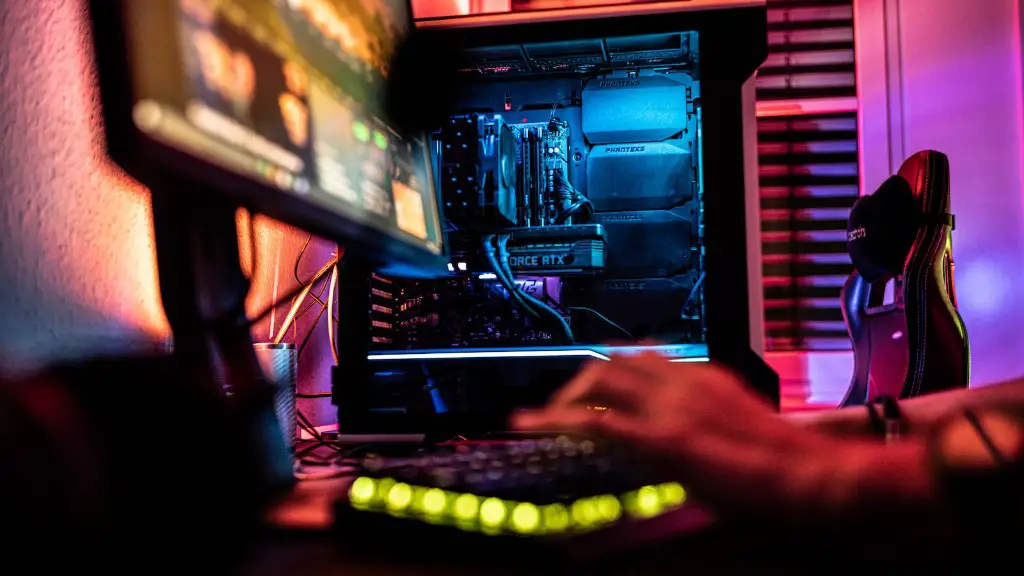
In addition to the basic tips outlined above, there are a few more advanced tips to consider when building a gaming PC. Firstly, consider the cooling of your components, as this could affect their performance level. For example, adding a fan or liquid cooling system could help to reduce the temperature of the system and ensure smooth operation.
Secondly, pay attention to cable management, as this can help to improve airflow and reduce clutter. Additionally, use the right cables for each part, as this can affect both the performance and the appearance of your build. Finally, be sure to research any potential upgrades and take note of how they might affect the performance of your system.
Final Thoughts
Building a gaming PC can be a rewarding experience, but it’s important to find the right parts for the best possible performance. Fortunately, there are plenty of options available for finding parts for your gaming PC, whether it’s from online stores, local shops, classified sites or forums.
When looking for parts, be sure to consider compatibility, read reviews, take note of the return policy and compare prices. Additionally, consider buying in bulk to save money, and check for warranties and customer service options. Finally, make sure to test the parts before committing to a purchase, and be sure to research advanced building tips for a smoother gaming experience.
