
Building a gaming PC is a huge undertaking. It involves a lot of research to determine which components are needed and in what quantity. Knowing what components are necessary and what components can be skipped can help prevent wasted money and time. Fortunately, the components necessary for a gaming PC are relatively common, and investing in this equipment can go a long way towards having a reliable gaming setup.
The most important component is the processor. A high-performing processor is essential for gaming, as it determines how well the game will run and how well games will look. A processor with multiple cores will provide for better performance, allowing for higher gaming resolutions and graphics. In addition, it’s important to have a fast storage drive, as games need lots of storage space. A solid state drive (SSD) is ideal, as they are faster and more reliable, while a hard disk drive (HDD) is a good back-up option.
It’s also important to have a good graphics card. High-end gaming requires specialized graphics cards, as they do the heavy lifting when it comes to rendering 3D environments and giving games that beautiful, realistic look. When selecting a graphics card, look for one that offers a lot of memory, as this will allow for higher resolutions and more realistic visuals. Finally, games require an ample amount of RAM, so make sure to select a motherboard that can support your desired RAM capacity.
A power supply is also necessary, as it provides the juice to power all of the components that make up the gaming PC. Look for one that is reliable and offers sufficient power. Finally, a case is needed to house all of the components together. This allows for better cooling and efficient airflow, both of which are essential for optimal gaming performance. It’s also important to select one with plenty of space, as this will provide for better component arrangement, and also make future upgrades easier.
Components Necessary for Cooling
Heat is an enemy of electronics, and gaming PCs are no exception. Cooling components such as fans and heat sinks are required to keep the system from overheating. Invest in quality cooling parts, as these will help guarantee optimal performance and will also help prolong the life of the system. Additionally, a liquid-cooled system is ideal for enthusiast gamers, as this will provide for an even cooler system.
A computer case will usually come with some pre-installed fans, but these may not be sufficient to keep your system cool when gaming. If you are experiencing a lot of noise or heat build-up, then you should invest in higher quality fans or additional fans. Heat-sinks and liquid cooling can also be used to bring the temperature down, but these are usually more expensive.
It’s also important to ensure good airflow inside the case. This can be done by arranging the components inside the case in such a way that they do not interfere with each other and allow air to flow around them. Additionally, the placement of the fans is also important, as having them positioned on different sides of the case will ensure that air is circulated evenly throughout the case.
Finally, it’s important to regularly clean out the dust from the fan, heat-sinks and other cooling components, as this can hinder their performance and cause the system to overheat. It’s also a good idea to invest in a case with dust filters, as this will help keep dust out of the system.
Input and Output Devices
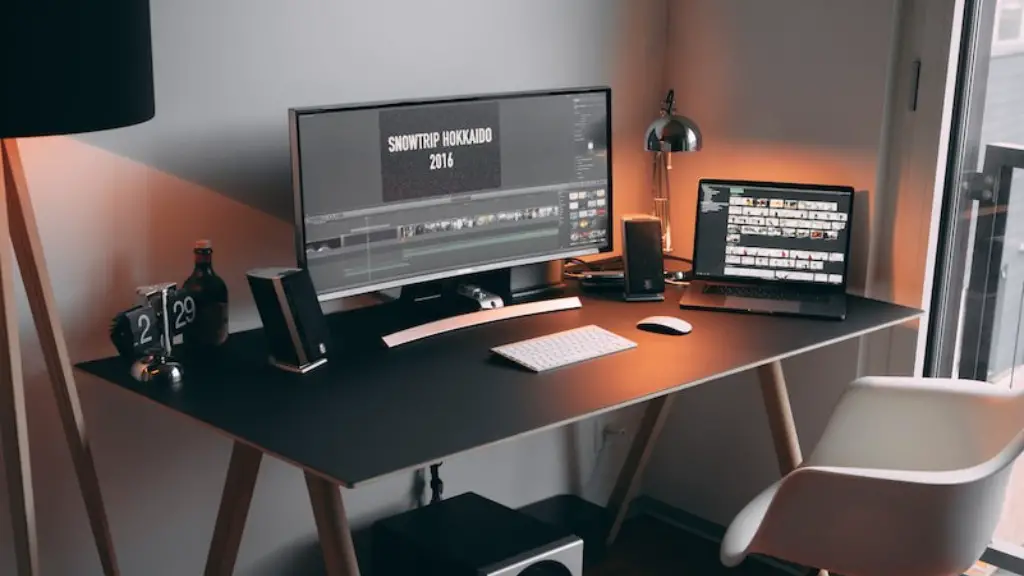
Aside from the various components necessary for a gaming PC, input and output devices are also needed. A monitor is recommended, as it gives gamers a bigger view into the game world and offers better graphics quality. Many gamers prefer multiple monitors, as this provides an even larger view and allows for more immersive gaming experiences.
In addition, a good gaming mouse and keyboard are essential. The mouse provides the control, while the keyboard offers important shortcuts. Both should be comfortable to use, and customizable, as this will allow gamers to adjust the controls to their liking. Additionally, there are many gaming mices and keyboards available with extra buttons, which will give gamers access to extra functions.
Finally, it’s important to invest in a good sound system, as this will give gamers an immersive audio experience. An appropriate number of speakers and a subwoofer are generally recommended, as this will provide enough power for a full surround sound setup. Also, if budget allows, headsets are ideal for more precise positional in-game audio.
Ports and Connectors

Aside from the components, input devices and output devices, ports and connectors are also necessary for a gaming PC. As technology advances, there are increasing numbers of connectors and ports available, so it’s important to choose the right ones for the right device. For instance, many modern gaming PCs require DisplayPort or HDMI connectors for connecting to monitors, and USB ports for connecting to gaming mices, keyboards and other input devices.
Having additional ports can also be beneficial, as this will allow gamers to increase or scale their setup without upgrading the processor or motherboard. Many modern motherboards come with additional ports such as Thunderbolt 3, which allow gamers to connect multiple monitors or other devices the the system, while still maintaining the highest possible performance.
In addition, it’s important to have a decent power cable, as some components may require extra power to run optimally. Finally, gaming PCs should also have internet connections, as this will allow gamers to access game updates, download new content and access online features.
Add-on Components
Aside from the components necessary for building a gaming PC, there are also various add-on components that may be beneficial to gamers. One such component is an overclocking card, which will allow gamers to achieve higher performance by manually adjusting the settings of the processor. This will generally require additional cooling components, so gamers should consider these when investing in an overclocking card.
A gaming chair is also beneficial, as this provides additional support and comfort when gaming for long periods of time. A gaming chair with additional features such as lumbar support, cushioning, head and armrests, is ideal for allowing gamers to find the most comfortable position.
Finally, peripherals such as gaming headsets, driving wheels, joysticks, and racing chairs can all make for an even more immersive gaming experience. These add-ons may be more expensive than the other components, but they can have a huge impact on gaming performance.
Maintenance and Upgrades
Just like any other device, a gaming PC requires regular maintenance and upgrades to keep it running optimally. It’s important to check the temperature of the system regularly, as this can quickly get out of hand if a component such as the fan breaks down or if the system is used in excessively warm conditions. Additionally, dust and debris can cling inside the system and cause components to overheat, so it’s important to regularly clean out the system.
Upgrades are also important if gamers want to stay ahead of the competition. Newer games may require more powerful components than what the system could initially handle, so this may require upgrading the processor, graphic cards, RAM and other components. Additionally, updating the operating system on a regular basis is important if gamers want to get the most out of their gaming experience and also keep up with new trends.
The components necessary for a gaming PC may vary according to the requirements of the game and the budget of the gamer. However, the components mentioned above are all essential components to build a gaming PC. Investing in quality components, additional add-ons, and regular maintenance and upgrades can all help ensure gamers get the most out of their gaming experience.
