Gone are the days when finding a capable gaming PC under $500 was impossible. Modern PC components have seen unprecedented advancements in the past few years, allowing you to get a great gaming experience for a fraction of the price. You can now get a gaming PC for less than $500 that has enough power for 1080p gaming without any issue.
The best gaming PC under $500 comes packed with eighth-gen Intel processors and graphics cards from AMD. These PCs should be able to handle gaming at medium to high settings without any issue. You can even get a decent gaming PC for $500 which comes equipped with 1 TB of storage and 8 GB of RAM, allowing you to play most of the latest and greatest games.
When looking for a gaming PC under $500, it is important to consider several factors. First, make sure that the CPU is powerful enough to handle the games you want to play. If you are looking to play the latest AAA titles, then you should opt for an Intel Core i5 or higher processor. You should also consider the GPU as this will determine how well your games run. A GPU from AMD or Nvidia should be able to handle most games at 1080p settings.

Another important factor is RAM. You should aim for at least 8 GB of RAM for a decent gaming experience. You can also consider adding more RAM if needed. Additionally, you should also look for a decent-sized hard drive, preferably at least 1 TB. This will allow you to store games and other files without any issues.
Finally, it is important to consider other features such as I/O ports, HDMI support, and USB ports. Most gaming PCs under $500 come with these features, but it is important to check beforehand.
Graphics Card
When it comes to gaming, the graphics card is often the most important component. It is responsible for rendering the graphics of the game, so it needs to be powerful enough. For a gaming PC under $500, you should look for a graphics card from Nvidia or AMD. This will give you enough power to play most games on medium to high settings at 1080p.
It is important to note that not all graphics cards are created equal. In order to get the most out of your gaming experience, you should opt for a card with the latest architecture from either AMD or Nvidia. This will ensure that you get the best performance for the price.
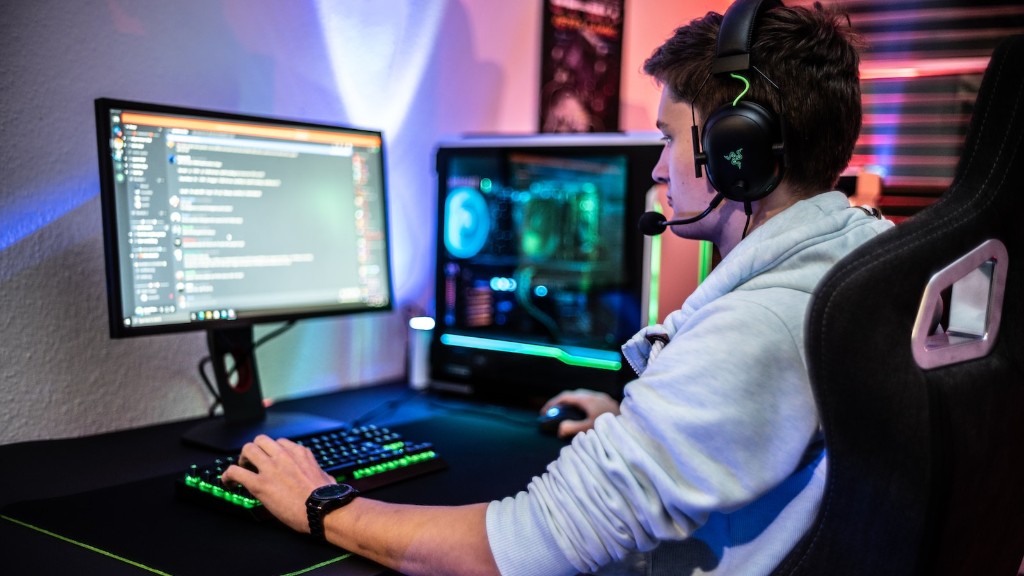
If you are looking for an even better experience, you can find graphics cards from AMD such as the Radeon RX 580 or the Nvidia GeForce GTX 1060. These cards are powerful enough for 1440p gaming, and should be able to handle most of the latest games without any issue.
It is also important to consider the other components of the system. A powerful graphics card is useless if the processor is not powerful enough to utilize it. Make sure that your processor is powerful enough to handle the games you want to play before buying a graphics card.
Finally, you should also consider the cooling solution. Many gaming PCs under $500 come with stock cooling solutions, which may not be enough to keep your system running cool and quiet. Investing in a better cooling solution can make a noticeable difference in your gaming experience.
Storage
Storage is another important factor to consider when buying a gaming PC under $500. You should aim for at least a 1 TB hard drive, as this will give you enough space to store your games and other files.

Solid-state drives (SSDs) are becoming increasingly popular among gamers for their speed and performance. If you are looking for blazing fast speeds, then an SSD should be your first choice. Many gaming PCs under $500 come with either a 128 GB or 256 GB SSD, which is enough for most games.
However, if you are looking for more storage, then you should consider an HDD. These come in larger capacities, up to 4 TB or more. This should give you plenty of room to store your games, as well as other files such as movie or music files.
It is also important to consider I/O for your storage. You should look for a PC with at least one USB 3.0 port, as this will give you the fastest transfer speeds. Most PCs under $500 come with multiple I/O ports, giving you plenty of options for storage.
When it comes to storage, it is important to remember that it is not just about capacity, but also speed. Your storage device should be fast enough to handle the games you want to play, as well as other applications. Investing in a good storage device can make a noticeable difference in your gaming experience.
Monitor
The monitor is another important component to consider when buying a gaming PC under $500. Monitors come in different sizes, resolutions, and features. You should opt for a monitor with at least 1080p resolution, as this is enough for most games. If you are looking for even more detail, then 1440p or 4K monitors are available for a slightly higher price.
It is also important to consider the size of the monitor. The ideal size is between 22″ and 27″, but this can vary based on personal preference. Larger monitors should give you a more immersive experience, but this comes at the cost of increasing the price.
Many gaming monitors come with extra features such as high refresh rates, HDR, and adaptive sync. These features can give you a better gaming experience, but they will also increase the cost. If you are looking for a budget monitor, then something without any of these features should do the job.
It is also important to consider the ports of the monitor. Make sure that your monitor has the right ports, such as HDMI and DisplayPort, so that you can connect it to your gaming PC. Some monitors also come with USB ports, allowing you to connect peripherals such as keyboards and mice directly to the monitor.

Finally, you should consider the build quality of the monitor. Make sure that the monitor is well built and durable, as it is important for ensuring a long life for your gaming PC.
Peripherals
When building a gaming PC, it is important to consider the peripheral devices such as a keyboard, mouse, and headset. After all, these devices are what you will be using to interact with your PC. When it comes to peripherals, you should aim for something that is comfortable and durable.
When it comes to keyboards, most gaming keyboards come with either mechanical or membrane switches. Mechanical keyboards are more durable and offer better tactile feedback, but they are also more expensive. On the other hand, membrane keyboards are cheaper and quieter, but they are not as durable.
Gaming mice come in different shapes, sizes, and features. Look for a mouse with an ergonomic design and adjustable settings. A good gaming mouse should have enough buttons to customize your gaming experience, as well as a sensor that is powerful enough for your gaming needs.
Finally, headsets are incredibly important for gamers. Look for a headset with a microphone and clear audio, as this will help you communicate with your teammates during multiplayer games. You should also consider noise-canceling features, which can help drown out background noise when you are playing.
When buying peripherals, it is important to find something that is comfortable to use. Not all peripherals are created equal, so make sure to try out different models before making a purchase.
