
Building your own gaming PC can be a fulfilling and affordable endeavour. It allows you to take control of your gaming experience, giving you the freedom to customize your machine the way you want it. Here’s everything you need to know about building a gaming PC.
The cost of building a gaming PC depends on the parts you use. Expect to spend at least $500-600 on the basics, such as the motherboard, processor, graphics card, and RAM. You’ll also need to purchase a power supply, case, and storage, which will cost additional money. The more powerful the PC components, the more money you’ll need to invest.
You’ll also need to consider the size of the enclosure for your gaming PC. Full-sized towers take up more space and can be expensive compared to smaller mid-tower options. It’s important to pick the right size enclosure for your parts to ensure the build fits properly and functions properly.
One of the biggest advantages of building your own gaming PC is being able to customize the machine to meet your specific gaming needs. You can switch out parts and add components as needed, and you don’t have to be limited to a predefined configuration from a manufacturer. This makes it easy to upgrade components as they become obsolete or upgrade to new technology.
Lastly, when building your own gaming PC, you’ll need to make sure you properly install your components. If done incorrectly, you could damage your PC. Be sure to follow the instructions on each component and consult online resources if you’re unsure of anything. It’s also important to take precautions to protect your machine from dust and other environmental factors.
Tools and Software
Before building your own gaming PC, you’ll need to ensure you have the right tools and software. This includes a screwdriver, anti-static bracelet, and thermal paste. You’ll also need a compatible operating system and driver software for the components. Don’t forget to update device drivers and BIOS to match the hardware.
If you want to overclock the CPU for extra performance, you’ll need overclocking software. There are several tools available, from mainstream ASICs to custom BIOS level applications. Keep in mind, overclocking puts extra stress on components and can potentially reduce the life span of the system.
You’ll also need useful diagnostic tools for troubleshooting and monitoring. This includes temperature monitoring software and benchmarking utilities. These are essential for making sure your system runs at optimal performance.
Last but not least, you’ll need a reliable backup system. It’s always a good idea to have an image backup of the operating system in case of a system crash. This can help you quickly roll back to a previous stable version.
Heat and Cooling
Heat and cooling are vital components of a gaming PC. Overclocking the processor and running the PC at full load can generate quite a bit of heat. It’s important to select components with efficient cooling systems, such as water cooling for the processor and graphics card.
Thermal paste is also essential for ensuring effective cooling. This helps to bridge the gap between the processor and the heatsink, allowing heat to transfer more effectively. You may also want to install additional case fans for added cooling.
When selecting components, it’s important to find the right balance between cooling performance and noise levels. High-end cards can generate quite a bit of heat, so finding a quieter solution helps reduce the overall noise of the system.
Air cooling tends to be the cheapest option, but it doesn’t always provide the best cooling. Water cooling is more reliable and often a better option, but it’s more expensive. Be sure to select components with efficient cooling systems and install fans and thermal paste to get the best performance.
Case Mods and Customization
Another great aspect of building a gaming PC is the opportunity to customize your machine any way you want. This can be done through case mods and customizing individual components.
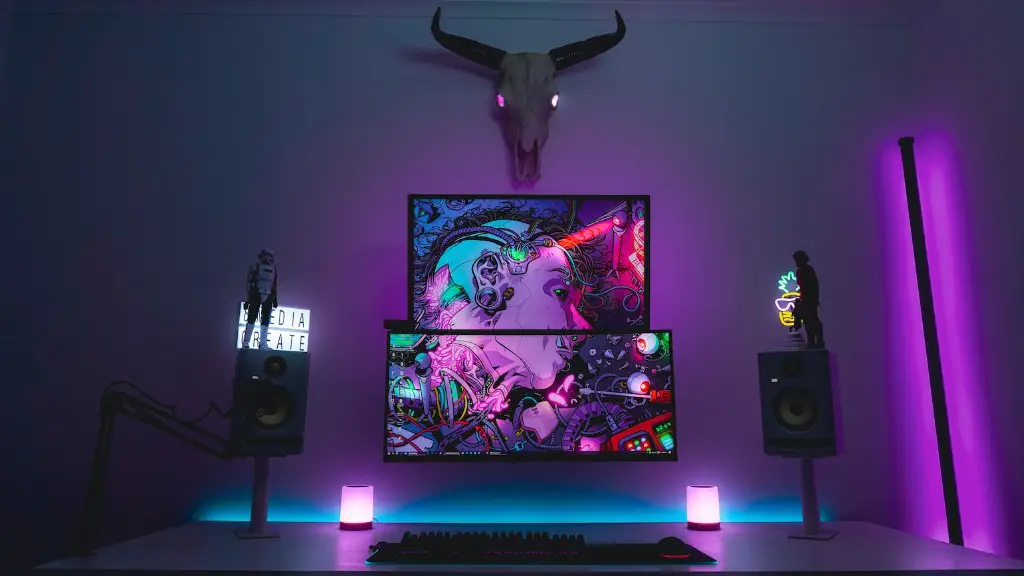
Case mods are a great way to make your build stand out from the crowd. Customizing the outside of the case with lighting, colors, and artwork can give your machine a unique appearance. This can be done with paint, stickers, or other modification methods, allowing you to express yourself through your computer.
You can also customize the internals of the case. This includes installing custom graphics cards, power supplies, fans, and hard drives. This helps give your system a unique, personal touch.
When modding a case, it’s important to ensure proper ventilation and airflow. Not only does this help cool the components, but it can also improve the overall performance of the system. Additionally, always make sure that the case looks neat and tidy when finished.
Testing and Troubleshooting
Before using your gaming PC, it’s always a good idea to test it for stability and performance. Running stress tests on the system can help identify any problems and make sure everything is working properly. This can give you peace of mind before playing any demanding games.
Troubleshooting is also essential during the building process. If you encounter any issues, be sure to consult online resources and manuals to learn more about the problem. This can help you find potential solution and avoid potential mistakes.
Additionally, be sure to keep all the components and system software up-to-date. New versions of drivers and BIOS often contain bug fixes and performance improvements. This can help keep your gaming PC running in top condition.
Conclusion
Building a gaming PC can be an incredible experience, allowing you to customize the machine any way you want. While it can be a costly venture, it’s easy to customize the build and upgrade components as needed. Be sure to follow proper installation and testing procedures, and don’t forget to customize your case to give it a unique look and feel.
