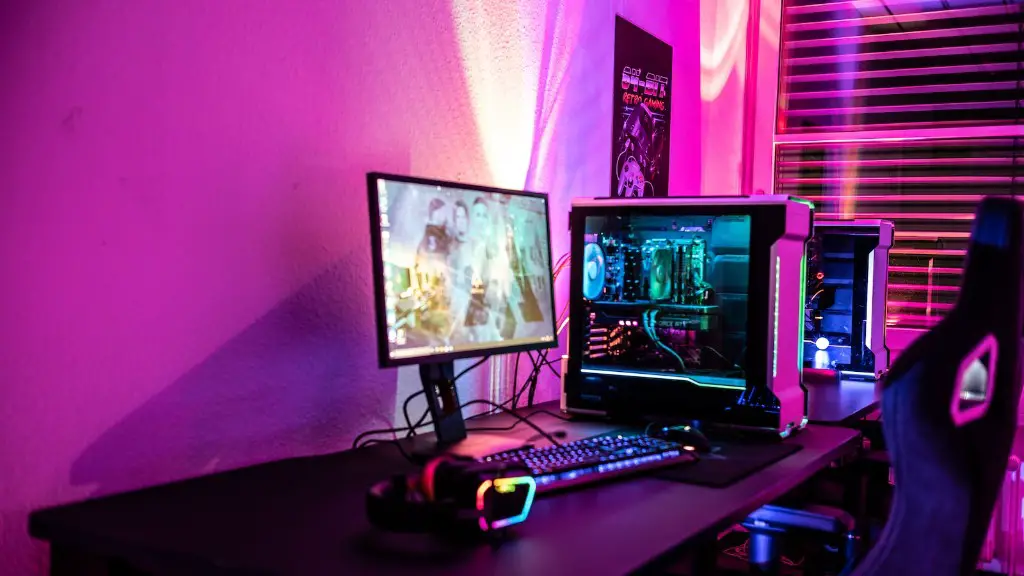
Is 650w enough for a gaming PC? This is a very common question amongst new and experienced PC gaming enthusiasts. To answer this question, we need to evaluate the specific components in a gaming PC, and the basic power requirements of each. Generally speaking, a mid-range gaming PC should have no problem running on a 650w power supply.
A high-end gaming setup usually has high power draw requirements, but these devices can usually be managed with a 750w or higher supply. This is because a powerful gaming PC will require more components than a standard one, such as additional hard drives, GPU, etc. Overclocking components can also increase your power needs significantly. In this case, the best option is to upgrade to a more powerful supply.
It is worth noting that most gaming PC components don’t use their maximum wattage output continuously. For example, a CPU might only need 150 watts, but can be powered by up to 400w. This gives you some leeway to power other components without worrying about running out of power. Components like GPUs will usually have larger power draws and require more wattage.

If you are not sure if 650w is enough for your gaming PC, it is best to calculate the power needs of each component. You can find this information on the product’s specifications, or the manufacturer’s website. This will help you determine if a 650w supply is enough. You might also want to take into account the peak wattage of all the components, as this will give you an idea of the maximum power draw.
It is also important to get a good quality power supply in order to ensure the best performance for your system. Higher quality supplies will give you consistent output and help prevent damage to your system. Look for power supplies with 80+ certification, as these are the most reliable and efficient.
In conclusion, a 650w power supply can generally handle a mid-range gaming setup. However, if you are pushing the limits with a high-end gaming PC, a 750w or higher power supply is recommended.
Power Efficiency
Power efficiency is one of the most important considerations when looking for a power supply for a gaming PC. The less power you use, the lower your costs. Power supplies with 80+ certification are designed to be the most efficient, delivering up to 90% efficiency at full load. This means that the power is being used more efficiently, and your system is not losing any power to heat.
When choosing a power supply, look at the 80+ ratings to make sure you are getting the most efficient one. The higher the efficiency rating, the lower your costs and the better performance you will get from your system. Furthermore, if you use a more efficient power supply, your computer components will remain cooler and quieter, which will help in the long run.
Another thing to consider when selecting a power supply is the system’s noise level. Some gaming PC components such as graphics cards are very powerful, and create a lot of noise when running at full power. A good power supply will help ensure your components are running without producing too much noise.
Finally, your power supply should also be reliable. Look for power supplies with multiple 12V rails for added stability and reliability. This will help make sure that your power supply does not fail when your PC is under heavy load.
Compatibility with Components
When selecting a power supply for your gaming PC, it is important to make sure that it is compatible with your components. The power supply should be able to support the wattage of all the internal components, as well as any additional peripherals you plan to use. Furthermore, the voltage required by each component should be within the power supply’s listed range.
If the power supply you choose is not compatible with some of your components, they will not run properly or at all. For example, a power supply with a too low voltage output will leave insufficient power for all components. This can cause damage to the components, or reduced performance due to insufficient power.
It is also important to make sure that the power supply is the appropriate size for your computer case. Larger PC cases might require larger power supplies for them to fit comfortably, and vice versa. Many cases come with sizing guidance when purchasing, to make sure you get the right size for your system.
Finally, you should make sure that your power supply has the necessary connectors for all of your components. The most common is the 24-pin ATX connector and a 4- or 8-pin CPU connector. You will also need PCIe connectors, SATA connectors, and any other type of connector you need to power all the components in your system.
Cooling Systems
Cooling systems for gaming PCs should not be ignored. Many gaming PC components, especially graphics cards, use a lot of power and can get very hot if not properly cooled. If left unchecked, the increased temperature can cause damage and reduced performance.
A power supply helps with cooling by drawing cooler air from the outside, reducing the temperature inside the case. This helps to keep the components within optimal temperture ranges, while avoiding potentially damaging heat build up. High quality power supplies also come with built-in fans, helping to keep the internal components cool and reduce noise.
When selecting a power supply, you should also make sure that it has plenty of cooling ports. This is especially important for high-end gaming PCs, as they have more components that require cooling. Make sure that the power supply can handle the cooling requirements of all the components you are using, and that it has enough ports for upgraded components in the future.
Additionally, it is important to make sure that the power supply is well ventilated. Most cases come with ports for additional fans, which you can use to draw cool air from the outside and keep the internal components cool. This will help ensure that your PC runs smoothly and without overheating.
Budgeting for a Power Supply
Budgeting for a power supply for your gaming PC is an important part of the process. Power supplies come in a wide variety of sizes, power outputs, and prices, so you need to make sure you are getting the right one for your setup. Quality power supplies come with a higher price tag, but they can make a huge difference in the performance and reliability of your gaming PC.
It is usually recommended that you spend at least 10% of your total build cost on the power supply, to ensure you get a quality one. Investing in a good quality power supply can save you a lot of money in the long run, as it will provide reliable performance and protect your components from potential damage.
Also, consider the future when budgeting for your power supply. Many gamers upgrade their PCs over time, and you want to make sure that your power supply can handle the additional components without running out of power. When budgeting, make sure you are taking into account any upgrades you plan to make in the future.
Finally, consider any special features that the power supply might offer. For example, some power supplies come with built-in RGB lighting, adjustable fan controls, and other features. These can be nice additions, but only if your budget allows for it.
