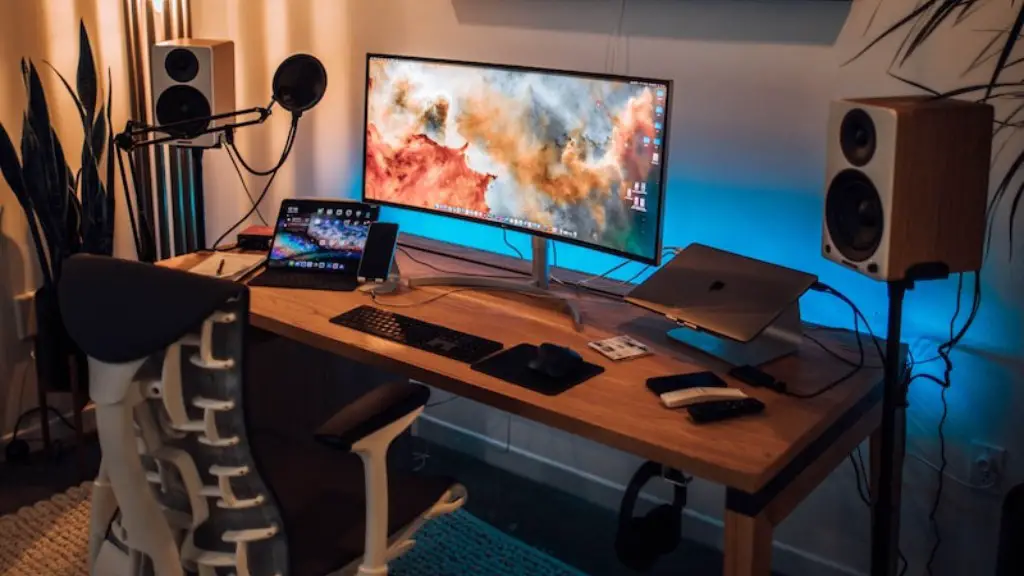
Building a gaming PC for streaming is a daunting task, but it doesn’t have to be. With the right tools and knowledge, anyone can do it. To get started, you’ll need a few components: motherboard, case, power supply, RAM, storage, and cooling. Keep in mind, the better quality components you pick, the better your gaming performance and streaming experience will be. Here’s how to build a gaming PC for streaming.
Before you get started, consider the budget you have to work with. Shopping around online can save you a lot of money, but also be aware of the retail price you’ll pay at the end. Some discount retailers may have discounts that apply to gaming PC builds as well.
Now, pick out the components you want to use. Be sure to review reviews for each part you’re considering for stability, compatibility, and reliability. Additionally, make sure you pick parts that are compatible with one another. For example, an Intel processor won’t work with a motherboard from a rival brand.
After you have all the components, the next step is assembling them in a case. Make sure to install all the components carefully, and double-check connections before you turn the power on. Since the components are close together, be sure to consider airflow and temperatures when you’re building your case. Choose a case that is big enough for the components, but not too big for your available space.
Now it’s time to install an operating system. Installing an OS gives you the backbone to test games and applications, as well as stream. Consider what type of streaming you want to do and make sure you pick an OS that is compatible with your needs. Windows is the most popular operating system and supports most streaming software.
It’s time to install your streaming software of choice. Popular streaming services like Twitch and YouTube Gaming offer popular streaming options. Pick one that has the features and compatibility with the hardware you use. After you’ve installed the software, make sure it is configured correctly. That includes making sure your game settings are up to the requirements of your specific streaming service.
With your gaming PC built for streaming, you’re almost ready to go live. The last step before streaming is to test your gaming PC thoroughly. Test the basics like your streaming service, the games and applications you want to run, as well as the display and sound elements. Make sure to look at performance and latency, as well.
System Tweaks
With your gaming PC built and tested, there are some additional tweaks to your system you can make for optimal performance when streaming. First, consider increasing the memory, or RAM, in your system. Streaming takes up more RAM than normal gaming, so having more RAM can help improve performance. Another good way to maximize performance is to overclock the system slightly. Overclocking the processor and graphics card can give the system more power for streaming and gaming.
Apart from hardware, optimizing the software and settings can maximize performance. Start by removing any unnecessary applications that are running in the background. Adjust game settings, such as resolution and texture, to lower settings to increase performance and streaming quality. Lastly, make sure to update your OS, streaming software, and games as some updates can include performance improvements as well.
Network Settings
One of the most important areas in streaming is the connection itself. With any online activity, especially streaming, having a stable connection with good speeds can mean the difference between a successful stream or one that is plagued with issues. To maximize connection quality, consider upgrading your router. Investing in higher-end equipment can give greater stability and speeds. Make sure to change key settings on whatever router you use for streaming, such as Quality of Service and IPv6.
Take a look at the modem you use to connect to the internet as well; modem performance can affect the connection as well. Contact your internet service provider to make sure your modem is compatible with your router as well as your desired internet speed. Additionally, cable and phone lines can impact your connection, so making sure they are away from your case, or better yet, shielded can help improve signal stability.
Gaming Accessories
Finally, consider the gaming accessories you will use for streaming. If you plan to play competitively, setting up a gaming mouse, keyboard, and monitor can greatly improve your performance in games. Headphones and a microphone are also important as well; having quality sound can make or break your streaming performance. If you want to take your setup further, consider investing in a green screen, camera, and lighting for a professional look.
Record Quality
The quality of the recording itself is essential when it comes to streaming. If you plan to record your streams, as well as have them stream in real-time, consider investing in a capture card. If you do not want to invest in one, most streaming services offer a way to record the stream and upload it after the fact. Be sure to keep an eye on the bitrate of your capture card and adjust it accordingly to maintain the quality of your recordings.
Streaming Rules
Streaming comes with some rules and regulations. Each streaming platform has its own stance on content and copyright, so if you plan to stream, make sure you understand the platform’s policies. You can also check online for any licensing requirements if you plan to stream content such as music; this can help you avoid any problems down the road.
Technical Requirements
Finally, be aware of the technical requirements streaming platforms have for broadcast streams. This includes the maximum bitrate for upload, resolution requirements, and other aspects when streaming. Knowing all of this ahead of time can avoid any unexpected issues when it comes time to stream.
