To build a liquid cooled gaming computer, you’ll need a few components, such as a liquid cooling system and a liquid compatible case. You’ll also need to know a few tips and tricks to be successful. With this guide, you can learn how to safely and correctly build a liquid cooled gaming PC.
The first step is to purchase a liquid cooling system and case. You should choose a system that is designed specifically for liquid cooling, such as a radiator and pump combo. The case also needs to be designed to accommodate a liquid cooling system. Make sure the case is well ventilated, as hot air can cause condensation on the radiators.
Once your components are picked out, it’s time to install them. Start by carefully mounting the radiator to the case and connecting it to the pump. Next, install the block, which will be the main component of the system. Connect the block to your processor and then mount it to the motherboard. Also, mount the fans and connect the tubing to the block, radiator, and pump.
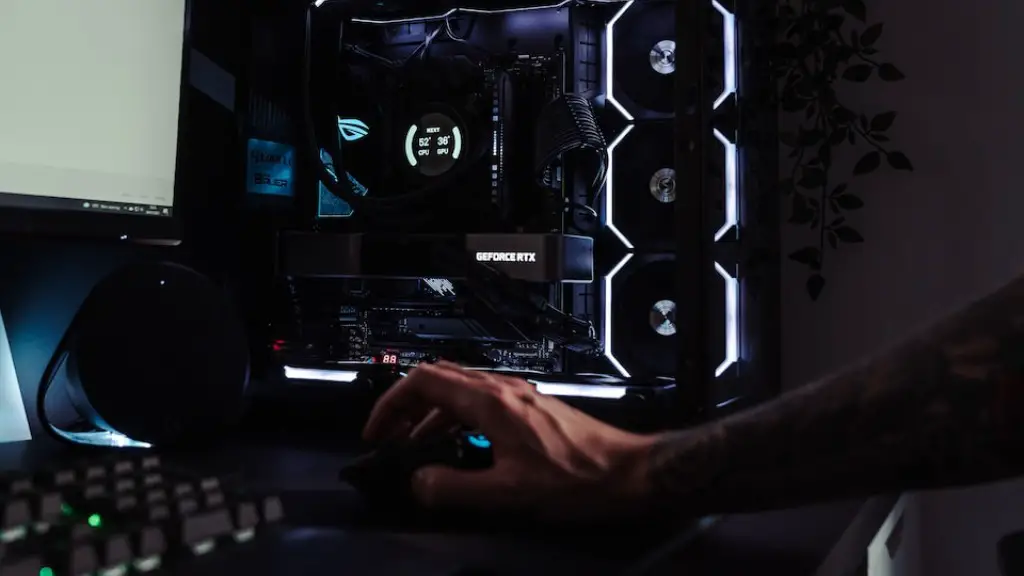
After the system is installed, it’s time to fill it with coolant. Make sure to use the type of coolant recommended for your setup. Once the coolant is in, connect the power to the pump and turn it on. This will circulate the coolant in the system and begin cooling your components.
Finally, you need to check the system to make sure everything is working correctly. Start by checking the fluid levels and make sure they are adequate. Then, check the temperature of the components and CPU. Lastly, make sure the fans are running and the system is properly ventilated.
A liquid cooled gaming PC can be a great addition to any setup and provide you with improved cooling performance. You just need to make sure you have the right components and know how to install them correctly. With the help of this guide, you can now safely and correctly build a liquid cooled gaming PC.
Radiator and Pump Combo
A liquid cooling system should come with a radiator and pump combo, which needs to be matched to the type of hardware you are running. Radiators are responsible for dispersing the heat and should be chosen based on the size of your case and the type of hardware you are running. The radiator should also be sufficient enough to handle the load and the room temperature.

When it comes to the pump, it should be strong enough to provide a constant flow of liquid. It should also be quiet, efficient, and reliable. A good pump should last for years with minimal maintenance and should be rated to handle the system you are running.
Once you have your radiator and pump, you can mount them in the case. The radiators should be mounted in the front of the case and the pump should be placed in the rear. This will ensure the radiators have enough outtake for the heat, and that the pump will also get adequate cooling.
Next, you need to make sure you have enough tubing to connect the radiator and pump to the components of your cooling loop. The tubing should be cut to the appropriate length and then connected to the components. You should also make sure there are no kinks in the tubing, as kinks can impede the flow of the liquid and cause problems.
Finally, once the tubing is connected, you should connect the power and turn the system on. This will cause the liquid to begin circulating and should start cooling your system.
Coolant
Once the system is installed, it’s time to fill it with coolant. Different types of liquid coolants are available and can be selected based on what type of hardware you are running. Some coolants are more effective on different types of hardware and should be chosen accordingly.
Once you have selected the type of coolant, you need to fill the system. Before filling, you should let the system run for a few minutes to let the air out. Be careful not to fill too quickly, as the air should be able to escape as well. Once the air is out, start pouring the coolant in slowly.
Once the system is filled with coolant, you should check the temperature of your components. If the temperatures are too high, you may need to add more coolant or increase the speed of the pump. You should also check the coolant level and make sure there aren’t any leaks.
Finally, when the system is running properly, you should check the system frequently and make sure everything is working correctly. Make sure the temperatures of your components are not too high, and check the pressure of the coolant as well.
LoudNoise and Heat
When installing a liquid cooled gaming PC, it is important to make sure the system is properly ventilated and is quiet as possible. As with any cooling system, your liquid coolant fans will produce some noise. You should also check the temperatures and make sure your components aren’t running too hot.
To reduce noise, you can use PWM (pulse width modulation) fan controllers in order to adjust the fan speed. This will allow you to adjust the fan speed to your game or application. You can also purchase silent liquid-cooling fans, which are specially designed to run quieter than normal fans.
When it comes to heat, you need to make sure your case is well ventilated and that there is adequate airflow. This means ensuring that all intake and exhaust fans are installed in the correct positions. You should also check the airflow of your components and make sure there is enough space between them.
Making sure that your system runs as cool and quiet as possible is an important part of liquid cooling. This involves ensuring that your components are correctly mounted and that your system has adequate airflow. It also involves using PWM and silent cooling fans in order to reduce the noise.
Maintenance

Maintaining a liquid cooled system is important to ensure that it runs properly and safely. Regular maintenance should include checking for any leaks, checking the coolant levels, and checking the pressure of the system. You should also check the fans, cables, and radiator for any damage.
You should also flush the system every few months in order to remove any build-up of dust or particles. To do this, you will need to remove the cooling block and run a cleaning solution through the system. This will help keep the system running properly.
Finally, you should replace the coolant every year or two. This will help to keep the system running properly and to prevent any corrosion of the components. It is important to use the correct coolant, so make sure to consult the manufacturer if you are unsure.
Testing and Troubleshooting
Once the system is installed and running, it’s important to test it and make sure everything is working properly. This can include checking temperatures and pressures, as well as running stress tests on the system.
In the event that something isn’t working properly, make sure to troubleshoot the system. This could be checking cables, making sure the fans are working properly, or running diagnostics on the system. You should also check the coolant levels and make sure there is enough in the system.
If your system continues to have problems, you may need to check the components and make sure they are compatible with the liquid cooling system. For instance, you may need to ensure that the radiator is rated to handle the load and room temperature.
Finally, you may need to do an RMA (return merchandise authorization) if the component is malfunctioning. This should be done as soon as possible to ensure the component is replaced and your system is working properly.
