
Properly cleaning a gaming PC will ensure optimal performance, efficient cooling, and long-term reliability. Fortunately, properly cleaning a gaming PC is quite simple and straightforward. It requires a few simple tools, such as a compressed-air duster and some isopropyl alcohol, and can be done in about an hour. In this article, we’ll take a look at the steps involved in cleaning and maintaining your gaming PC.
Firstly, you’ll need to turn off your gaming PC, disconnect all power cables, and move it to a flat, well-ventilated surface. Use a compressed-air duster to blow away any dust, dirt, and debris from the surface of the unit and its surrounding area. If you have a vacuum cleaner, use it to clean the harder-to-reach places such as the dust filters on the inside of the case.
Next, open the case and inspect the inside. Begin by removing any dust and dirt using the compressed-air duster. Pay special attention to the graphics card, processor, and any other components that have fans. It is important to keep these areas as clean as possible. If necessary, use a cotton swab or toothbrush to clean off any stubborn dirt that may have accumulated over time.

Once the dust and dirt are gone, you’ll need to clean the fans and heat sinks. First, use the compressed-air duster to blow off any dust, dirt, and debris that may have collected on the fan blades. Next, use a cotton swab or toothbrush dipped in isopropyl alcohol to clean the blades of the fans and heat sinks. This will help to remove any built-up oils from the blades, allowing them to move more efficiently and reducing the amount of heat produced by the components.
Next, you’ll want to inspect any cables that are connected to the gaming PC. Make sure all cables are connected properly and aren’t frayed or damaged. Replace any cables that are damaged or worn. This can help to prevent faulty connection issues and instability while gaming.
Finally, test your gaming PC to make sure everything is working as it should. Reboot the PC and check to make sure all components are recognized and functioning as they should. If everything looks good, you’re ready to begin gaming.
Cleaning and properly maintaining your gaming PC will help ensure optimal performance and reliability. The process doesn’t take long and is fairly simple once you understand the steps. With a few simple tools and a bit of time, your gaming PC will be good as new.
Cleaning Internal Components
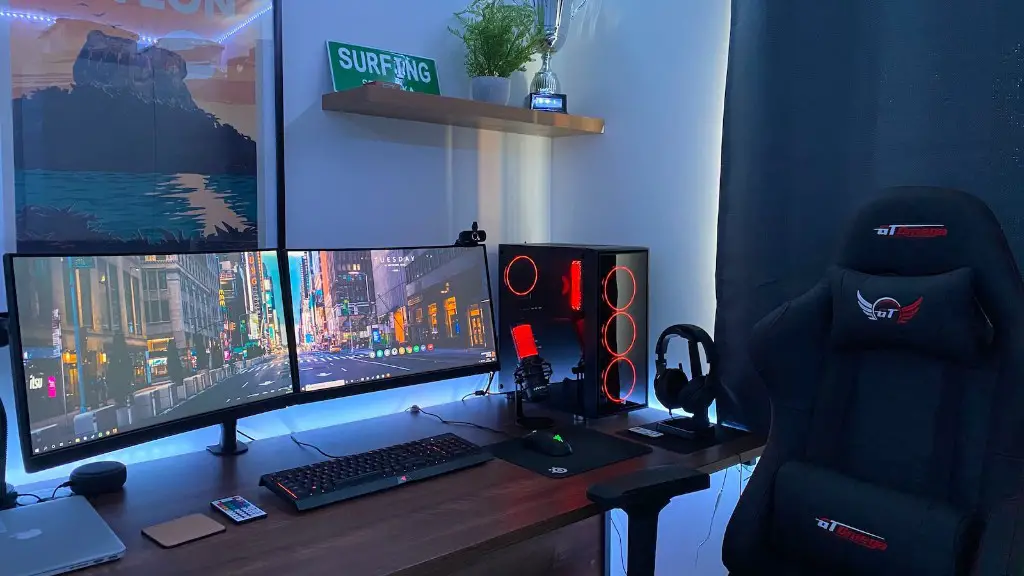
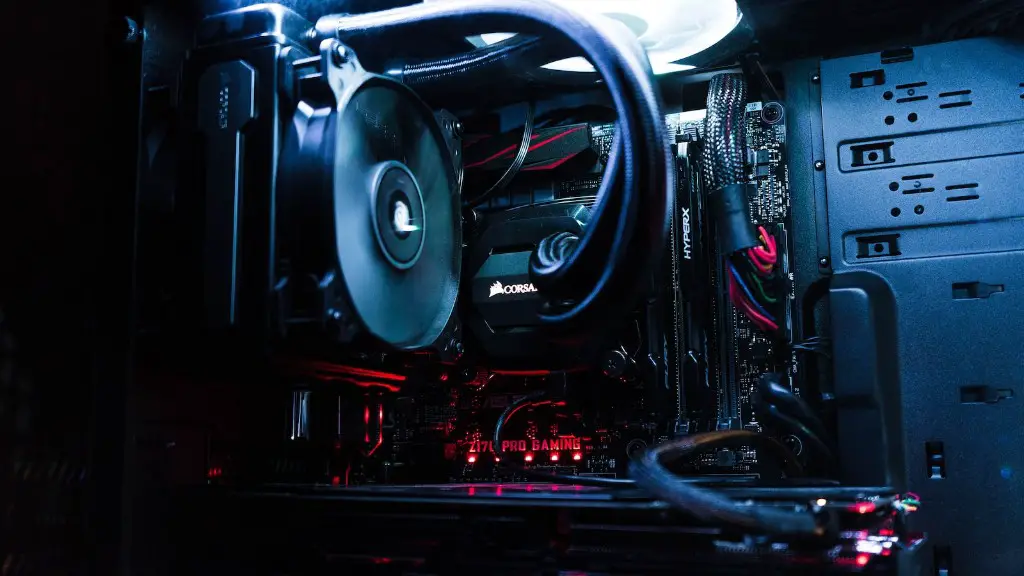
Once the outside of the PC is clean, it is important to clean the internal components. Start by inspecting the interior of the case and remove any dust, dirt and debris. This can easily be done using a lint-free cloth or a can of compressed air. Pay special attention to areas around the fans, heat sinks, and graphics card as these tend to accumulate dust quickly.
After all dust and debris are removed, use a cotton swab or a toothbrush dipped in isopropyl alcohol to clean the blades of the fans, heat sinks and graphics card. This will help remove any oils from the blades and thus allow them to move more efficiently, reducing the amount of heat produced by the components. It is also important to make sure all the cables are properly connected and not damaged. Replace any faulty cables or those that are showing signs of wear.
After all components are cleaned and inspected, it is time to close the case and test the performance. Boot up the computer and make sure all components are functioning correctly. If there is any instability or problems, try to identify the cause before playing any games.
A clean PC is essential if you want to get the most out of your gaming experience. Properly cleaning and maintaining your gaming PC will ensure optimal cooling, performance and reliability. A few simple tools and some time spent cleaning the internal components can extend the life of your gaming PC, keeping it running smooth and effectively.
It is also important to clean the exterior of the case to prevent dust from entering the system. This is easily done, by wiping the surface of the case and any exposed fans with a lint-free cloth or an anti-static cloth. Make sure all dust, dirt and debris are removed to prevent it from entering the system.
Finally, it is important to regularly inspect and clean the inside of the case. This should be done on a monthly basis to ensure all components are in good condition and working properly. Make sure to clear away any dust, dirt or debris that may have built up and inspect all components for any signs of damage or wear. This will ensure that your gaming PC performs optimally and without any issues.
Cleaning the Monitor
Cleaning the monitor of your gaming PC is essential if you want to get the most out of your gaming experience. Start by turning off the monitor and disconnecting it from the system. You’ll then want to use a soft, lint-free cloth dampened with warm water or an anti-static cloth to wipe away any dust from the surface of the monitor.
Once the exterior is clean, it is important to inspect the interior of the monitor. This can be done by opening the back of the monitor and inspecting the circuits, ports and any other components. Use a compressed-air duster to clean away any dust and dirt, then use a lint-free cloth dampened with warm water or an anti-static cloth to clean off any stubborn dirt and grime. Remember to take special care when handling the delicate components.

When cleaning the monitor, it is important to avoid using any abrasive or harsh cleaning materials as they can damage the monitor. Furthermore, never spray cleaning solutions directly onto the monitor as it can cause permanent damage. Instead, dampen a lint-free cloth with the solution and gently wipe away any dirt, grime, or smudges.
Once the monitor is clean, plug it back in, turn it on and test it to make sure it is working properly. This will help to ensure optimal performance and reliability. Regularly cleaning the monitor of your gaming PC is important if you want to get the most out of your gaming experience.
If you want to prevent dust and dirt from settling on your monitor, you can use a monitor hood. This is a device that covers the monitor and prevents dust, dirt and other particles from entering the system. Most gaming PCs come with a monitor hood, but you can also purchase an aftermarket hood if yours did not come with one.
Properly cleaning and maintaining the monitor of your gaming PC is essential if you want to get the most out of your gaming experience. A few simple steps and some time spent cleaning the exterior and interior of the monitor can help make sure your monitor functions at its best.
Cleaning the Keyboard and Mouse

The keyboard and mouse of your gaming PC need to be kept clean to keep them functioning properly and make sure you can get the most from your gaming experience. Start by cleaning off the surface of the keyboard and mouse with a lint-free cloth dampened with warm water or an anti-static cloth. Make sure to clean off any grime or dirt that may have accumulated on the buttons, as well as any dust or crumbs that may have found their way into the cracks.
Once the surface of the keyboard and mouse are clean, you’ll need to clean the internal components. This can be done by removing the key caps from the keyboard and spraying compressed air into the gaps. This will help to clean the internal parts of the keyboard and remove any dirt, dust and debris that has accumulated over time. Make sure to use a light dusting of compressed air and avoid over-spraying, as this can damage the components.
When cleaning the keyboard and mouse, it is important to avoid any abrasive or harsh cleaning materials as these can damage the delicate components. You also want to avoid spraying cleaning solutions directly onto the keyboard or mouse as this can also cause permanent damage. Instead, dampen a lint-free cloth with the solution and use this to wipe away any dirt, grime, or smudges.
Once the keyboard and mouse are clean and dry, they should be tested to ensure they are functioning as they should. This can easily be done by plugging them in and testing each of the buttons to make sure they are working properly. If there are any problems, try to identify the cause before playing any games.
Regularly cleaning and maintaining the keyboard and mouse of your gaming PC is essential if you want to get the most from your gaming experience. A few simple steps and some time spent cleaning the exterior and interior of the components can help make sure your gaming experience is both comfortable and reliable.
General Gaming Pc Maintenance
Besides cleaning your gaming PC, there are some other simple steps that can be taken to ensure optimal performance and reliability. This includes making sure your system is properly cooled, updating your drivers, and running security scans. Let’s take a look at these activities in more detail.
It is important to make sure your gaming PC is properly cooled, otherwise, the system can become unstable. Start by making sure all cooling fans are working properly and that the filter guards are clean. Additionally, make sure there are no obstructions blocking the airflow such as wires or other objects. This will help ensure your gaming PC stays cool and runs efficiently.
Updating your drivers should also be done on a regular basis. Drivers are the software that allows your hardware to communicate with your system and they should be kept up to date. Check the manufacturer’s website for any available updates and install them. This will help ensure your gaming PC performs optimally and without any hiccups.
Finally, it is important to regularly run security scans. This can be done with a free antivirus or antimalware program. These types of programs help to protect your system from malicious software, as well as identify and remove any malicious software that may have been installed on your system. Regularly running security scans will help to keep your gaming PC safe from malicious attacks.
Cleaning your gaming PC and properly maintaining it is essential if you want to get the most out of your gaming experience. A few simple steps and some time spent cleaning and taking care of your gaming PC can help make sure your gaming PC runs efficiently, remains reliable and performs optimally.
