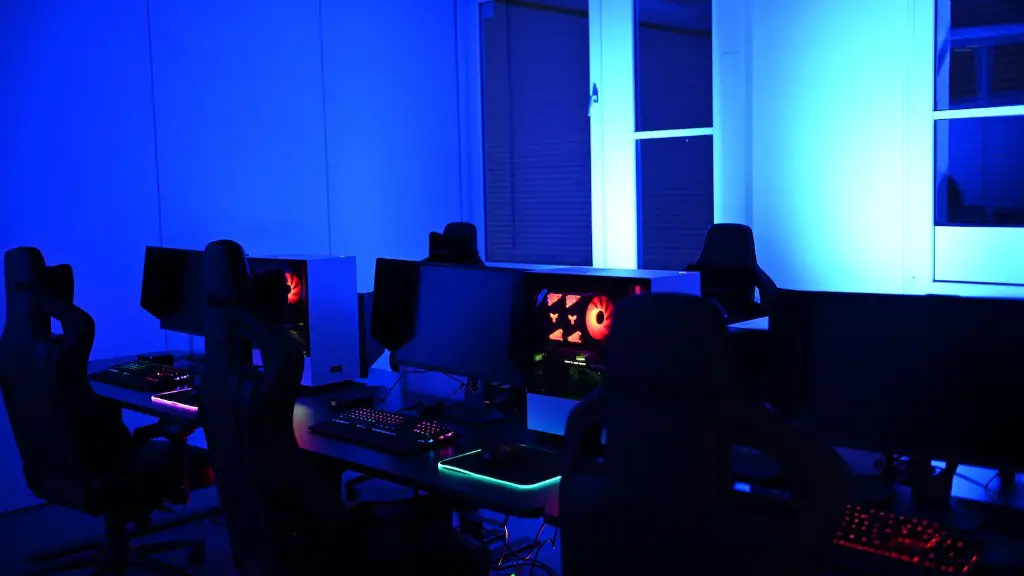
Building a starter gaming PC can be an intimidating and complex process. Fortunately, with a bit of knowledge and planning, it can be an achievable project for any budding PC enthusiast. The following steps will break down the process and make it easier to understand. Firstly, decide on a budget. This will determine the overall power and performance of the PC, so it is important to choose an affordable but reasonable amount of money to spend. Secondly, research compatible components. This means investigating a range of processors, video cards, sound cards and other components to determine what is compatible with your budget. Thirdly, decide which operating system to install. Windows, Linux or Mac OS all feature good gaming performance, which should be the main factor in your decision. Fourthly, begin to assemble the components. This includes mounting the processor, video card and soundcard, as well as plugging in the cables and attaching the device’s power supply. Fifthly, install the operating system. Make sure to get the most up-to-date version of the OS, as well as any necessary drivers to ensure the best gaming performance. Sixthly, install the games. Depending on the game, it will require different amounts of storage, RAM and graphic processing power, so make sure to allocate enough resources. Lastly, run benchmark software to test the PC’s performance. This will let you know if the PC is running at its best and determine any tweaks that need to be made.
What Components are Necessary to Build a Gaming PC?
In order to build a gaming PC, you will need to select the components that make up the heart of the PC. This includes a motherboard, processor, video card or GPU, storage, RAM, cooler, soundcard and power supply. Each of these components are potentially interchangeable, depending on the manufacturer, model and intended use. However, some components are more important to a gaming PC than others, such as the video card or GPU, as this determines the graphical performance of the PC. The processor and RAM also have a large impact on the overall performance, but it is important to remember to not go overboard on the budget for each component.
What Specifications Are Necessary for a Starter Gaming PC?
When it comes to building a starter gaming PC, the most important specs that need to be considered are the processor, RAM, storage and video card. The CPU should be at least an Intel Core i5, although an i7 is preferred to maximize performance. The RAM should be at least 8GB, but this can be increased depending on how intensive the games are. The video card should be no lower than an AMD RX-580 or an Nvidia GTX-1060, to ensure quality gaming performance. Finally, the storage should be at least a 1TB hard drive, or an SSD if the budget allows.
What Are the Benefits of Building a Starter Gaming PC?
Building a starter gaming PC provides a range of benefits, including the ability to customize the PC with higher-end components, more reliable performance and more economical costs. Of course, the most important benefit is that it provides a great entry point for anyone interested in PC gaming, and allows them to explore the exciting world of PC gaming with ease. Additionally, by building the PC from the ground up, users have the opportunity to choose from more components, meaning more upgrades and better performance in the long run.
What is the Best Operating System to Use with a Gaming PC?
When it comes to choosing an operating system for a gaming PC, Windows and Linux are the two most popular options. Windows has been a popular choice for gaming PCs due to its availability of games and the fact that it is compatible with many popular gaming peripherals. Linux, on the other hand, is often preferred due to its fewer requirements, open source flexibility, and improved security. Ultimately, the choice comes down to personal preference, but both operating systems offer great gaming performance.
What Tips and Warnings Are There for When Assembling a Gaming PC?
When assembling a gaming PC there are some important tips and warnings that should be kept in mind to ensure the best results. Firstly, it is important to take your time and understand the components and instructions before attempting to assemble the PC. Furthermore, make sure to ground yourself by touching a metal object to avoid electrostatic discharge (ESD). Additionally, use anti-static wristbands and anti-static mats to reduce the risk of ESD. Finally, be careful when handling the components, as they are delicate and easily damaged.
What are Other Accessories Necessary When Building a Gaming PC?
Once the gaming PC has been assembled, you will need to consider some additional accessories to get the most out of it. Firstly, a good and comfortable gaming chair is essential, as it can take a lot of the strain off the back when spending long hours gaming. Secondly, consider investing in a good gaming headset to provide the best audio experience, as well as a webcam if video-chatting is desired. Thirdly, it may be worthwhile to invest in a gaming mouse or controller, as this will ensure the best gaming experience with the PC. Finally, if streaming is desired, then a streaming card and software may be necessary.
What Troubleshooting Is There for When Building a Gaming PC?
Once the PC has been assembled, troubleshooting can come in the form of checking the overall power and performance of the PC. Firstly, run an anti-virus program to ensure there are no malicious files or viruses present. Secondly, run benchmark software to test the PC’s performance. Additionally, test each component individually to check its stability and performance. Finally, check all the cables and connections to make sure everything is wired correctly. If in doubt, consult with a professional technician as they may be able to help with troubleshooting issues.
