
There’s no denying that gaming has become increasingly popular in recent years, with more and more people joining the gaming community. Figuring out which gaming build is best for you can be a difficult task, especially when you’re on a budget. That’s why today we’re going to talk about the best affordable gaming PCs for those with a limited budget.
Before we get into all the details about different models, let’s go over some of the basics. You need to consider what type of gaming you’re planning on doing. Are you looking for an entry level gaming experience or something a bit more advanced and feature-rich? You also need to take into account the type of budget you have. Not all gaming PCs are created equal, so you should have an idea of what kind of components you can afford and what kind of gaming experience you’re looking for.
When it comes to finding the best affordable gaming PC, there are plenty of options out there. You have the option of going with a pre-built gaming PC or building your own custom rig. Both have their pros and cons, so it’s important to do your research. If you’re not sure where to start, there are numerous websites and publications available to help you make an informed decision.
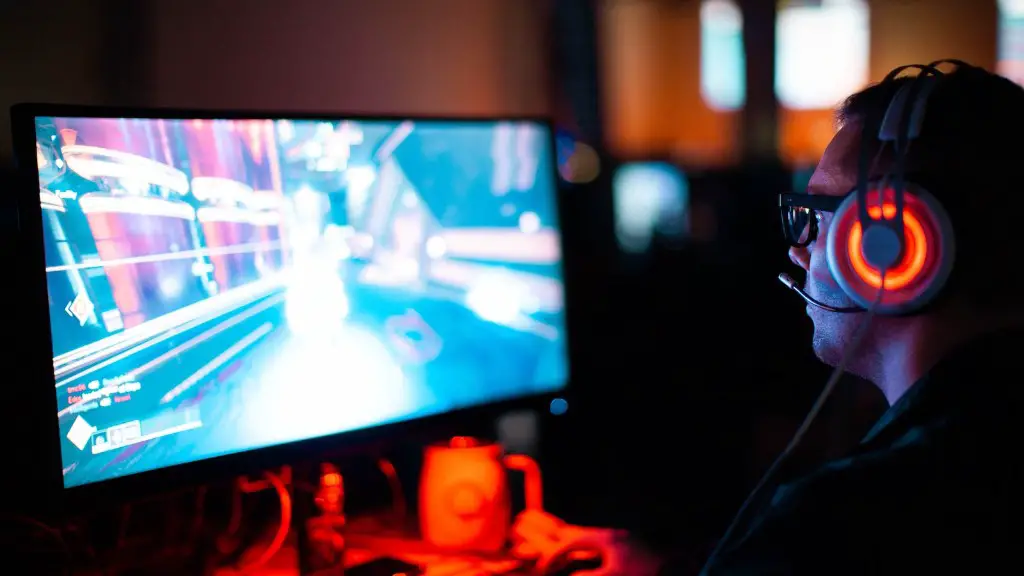
If you opt for a pre-built gaming PC, you won’t have to worry about assembling the components yourself. This can be a great option for someone who is new to the world of custom-building and isn’t sure what kind of components they need. It’s also a good option if you don’t want to spend too much time researching components and just want to get up and running quickly. Pre-built gaming PCs can range from budget-friendly entry level models to powerful high-end machines.
On the other hand, a custom-built PC allows you to tailor the specs to your exact gaming needs. You’ll have the freedom to choose the exact components you need, such as the GPU, CPU, and storage solutions. This is a great option for those looking for the best affordable gaming PC. You can mix and match components, ensuring you don’t pay for unnecessary features and instead save money by only buying what you need.
If you’re still not sure what kind of gaming PC is right for you, there are plenty of resources available to help you out. For starters, it’s always wise to read reviews and get feedback from experienced gamers who have already built their own machines. That way, you’ll get an idea of what other people are recommending and what components are proven to work well together. You can also find several guides and forums that can help you navigate the various components and pick the best ones for your budget.
Building a Custom Rig
If you decide to build your own gaming PC, you need to select the right components first. Choosing the right components can be daunting, especially since there are hundreds of choices. The most important components are the GPU, CPU, storage solutions, and RAM. You also need to take into account the size of the case and the type of cooling system you need.
The GPU, or graphics processing unit, is the main component that makes gaming enjoyable. It’s the part responsible for producing the realistic visuals you see while playing your favourite games. A good GPU should offer great performance while keeping the price in check. When it comes to picking the right GPU, you should look for one with at least a mid-range performance.
The CPU, or central processing unit, is the ‘brain’ of the PC. It helps determine the overall performance of the computer and how well it handles multitasking. When it comes to selecting a good CPU, you should look for one with a good single-core performance as well as good multicore performance. It’s also important to think about how long you want the CPU to last you, as newer CPUs tend to offer better performance and more efficient power use.
Storage solutions are important when it comes to gaming, since you need to store all your game files. Hard disk drives, or HDDs, are generally cheaper than solid state drives, or SSDs. However, SSDs offer faster read and write speeds and are more reliable in the long run. That said, HDDs are still a viable option, as they offer enough storage capacity for most gamers.
RAM, or random access memory, is used to store information temporarily. The amount of RAM you need depends on how many programs and games you’re running simultaneously. You should look for at least 8GB of RAM for gaming, although 16GB is preferable for more demanding gaming.
Choosing the Right Case and Cooling System
When it comes to choosing the right gaming PC, the case and the cooling system are almost just as important as the components themselves. The size of the case will depending on the components you’ve chosen. Generally, larger cases are better, as they offer more space for storage solutions, as well as additional cooling options.
It’s also important to consider the type of cooling system you’ll be using. Most people opt for air cooling, as it’s cheaper and easier to install. You can also opt for a liquid cooling system, which offers better cooling performance but can be more difficult to install. Once you’ve decided on a cooling system, you can select the appropriate fans and heatsinks.
In addition to the case and cooling system, you’ll also need to decide on other components such as the motherboard and power supply. The quality of these components should match the quality of your CPU, GPU and other components. You should find a good balance between budget, performance and quality when selecting these components.
The most important thing to consider when it comes to finding the best affordable gaming PC is to take your time and do your research. There are plenty of great options out there, so you’re bound to find something that fits your budget and gaming needs.
Prospective Upgrades
Once you’ve chosen all the components and built your gaming PC, you may want to consider potential upgrades. Upgrading your gaming PC, though not essential, can be beneficial to your gaming experience. Upgrading components such as graphics cards, storage solutions, and RAM can help take the performance of your setup to the next level.
If you plan to upgrade your custom gaming PC, the first step is to identify what part you want to upgrade. Make sure that the upgrade you choose is compatible with your existing setup and fits within your budget. You should also keep an eye out for sales and discounts, as sometimes components can be cheaper if you wait for the right deal.
It’s also important to consider the overall lifespan of the component you’re upgrading. If you upgrade a component that’s become obsolete in the time since you’ve purchased it, then you may be throwing away money. When possible, go with a component that will last the longest and offer the most value for the money.
Finally, you should research potential installation and compatibility issues before upgrading. Ensure that the component you choose is compatible with the other components you already have, as some components can’t be upgraded due to compatibility issues. You should also research any potential driver and software updates needed to use the component.
Choosing the Right Software

Lastly, you need to choose the right software for your gaming PC. Different operating systems, such as Windows and Linux, have their own unique features and benefits. Make sure that your chosen operating system is compatible with all the other components, and that the software you choose is up to date and has the features you need.
It’s also important to choose the right games and software to get the most out of your gaming experience. You should select games that are well-optimized for your specific setup. Doing so will ensure smooth performance and great visuals.
If you’re ever unsure, there are plenty of websites and forums that can give you advice on the best games and software for your PC. It’s also a good idea to read reviews of games and software before making a purchase, so you can be sure you’re getting the best bang for your buck.
Avoiding Common Pitfalls
When it comes to building the best affordable gaming PC, it’s important to avoid common pitfalls. To start with, make sure you research all your potential components and read reviews to ensure they are compatible with each other. Make sure you know your budget, as overspending can be a problem when it comes to gaming PCs.
It’s also wise to avoid buying used components. Although they often come with a lower price tag, the quality and performance of used components can’t be guaranteed. This is especially true if the previous owner didn’t take good care of the components. A better option is to buy new components with a manufacturer’s warranty.
It’s also important to be realistic about your gaming needs. You don’t need top-of-the-line components if you’re not running the most demanding games. Choosing lower-end components can save you money and allow you to enjoy many games without issue.
Finally, it’s important to properly install and configure all your components. Make sure you install them correctly and configure them properly to avoid common gaming issues. If you’re ever unsure how to do something, you can always reach out to experienced gamers for help.
