Building a gaming PC today is easier than ever. With a few components, some basic knowledge of computers, and a willingness to learn, anyone can build a gaming rig. But, even before you open your case, it pays to have some idea of what parts you need. Here are the main components you will need for any gaming computer.
The CPU is the brains behind the operation, and it can determine how your game runs. A good gaming CPU should have the highest clock speed, plenty of cores, and support enough PCIe lanes to run multiple graphics cards. Modern gaming PCs need processors that are capable of multi-tasking without slowing down any one application. Intel’s Core i7 are the de facto standard in performance gaming, while AMD’s Ryzen threadsrippers and Ryzen 3000 series processors also offer premium gaming power.
The GPU is the centerpiece of any gaming PC, and it determines how your games run and look. The two major players in the GPU space are NVIDIA and AMD. NVIDIA’s RTX series are the go-to for high-end gaming, offering stunning graphics and ray tracing capabilities. AMD’s Radeon cards provide excellent performance for the price, making them popular for budget and mid-range builds.
Your case is the foundation of your PC and it determines how much space you have for components, how many fans and cooling options you have, and how air is being circulated. A good PC case should have enough room for any components you’re planning on adding and it should also have enough airflow. The size of the case is also important, as a bigger case will allow you to add more components and offers more cooling potential. Make sure to factor in additional storage space if you plan on adding multiple drives.
The RAM chip is the memory unit that provides your system with fast storage. RAM is crucial for multitasking, but the amount you need will depend on how much multitasking your game requires. 8GB is the recommended RAM for a gaming build and it should be enough to run most modern games. If you plan on gaming at higher resolutions or use advanced programs, 16GB is a safe bet.
Storage solutions are needed to keep your games and programs stored and accessible. HDD (hard disk drives) are the traditional form of computer storage, offering large capacities and a cheap price point. SSDs (solid-state drives) are much faster, and are essential for short loading times for games or programs. Both types of storage solutions should be considered when building a gaming PC.
Finally, the power supply is the unit that powers your entire PC. It should be rated to meet the total wattage requirements of all components, while also providing enough additional wattage for future upgrades. Make sure to use the correct cables, as incompatible cables can cause system damage. A good power supply should also do its job quietly with minimal fan noise.
Motherboard
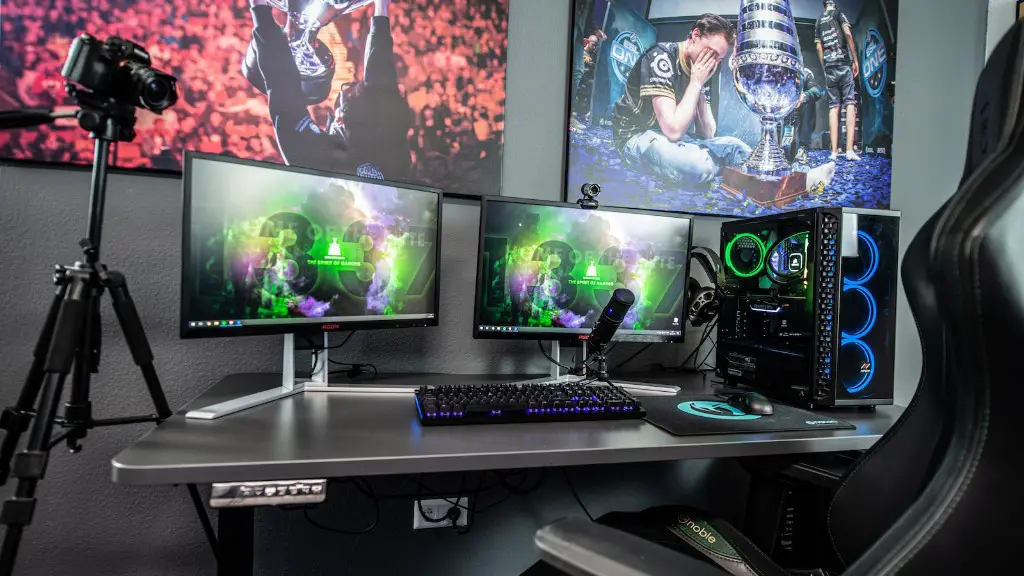
Your motherboard is the hub of your PC and it needs to be compatible with all the components of your build. It determines the type of sockets that can be used, the amount and type of RAM, and the types of ports for peripherals. Modern motherboards come with a variety of integrated features, such as Wi-Fi and Bluetooth, and support for multiple GPUs. Try to get the most modern and up-to-date motherboard available to keep up with future advances.
Cooling
Cooling systems are important to keep your system running at peak performance. Most cases come pre-installed with a few case fans, but if you plan to do high-end gaming or overclocking, then you should invest in a water cooling kit. This can help keep temperatures low, while also improving the longevity of your components.
Peripherals
Your gaming setup isn’t complete without the peripherals. A good gaming mouse, keyboard, headset, and monitor are essential for any serious PC gamer. You may also want to consider a gaming chair and steering wheel for racing games. If you plan on streaming games, then you should also invest in a good microphone and webcam.
Software
The last step is to install the necessary software. You will need the operating system, a quality antivirus program, and any other programs or applications you need. If you’re streaming, then you’ll need a streaming program such as OBS. Most games require digital distribution platforms like Steam or Origin to download, so be sure to have one of these installed and ready to go.
