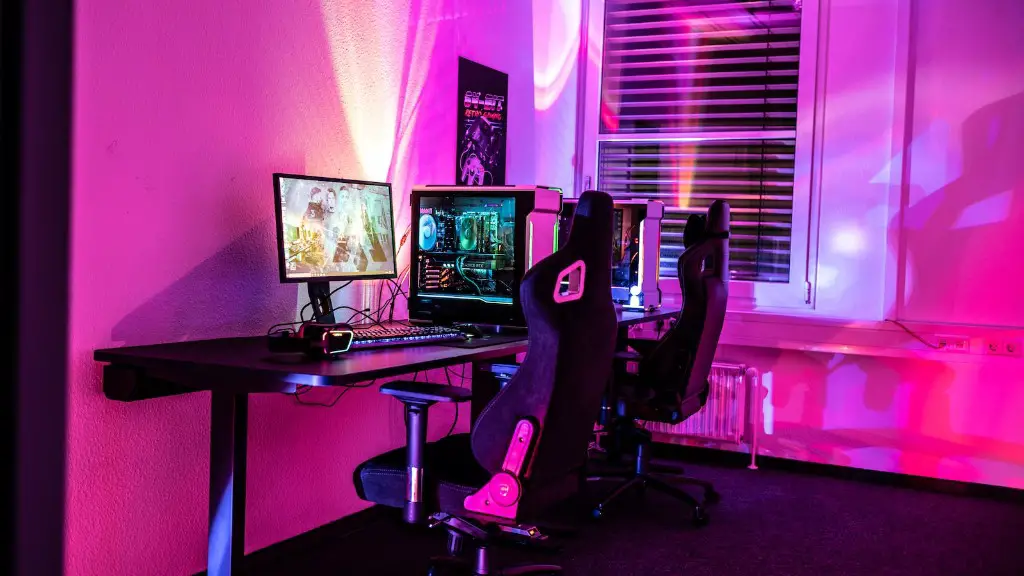
Streamers use gaming PCs for their streaming needs as it gives them an edge over consoles when streaming. With the higher power, a gaming PC allows them to stream heavy-duty games like GTA V and Battlefield 3. It also allows them to live stream and interact with their audience better.
When it comes to selecting a GPU, streamers should always opt for the one with the best specs. This is because the GPU is what determines the resolution and frame rates of the game. Most streamers opt for the latest and fastest GPUs in the market.
A good gaming PC should also have a good CPU. If a streamer wants to livestream heavier games, they will need more power, which can be provided by a higher end CPU. Streamers opting for CPUs should always check the clock speeds, as well as the number of cores available.
Apart from having a good GPU and CPU, streamers need to ensure that their storage and RAM are up to the mark. This is where SSDs and DDR4 RAM come in. Streamers should opt for larger capacities and higher speeds so that their streams run smoothly.
Streamers should also consider investing in cooling and noise reduction. PCs generate a lot of heat and loud noise, which can be distracting for the viewers. So, streamers should invest in liquid and air cooling for their PC to keep the noise and temperature levels low.
Finally, streamers should always check the manufacturer’s specs, as well as the terms and conditions of the warranty, before buying a gaming PC. This will help them avoid any potential problems in case of any technical issue.
GPU
When selecting a GPU for streaming, streamers should look for the one with the highest specs, such as the latest models from brand such as Nvidia and AMD. GPUs can have varying features such as the number of cores, clock speeds, and number of textures. All of these are important factors when selecting the right GPU.
Apart from specs, streamers should also consider the size of the GPU. Smaller GPUs do not have as many ports available as larger GPUs, meaning they cannot be used as effectively with external monitors. This is a factor to consider when selecting a GPU, as it affects the user’s streaming experience.
Another important factor to consider when selecting a GPU is the power consumption. Streamers should opt for GPUs with low power consumption, as this means they won’t need to upgrade their power supply anytime soon. This will save streamers both time and money in the long run.
Finally, streamers should consider their budget. GPUs can range from very expensive to very affordable. Streamers should always select a GPU within their budget, as this will ensure they get the best specs without breaking their bank.
CPU
When selecting a CPU for streaming, streamers should ensure that their CPU is able to handle the games that they are streaming. This means looking for CPUs with higher clock speeds, as well as cores and computational power. Streamers should also consider purchasing CPUs with multiple threads, as this will improve their performance.
Apart from performance, streamers should also consider their budget when selecting a CPU. CPU prices can vary greatly, depending on how powerful they are. Streamers should always get the best CPU that fits their budget, as this will make the most out of their streaming experience.
Streamers should also consider the wattage and socket of the CPU. Higher wattage CPUs will consume more power, which means they may need to upgrade their power supply. Streamers should always check the wattage of their CPU to avoid any issues.
Finally, streamers should consider the compatibility of the CPU with their motherboard. While most CPUs are backward compatible, some may need a special adapter to be compatible with certain motherboards. Streamers should always ensure their CPU is compatible before purchasing.
Storage and RAM
Streamers should always invest in good storage and RAM for their PC. SSDs are the preferred choice for many streamers, as they are faster than the traditional HDDs. Streamers should opt for larger capacities and higher speeds for their streaming needs.
RAM is also important for streamers, as it is what determines the speed performance and multitasking capabilities of the streaming PC. Streamers should opt for DDR4 RAM, as it is fast, reliable, and provides high performance. Streamers should always get the maximum amount of RAM supported by their motherboards to get the best experience.
Streamers should also consider investing in external drives, if they plan on streaming heavier games. External drives provide additional storage space and can be used to store games and media. This is especially useful for streamers, who will need the extra space.
Finally, streamers should consider NVMe storage for faster read and write speeds. NVMe storage can greatly improve the performance of HDDs and provide a much better streaming experience. Streamers should always opt for NVMe storage, as it will greatly improve their streaming experience.
Cooling and Noise
It is important for streamers to invest in the right cooling and noise reduction to keep the PC running smoothly. High temperatures and loud noises can be distracting for the viewers, so it is important for streamers to invest in the right cooling solutions.

Air cooling is a common choice, as it is cheaper and easier to install than liquid cooling. Fans and heatsinks are used to keep the temperatures of the PC low. Streamers should always check the noise levels of their fans and make sure they are not too loud.
Liquid cooling is a more expensive but more efficient cooling option. It works by running coolant through the CPU, GPU, and other components to keep them cool. This is a great choice for streamers, as they can keep the noise levels and temperatures very low.
Streamers should also invest in noise reduction solutions, such as noise dampening material and noise cancelling microphones. This will allow them to reduce the noise levels of their PC and provide a better streaming experience for their viewers.
Finally, streamers should always make sure their PC is well ventilated. Good airflow is important for keeping the temperatures low and avoiding any overheating. Streamers should always ensure their PC is well ventilated to get the best streaming experience.
Warranty and Manufacturer’s Specs
When purchasing a gaming PC for streaming, streamers should always check the manufacturer’s specs to ensure they are getting the best possible deal. This includes checking the warranty, as well as the return policies and technical support offered. Streamers should always ensure the warranty covers any potential issues.
Streamers should also ensure that their PC is compatible with any streaming software they wish to use. This includes checking the supported resolutions, frame rates, and codecs. Streamers should always check the manufacturer’s specs before purchasing, to ensure they are getting a PC that meets their streaming needs.
Streamers should also consider the manufacturer’s after-sales service. Many manufacturers offer technical support and repairs in case of any issues. This is especially important for streamers, as it will allow them to get their PC fixed quickly in case of any issues.
Finally, streamers should always be aware of any potential problems that may arise with their PC. This includes checking for driver updates and doing regular maintenance. Streamers should check their PC regularly, as this will help them spot any potential problems before they become too big.
