
Building your first gaming PC is an exciting prospect for any tech enthusiast. It can be daunting to know where to start, but fear not! This article provides a list of elements you should consider when constructing your rig, as well as tips for avoiding common mistakes. It will take some research, but your diligence will be rewarded with an awesome gaming PC that’s fit for your needs.
First and foremost, you need to calculate your budget. This will determine the quality and power of components you can afford. It’s better to err on the side of caution, as reliable lower-priced parts will last longer than cheap, unstable ones. Start by calculating what you’d like to spend, then research the best components that fit within that range. Look up reviews, benchmark scores, and warranties to make sure you’re getting the most for your money.
Next, you’ll need to choose the right casing for your build. A casing should feature an elegant design, adequate airflow, and enough space for your components. You don’t want to experience overheating during long sessions, so check to see if a chassis as ventilation holes, mesh panels, and adequate spacing. Additionally, account for any future upgrades you’ll want to make, such as installing a liquid cooling system if you’re aiming for overclocking.
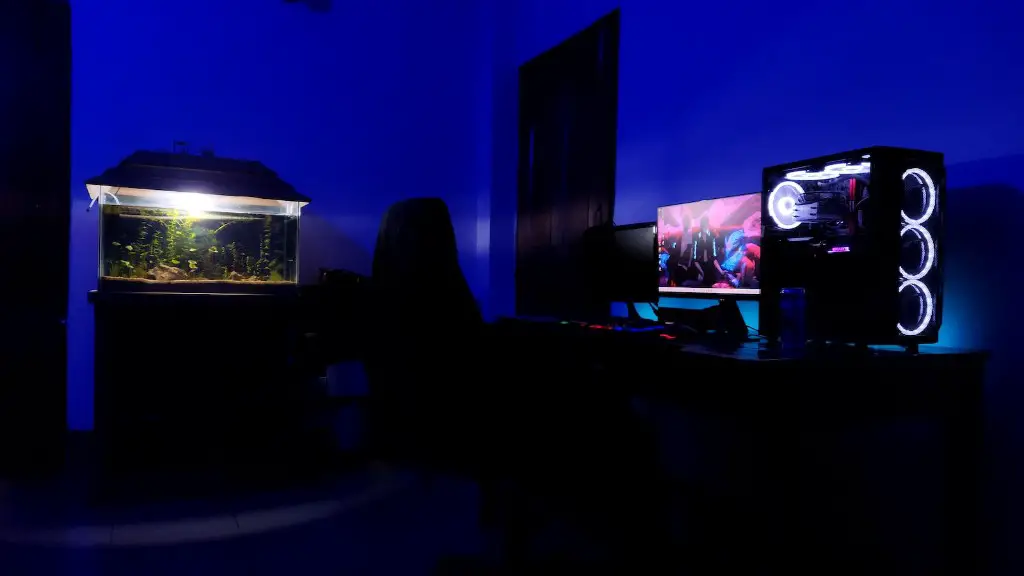
Speaking of components, you’ve now narrowed down which processors, graphics cards, harddrives and motherboards you’d like to install. Note that you’ll need to pay attention to compatibility; your motherboard must support the processor, your graphics card needs to fit in the casing, and your RAM should match the appropriate motherboard slots. Don’t forget to purchace thermal paste, cables and any additional coolers you’ll need!
Now comes the time to assemble your custom gaming desktop. If you’re new to this process, be sure to watch tutorials and read reviews for a better understanding of the procedure. It’ll take a little bit of patience to understand the complexity of the inner workings, but your gaming desktop will eventually be up and running in no time. You may even enjoy the building process!
Finally, you must consider the software for the machine. You’ll want to factor in operating systems, drivers, and other essentials. Make sure your gaming PC is equipped with the latest graphics drivers and BIOS. Doing so will provide you with the best performance to enjoy your favorite games.
GPUs
The graphics card is arguably the most important component in any gaming PC. It’s essentially the brain of the system, responsible for generating the visuals and effects you see while playing. Do your research and select the best GPU you can afford. This will ensure you can handle the latest games with a playable frame rate and max settings. Current mid-range graphics cards offer great performance at a reasonable price-point.
When selecting a GPU, opt for a card with at least 3GB RAM, as you’ll need to be able to render higher resolutions. RAM also affects the number of textures and effects you see, so you’ll want to confirm your card has sufficient memory to avoid any lag or glitches.
Furthermore, make sure the GPU you pick can support any extra peripherals like Free-Sync or G-Sync. These allow the GPU to sync with your monitor to even out any frame rate dips and reduce tearing, smoothing out your gaming experience. Most GPUs come with advanced cooling systems, so be sure to check out warranty lengths and customer service as well.
Power Supplies
When constructing a gaming PC, you should never settle for less than a quality power supply. A good premium power supply will not only last longer, but protect your components from becoming fried. Many power supplies come with a single 12V rail or multiple 12V rails; the latter is more efficient at distributing power. Make sure to find a power supply that matches the wattage of your parts and provides at least 32A on the 12V rail for smooth operations.
Furthermore, make sure your power supply can handle overclocking. If you’re interested in overclocking, you’ll need a quality power supply that can deal with the extra strain and heat. Opt for a model with decent ventilation and an auto-shut off should an overload occur. Finally, don’t forget to attach the power supply to the casing, as well as connecting it to the motherboard.
Storage Drives
When constructing a gaming PC, you’ll want to factor in the storage space you need. Currently, hard disk drives (HDD) are the most common form of storage. You can opt for desktop or laptop models, depending on your motherboard. That said, solid state drives (SSD) offer greater response times and speeds for loading games. If you plan to install heavy-hitting AAA titles, you may want to get an SSD for a smoother experience.
Make sure to check for any additional features you may need. If you decide to go with an HDD, make sure it has the features you need. For instance, some models come with the Intellipower technology, allowing it to store data rapidly while keeping the noise level low.
If you decide to opt for an SSD, be aware of the type of interface it uses. Although more expensive than HDD, SSDs are still cost-effective and can dramatically reduce loading times. Some models even come with built-in data encryption for extra protection.
Monitor Setup
When building your gaming PC, you’ll want to factor in your display as well. If you plan on using multiple monitors, you need to make sure your graphics card supports the setup layout. Test out configurations with multiple graphics cards if necessary. On the other hand, if you plan on using a single monitor, you’ll want to select a quality screen.

Factor in the size and resolution of your monitor, as well as extra features like FreeSync or G-Sync. Larger livells may suffer from more ghosting, but a higher refresh rate will allow lower input lag. Additionally, be sure to double-check if the ports of your motherboard and graphics card match the inputs of your monitor. Lastly, consider LED backlighting, anti-glare coating, and wide-color gamut.
Peripherals
Now that your DIY gaming PC is nearly complete, it’s time to decide the peripherals to finish your setup. To get the best out of your gaming experience, you should select the best mouse and keyboard for the job. Depending on the types of games you play, you may need to look for extra features like additional keys or programmable buttons.
You may even consider a gaming-grade headset for your gaming pleasure. A good set of cans will provide quality sound for both gaming, as well as for music and movies. Be sure to check out both wired and wireless models and to confirm compatibility with your PC.
Finally, if you’re serious about gaming, you may want to invest in a reliable controller. Gamepads are much easier to use when playing certain genres like fighting games, as they offer more accuracy and control. Additionally, some PC titles allow you to utilize a controller rather than the mouse and keyboard.
