
Building a gaming PC requires some savvy shopping and planning. When considering what to buy first, you must think about how much RAM, storage, graphics, and processor power you need to run the most graphically-intense games. It’s also important to think about the size of the case and the cooling requirements. By taking these considerations into account, you’ll be able to start picking out the most powerful components for your PC.
The first thing you should get is the CPU. As gaming PCs rely heavily on CPU power, getting a good processor is essential. Aim for the top-of-the-line processor in your budget and make sure it is compatible with the motherboard you will buy. Don’t skimp on quality here as better CPUs run faster and cooler, and can be overclocked for even better performance.
Next, you should look at the RAM. Most modern games require at least 8GB, but more memory will give you better performance. If you plan on running multiple applications at the same time, more than 8GB is recommended. Check the motherboard specifications to make sure the RAM you buy is compatible.
Third, you want to choose the right graphics card. Opt for one that comes with plenty of memory and is capable of running the games you want to play, with a bit of wiggle room for future titles. Make sure it fits your budget and laptop, and that your power supply is compatible with it.
Next, you should decide on a storage solution. Do you need a hard drive or an SSD? Hard drives have greater capacity and are cheaper, but don’t provide the same speed as an SSD. If you’re willing to give up some space for the sake of speed, get an SSD. It’s also a good idea to get an external hard drive for additional storage.
Finally, you need to pick out a case that’s big enough to contain all your components and keep them cool. Most cases come with plenty of room and come with built-in fans that help dissipate heat. Make sure you factor in the size of your graphics card when selecting a case.
Where To Buy
Once you have a list of the components you need, it’s time to choose where to buy them. You can get them all from one store, or you can shop around for the best prices. Check reviews for reliability and check for any applicable discounts. If you’re buying online, make sure to check the shipping and return policies for any purchases.
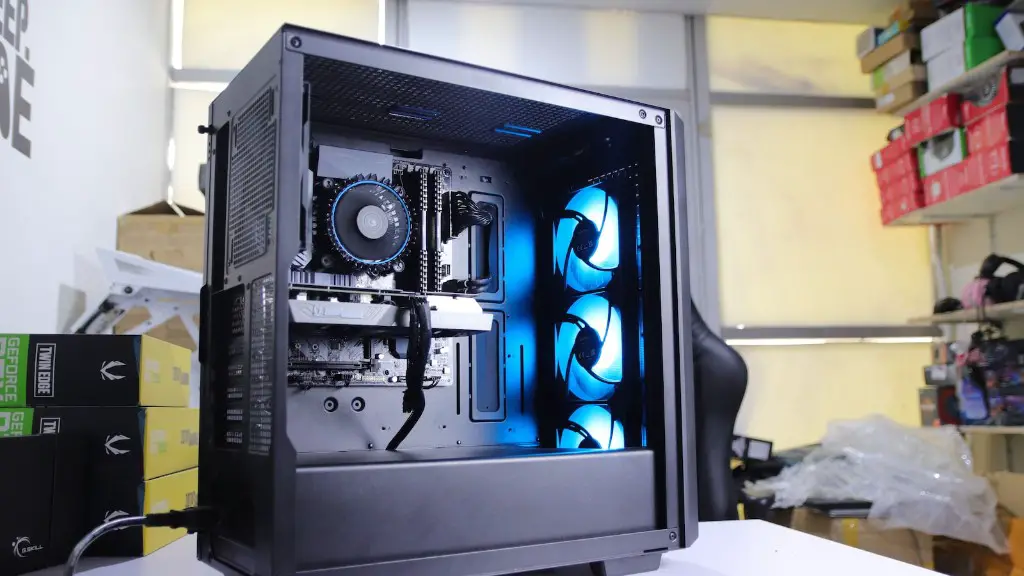
You can also look for pre-built gaming PCs. While they may not have the same customizability, they can offer some good deals on powerful rigs. Check the specs to make sure they meet the requirements of the games you’ll be playing. Keep in mind that you may have to upgrade components if the games get more demanding.
If you’re looking for a great deal, you may want to consider buying used components. However, you want to be sure you’re buying from a reputable seller who can guarantee the components are still working before taking a gamble on buying used.
Finally, shop around at local stores as well as online. Some stores offer special promos that can give you better prices than buying online. Always check to see if the store offers any warranties or discounts for buying certain components in bundles.
Building The PC
Building a gaming PC doesn’t have to be intimidating. If you have any experience at all with computers, you can probably do it yourself. Just make sure to read through your motherboard and graphics card manuals so you know what to do when it comes time to plug in each component.
If you’re not so confident in your technical skills, there is always the option of taking your parts to a local PC repair shop or using a PC-building service. Just make sure to research the shop’s reputation and customer service before committing to any service.
You’ll want to assemble the PC in an anti-static environment. This means you need to use an anti-static wrist strap that will ground you to something other than the computer. If you don’t have an anti-static bracelet or wrist strap, make sure you touch something metal before beginning.
Once you have the motherboard and graphics card in, attach the RAM and CPU. Connect the SSD to the motherboard and plug the power supply into a surge protector. Attach the power cables to the motherboard and then attach the graphics card. Finally, screw the case back together and attach the necessary cables to the ports.
Setting up Software
Once the computer itself is built, it’s time to start setting up the software. Install your operating system of choice, such as Windows 10. Then, install any necessary drivers, such as those for your graphics card. Make sure all of your hardware is properly installed and that there are no hardware conflict issues before moving on.

Next up is any other software you need. You can install your antivirus of choice and then start customizing the PC for your gaming needs. You can install applications such as teamspeak or discord to communicate with other players. You can also install streaming software if you plan on streaming your games.
You’ll also want to download a few games to test the performance. Go for some of the more graphically-intense titles or virtual reality games to really see how your PC performs. After you have tested everything and you’re satisfied with the performance, you’re ready to start gaming.
Optimizing Performance
If you’re looking to get the best performance out of your gaming PC, there are a few things you can do. Keep your system up-to-date by installing the latest drivers and applications. Also, make sure to keep a neat desktop and uninstall any applications you don’t use regularly.
If you’re still not getting the performance you want, there are a few ways to maximize it. Make sure all of your system settings are optimized for gaming. You can also overclock the processor and graphics card to get even more power out of it.
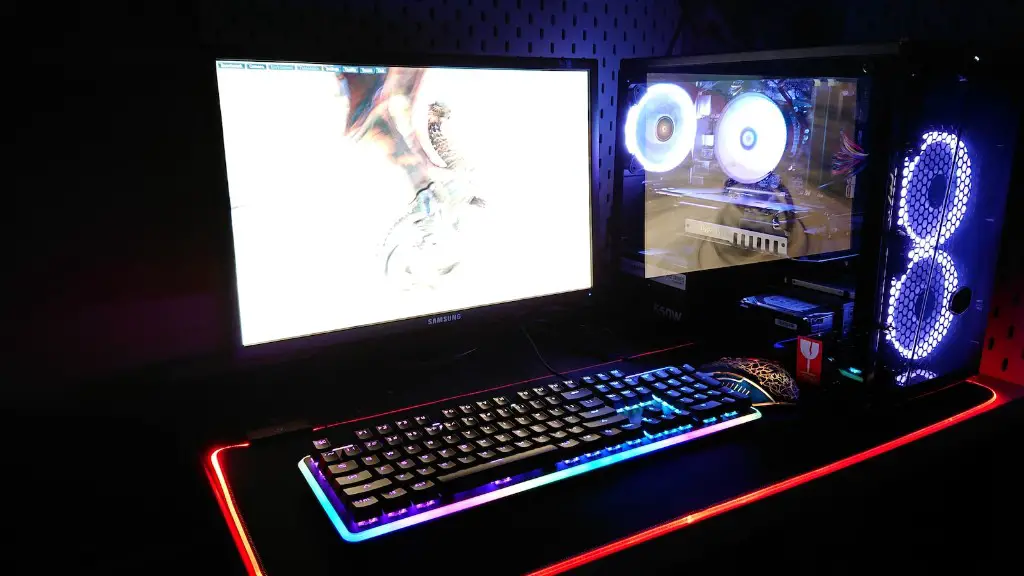
Finally, focus on keeping the system cool. Making sure all of the fans are working properly and that the case has good airflow is key to maximizing performance. You can also buy cooling gadgets such as heatsinks to really give your PC an extra boost in performance.
Testing And Troubleshooting
Now it’s time to test your gaming PC and make sure everything is running properly. Run some benchmarks and games to ensure the performance is up to par. Also, keep an eye on the temperatures of all the components and troubleshoot any potential issues.
If you encounter any stability issues, it’s good to have a backup plan. Have a list of compatible components and a plan that you can execute to replace any parts that don’t work. You can also contact tech support to fix any hardware-related issues.
If you’re having any software-related issues, you can try backing up and restoring the system, or reinstalling the operating system. Make sure you keep your drivers and applications up-to-date and always check for any errors or bugs when you’re playing games.
By following these steps, you’ll be able to build a gaming PC that meets your needs. Just remember to think about your budget and the components you’ll need for the best performance. Store hopping and research are key to getting the best prices, and making sure all the components are compatible is necessary for assembling a great gaming PC.
