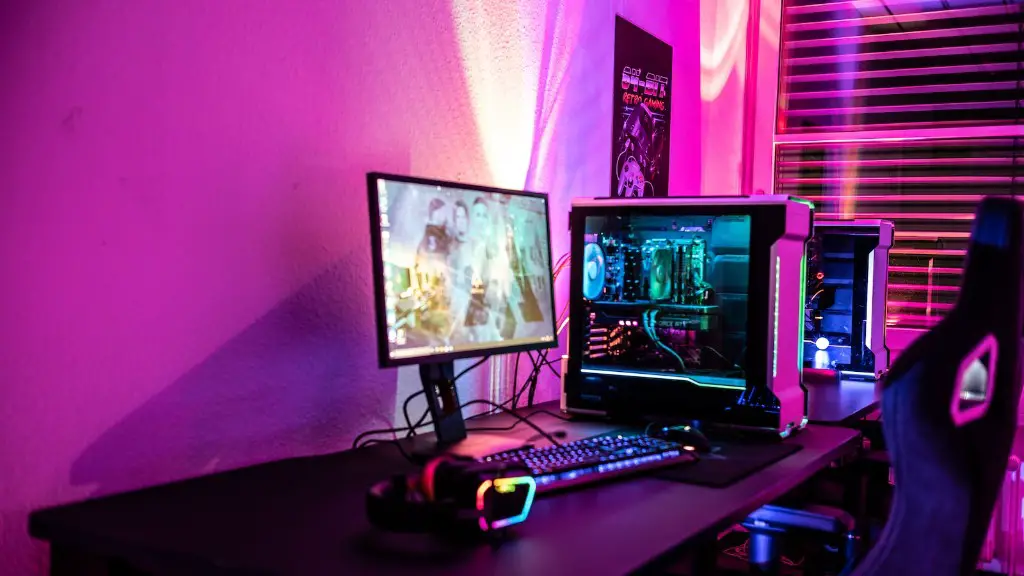
It is possible to purchase a gaming PC for less than $600. However, this does require some compromises, as all gaming PCs come with their own set of criteria. This can depend on what types of games you intend to play. If you’re only playing moderately-demanding, modern games, then a budget gaming PC could be just what you’re looking for.
The first thing to consider is your budget. If you’re tight on money, you should purchase your gaming PC components separately, whether they are sold directly on online stores or bought in the form of a cheaper desktop prebuilt. This will allow you to stretch your dollars, as it’s possible to grab and build a good entry-level gaming rig for around $400-$500. Of course, this depends on the components you choose and their prices.
One thing to keep in mind when building your gaming PC is to choose proper parts for your build. You want to get components that work together and won’t bottleneck each other, or at least ones that minimize the effect on performance. This can feel overwhelming and complex if you’ve never done it before, or if you’re not up to date on all the latest tech.
A common mistake when shopping for a gaming PC is to focus too much on aesthetics, such as RGB lighting and case design. While these features can look very cool, their impact on performance is quite limited and will only add to the total cost. It’s best to focus on getting the most bang for your buck and purchasing hardware that will give you the most performance.
Much of the process in building a gaming PC requires research. Learning what components work together, what specs best complement each other, and which ones offer the most value for your money. Assembling the components can take time, so you may want to opt for a pre-built desktop instead. While they tend to be more expensive, it is one of the simplest and quickest ways to obtain a gaming PC. While these can still be customized depending on the pre-built feature, it’s best to look at other options if you’re on a tight budget.
In summary, it is quite possible to purchase a gaming PC for around $600. However, it does require some compromises and research, as one needs to source the correct components and build the PC themselves. If you don’t feel comfortable doing so, then you may want to opt for a pre-built desktop; but careful shopping and researching the available components could yield a powerful gaming PC within this budget.
Choosing a GPU
The graphics card is one of the most important components in a gaming PC, as it will largely dictate the kind of performance you will get out of your build. With a budget of $600, you can get a decent gaming card such as the GeForce GTX 1650. This offers great performance for the price, and can comfortably run moderately demanding games at decent frame rates. Of course, it will not be able to run the newest AAA titles at maximum settings, but it should still offer good performance at reasonable settings.
It’s also important to consider the power of the GPU in relation to the rest of your build. For example, if you’re planning on getting an AMD Ryzen processor, then an NVIDIA graphics card might offer more performance for the money, as the Ryzen CPUs are optimized to pair up with NVIDIA cards. This could leave you with more money to allocate to other components such as the RAM or storage.
When it comes to picking the best GPU for a $600 budget gaming PC, it will largely depend on the games you intend to play. If you’re just looking to play a handful of older titles at decent settings, then a budget card such as the GTX 1650 could be the optimal choice. However, if you’re looking to play modern titles at maximum settings, then it may be worth increasing the budget.
In conclusion, the GPU you choose for a budget gaming PC for $600 is quite important. You need to consider the types of games you intend to play and how intensive they are, as well as how much money you are willing to put in. If you are planning on getting an AMD Ryzen processor, then an NVIDIA graphics card may offer more performance for the same price. Otherwise, for most moderately demanding titles, then a GTX 1650 would be more than enough.
Choosing RAM
RAM is another important component to consider in a budget gaming PC. While the GPU and processor dictate the overall performance of a gaming PC, RAM plays an important role in how much data can be transferred/delivered, and in overall stability and loading times. With a $600 gaming PC, you should have enough funds to purchase a minimum of 8GB of RAM, though 16GB of RAM is definitely preferable and recommended in many cases.
For those looking for an entry-level gaming machine, 8GB of RAM is the minimum recommended for most modern games. However, for more intensive titles such as AAA titles, VR games, or multiple running programs and simulations, then 16GB of RAM is a must. This is because games are increasingly relying on more RAM for better performance, as well as for smoother streaming experiences.
When looking for the best RAM for a $600 gaming PC, there are a variety of different options to choose from. The components should be optimized for your case’s build, as well as for the type of gaming you intend to do. This includes things such as the DDR type, speed, and latency, which refer to the transmission rate of data. DDR4 is the most widely used RAM type, and latency should generally stay at CL 14 or lower.
In conclusion, the amount and type of RAM you choose for your gaming PC is an important factor. A minimum of 8GB of RAM is suggested for entry-level machines, with an ideal being 16GB of RAM. When it comes to DDR type, DDR4 is the most widely used. Additionally, its latency should remain at CL 14 or lower. With these tips in mind, you should be able to find the best RAM for your $600 gaming PC.
Choosing a CPU
The processor, or CPU, is often overlooked by many budget gaming PC builders in lieu of more exciting components. But the CPU is just as important in dictating the performance of your system – if not more so. For a budget $600 build, you can usually get a great processor for your money, such as the popular AMD Ryzen 5 2600X. However, there are many other options to choose from, such as Intel’s Core i5 series.
When shopping for a CPU, you should always consider the specific applications you plan to use it for. Different processors denote different performance scales, so you need to find a balance between your budget and the type of performance you require. Generally speaking, more cores/threads will offer more performance, as well as higher clock speeds.
You should also pay attention to the socket compatibility of your processor. This refers to the type of socket your motherboard is designed for, as each type of processor requires specific motherboard components to power it. For example, the Ryzen 5 2600X requires a socket AM4 motherboard, and Intel typically uses a different socket depending on their processor model.
In summary, choosing the right CPU for your $600 gaming PC is important. You should always consider the specific applications you plan to use it for, as well as check the socket compatibility between the processor and the motherboard. If possible, try to find a processor that offers good performance and a good value for money. Popular options in the budget gaming category include the Ryzen 5 2600X and Intel’s i5 series.
Choosing a Motherboard
The motherboard is the backbone of every PC build and dictates the type of CPU and RAM you can use. It is probably the most overlooked part with budget gaming PC builds since it does not necessarily affect the performance of the PC, though it does affect the components you can use. When searching for a motherboard for a gaming PC with a $600 budget, you should look for one that is compatible with both the CPU socket type and your desired RAM type.

Most modern motherboards will support DDR4 RAM, though some of the more budget-oriented boards will support DDR3 – though this is becoming less and less common. Additionally, the chipset used in the motherboard is also important as this will affect the performance of the other components. Current popular chipsets include the Intel B480 and the AMD B550, which are great value-for-money options.
In addition to these factors, you should also consider the number of available ports and the form factor. More ports mean more potential connectivity, so a board with plenty of USB ports and SATA connectors could be of benefit. It is also important to consider the size of the motherboard and make sure it is compatible with the case you are using.
In conclusion, the motherboard is an integral part of any gaming PC, as it dictates the type of CPU and RAM you can use. When looking for a motherboard for a $600 gaming PC, you should search for one compatible with your desired components that has plenty of available ports. Additionally, consider the size of the motherboard and make sure it is compatible with the case.
Choosing a Case
The case you choose for a $600 gaming PC will mainly depend on personal preference. After all, it is one of the most visually noticeable elements of any build. It should also offer adequate ventilation and cooling, as this will contribute to the overall performance of the PC. Some cases may come with pre-installed fans, while others may require you to purchase your own. Generally, it is recommended to have at least one fan per major hardware component.
The size of the case should also be considered, as you need to make sure that it fits all of the components you have chosen. This includes the motherboard, graphics card, and any other pieces you have purchased. Additionally, many cases nowadays come with a variety of features including cable management, dust-filters, and RGB lighting. While these features are usually intended for aesthetics, they can also come in handy for keeping everything organized and tidy.
Finally, it is important to take into consideration the motherboard’s dimensions, as well as the size and weight of the components. This is especially important for tower cases, as the size of the case and the weight of the PC will affect its moveability. It is important to ensure the case you purchase provides adequate space for air circulation and is of an appropriate weight for its intended purpose.
In conclusion, when searching for a case for a $600 gaming PC, personal preferences should be taken into consideration. It should also provide adequate ventilation and cooling, as well as have a size compatible with the components you have purchased. Consider also the features included, such as cable management and dust-filters. Finally, make sure the case is not too heavy and provides adequate space for air circulation.
