Building your own gaming PC can be a fun, exciting and rewarding experience – it’s a great feeling knowing that you put together your own machine. There are a few things to know before you get started, like what components you need and how to properly assemble the components. Here are some tips to get you started on your project.
First, research and identify the components you want to include in your gaming PC. The most important components are the CPU, GPU, and RAM. From there, find other things like a CPU fan, motherboard and any extras that you might like, such as a wireless card or extra USB ports. You’ll also want to choose an operating system, like Windows or Linux.
Once you have the components in your possession, clean the inside of your case with a can of compressed air and make sure all your components are compatible. Assemble the motherboard and all its components, such as the CPU, GPU and RAM. Securely attatch the CPU fan and make sure it’s in working order. Then, plug in any extra components you need, such as a wireless card, and fit it all into your case.
Connect your hard drive, optical drive and other components to your motherboard. Attatch all the cables and ports and double check your connections. Install your OS on the hard drive with a bootable disc. Afterwards, you’ll be able to install all your drivers and updates. Then you can start installing the games and other applications you’ll need.
You may want to overclock your PC if you want to squeeze the most performance out of it. Overclocking is when you increase the voltage and frequency of your components to get more performance. Make sure you do your research on overclocking and be careful to not damage your components.
Finally, test your gaming PC to make sure everything works as intended. Benchmark it to compare it to other PCs. If you’re satisfied with the performance, you can now enjoy your custom built gaming PC!
Hardware Components Required For Building A Gaming PC
When assembling your own gaming PC there are a few hardware components that you will need. The primary components you need to assemble your gaming PC are the GPU, CPU and RAM. Additionally, you will also need a case, PSU, storage device such as HDD or SDD, CPU fan, motherboard and an operating system.
The GPU is the most important component when considering performance. It is responsible for rendering the graphics in-game and therefore you should choose a good one if you want your games to look good. The CPU handles the game logic and calculations in-game, so it’s not as important as the GPU when considering how games look but it is still important for performance. The RAM is responsible for storing information in-game and should have enough capacity to handle your gaming needs.
When it comes to choosing a case, you should get one that provides enough space for all your components as well as good airflow. You will also need a good PSU to power your components and should get one with at least 650 watts of power. Storage devices such as an HDD or SDD will be needed to store your games and applications. A CPU fan is needed to keep the CPU cool and you should find one that is silent or have RGB lighting.
Finally, for your gaming PC to run properly you will need to install an operating system. Popular operating systems for gaming PCs are Windows and Linux. You should evaluate which OS is best for you and your gaming needs as each OS has its own advantages and disadvantages.
Installing Software Applications for Gaming PCs
Once you have assembled all the hardware components for your gaming PC the next step is to install all the software applications and drivers that are needed for it to run properly. For a gaming PC you will need an operating system, drivers for the hardware components, and game related software such as a game engine or streaming software.
The first step is to install the operating system of your choice. This is the base of your PC and without it your components will not be able to function. Popular operating systems for gaming PCs are Windows and Linux but you should evaluate which one is best for your particular needs. After you have installed the operating system, you can install the drivers for your components. These drivers enable your software applications to access the hardware components, so they are necessary for everything to work.
Lastly, you should install game related software such as a game engine or streaming software. Game engines are software applications that enable game development and can be used to create games from scratch. Streaming software, such as OBS, is used for streaming your games on platforms such as Twitch and Youtube. Additionally, you will need to install the games you want to play, as well as any other software applications you may need.
Security Checks Before Usage
Before you start using your gaming PC, there are a few security checks that you should do to make sure your PC is secure and protected against malicious attacks. The first step is to make sure your OS is up to date. This will ensure that you have the latest security patches which will protect you from the latest security threats. You should also install a trusted antivirus software and perform regular scans for malware and viruses.
Additionally, you should configure your PC’s firewall to only allow incoming connections for programs and services that you intend to use. This will provide an additional layer of security as any suspicious activity will be blocked by the firewall. You should also set up a secure password for your PC’s user account to protect against brute force attacks. This should include upper and lowercase alpha numeric characters as well as special characters.
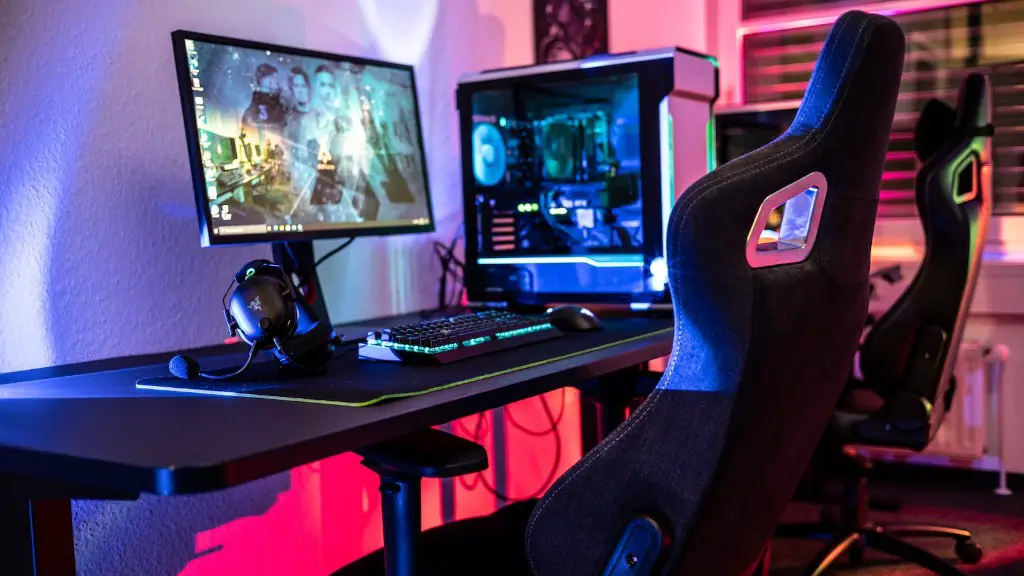
It is also important to keep your software applications and games up to date. Software applications and games often have security updates that should be applied to make sure your machine is not vulnerable. You should also install ad blocker and popup blocker extensions into your browser to prevent malicious ads and popups from appearing.
Maintenance and Upgrades
To keep your gaming PC running at its best you should regularly maintain it and do upgrades when necessary. The first step is to clean your PC and make sure all the components are functioning properly. This includes dusting out your PC and checking for any errors or malfunctions. Additionally, you should check the temperature levels of your components to ensure that they are not running too hot.
You should also make sure your OS and software applications are up to date. This will make sure that your PC has the latest security patches and will also help with performance. Additionally, make sure to regularly do a backup of your PC as this will help you restore your PC in case of a hardware failure or corruption. Finally, you should consider upgrading your components if you want to get more performance or if your components are outdated.
Conclusion
Building your own gaming PC can be a fun, exciting and rewarding experience. It is important to do the necessary research before you start building and make sure you double check all your connections. Once you have your gaming PC built, keep it secure and maintained with regular security checks and upgrades. With a bit of time and effort, you can have a gaming PC that will last a long time and provide you with a great gaming experience.
