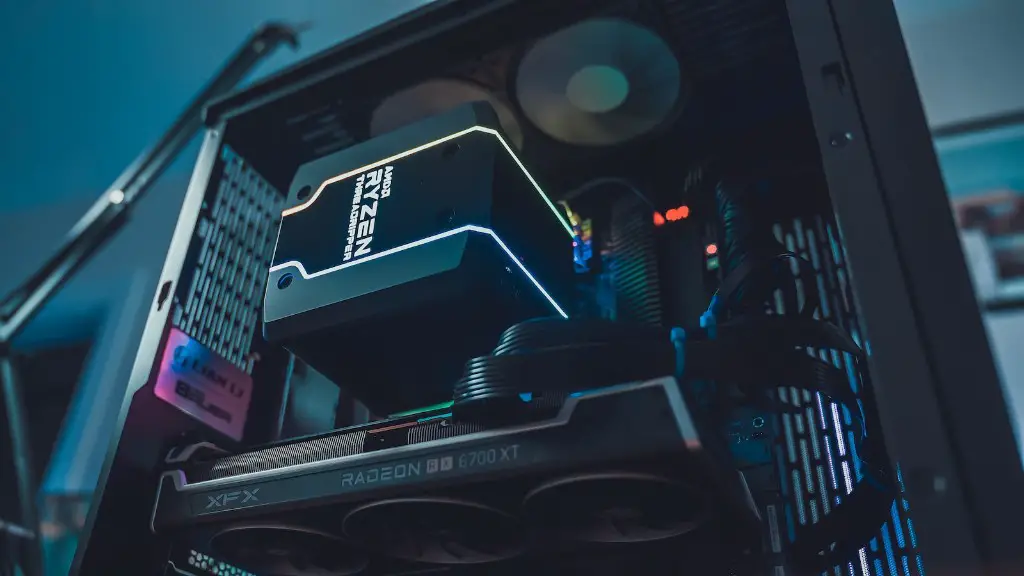
You want to upgrade your computer to a gaming PC but you’re not sure where to start? Don’t worry, knowing how to upgrade a PC to a gaming PC is fairly straightforward if you focus on the 4 major components. Here’s a guide on how to turn a basic PC into a gaming powerhouse.
First and foremost, a gaming PC needs a powerful graphics card. This is the most important hardware you should change in order to turn a regular computer into a gaming-ready system. A good rule of thumb is to purchase a card with its own dedicated memory, rather than one that uses RAM from the computer itself. Also consider buying an updated cooling system to help keep your graphics card from overheating.
Second, install a solid-state drive (SSD). These drives are fast, reliable and can greatly improve computer performance. If you can get one that’s at least 500 GBs, that should be enough for most gamers. Installing an SSD is simpler than many people think, so don’t be afraid to try it yourself.
Third, you’ll need to upgrade your RAM. This will allow your gaming PC to run multiple applications at once, without you noticing any performance hiccups. Start by checking your motherboard to see how many RAM slots it has, then purchase a few sticks of RAM accordingly. Make sure to get ones that are compatible with your motherboard and are at least 16 GBs.
Fourth, invest in a good power supply unit. This might be the most overlooked part of any gaming rig, but it’s essential for keeping all your components running efficiently. Buy something with a high wattage rating to accommodate your power-hungry graphics card and other hardware.
Prioritizing Your Needs
When building a gaming PC, it’s important to prioritize your needs. If you’re looking for the ultimate gaming setup, you’ll likely want to go with the most expensive parts. On the other hand, if you want a more budget-friendly build that’s still capable of powerful gaming, you’ll need to be more selective with your hardware.
Focus on finding the best deals that fit your purpose. Pay attention to helpful reviews, coupons and other savings opportunities to save money but don’t sacrifice on quality. You don’t need to buy the most expensive parts, but you should look for ones that are reliable and match the hardware requirements for the games you want to play.
Additional Tips
When shopping for parts, you may want to consider purchasing from a “bundle”. Bundles typically include a motherboard, processor, RAM and other components at a lower price than if the parts were bought individually. This is an easy way to save money, as long as the bundle includes components that fit your needs.
Another tip is to get a good-quality cooling system. Especially if you’re overclocking, an adequate cooling system will help ensure your gaming PC doesn’t experience sudden shutdowns or other performance issues. If you plan on overclocking, you should also invest in a powerful CPU and a robust power supply unit.
Finally, consider custom-building your own gaming PC. This is the best way to make sure that all your components are compatible with each other and fit your exact specifications. Just make sure you understand the basics of computer building, such as subscribing the sizes of components and connecting the data wires, before attempting this.
Monitor and Software Choices
When it comes to picking out a monitor, you want to make sure it can handle the resolution of games you wish to play. A high refresh rate monitor is a must for hardcore gamers as it helps to minimize motion blur and make the most of your gaming PC’s specs. Also, decide on the OS you want to go with. Windows 10 is the most popular OS for gaming but Linux is also an option.
Lastly, think about what type of peripherals you need. A good mouse and keyboard is essential if you take gaming seriously. Find pieces that are comfortable, durable and come with gaming-specific features like RGB lighting, multiple programmable keys and adjustable sensitivity.
Don’t forget about the software, either. It’s always best to have the latest drivers, BIOS, and other components available for your gaming rig. It’s also a good idea to keep an eye on the progress of gaming industry. That way you won’t miss out on any updates or new games that may come out in the future.
System Updates and Performance
You should also make sure you periodically update your system to ensure your gaming PC runs smoothly. This means installing all the latest game patches and updates, as well as updating your operating system and drivers. Some games may even require overhauls in order to work effectively, so make sure to have your PC ready.
Aside from the components, a good gaming PC build requires high-end maintenance and care. Make sure to keep your system clean and well-ventilated, as dust and heat can cause serious damage. You should also run diagnostic tests regularly in order to detect any potential issues. Finally, invest some time into tweaking the different settings to get the best performance out of your PC.
Additional Hardware Options

Depending on your gaming needs, you may also want to invest in some extra hardware. Mechanical keyboards are popular among gamers due to their tactile feel and customizability. If you really want to get serious, you could also buy a good-quality gaming headset, which can be helpful for players who participate in online gaming.
In addition, you may want to consider upgrading the quality of your monitor. If your budget allows it, an ultra-wide curved monitor or 4k monitor could really enhance your gaming experience. Don’t forget about gaming chairs, either. Keep an eye out for models with adjustable lumbar support, adjustable armrests, and other comfortable features.
Finally, make sure to invest in a good networking setup. If you’re serious about online gaming, getting a good-quality router and Ethernet cable can make a huge difference in connection speed and overall performance.
