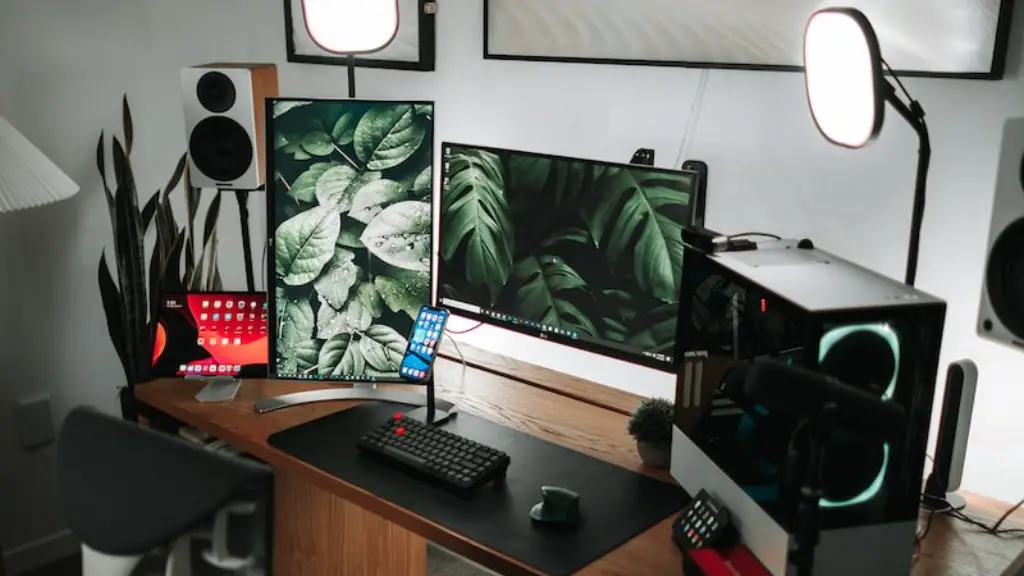
It is possible to build a great gaming PC for less than $700. Whether you are playing the latest AAA games or just starting in the world of PC gaming, there are plenty of components and systems available that will let you experience the amazing world of PC gaming without breaking the bank. Below are some tips and tricks that will give you the best bang for your buck.
Firstly, choose a processor that suits your gaming needs. Today, most game developers optimize their games for Intel-based processors, so an Intel processor is often the best choice for a gaming PC. However, if you are looking for top of the line performance, you may want to look into a Ryzen processor. Note that Ryzen may accrue additional costs because it requires a motherboard as well.
Secondly, invest in a good GPU. The GPU is the heart of your gaming PC and will give you the best performance for the games you choose to play. Some of the best GPUs in the $700 range include the NVIDIA GeForce RTX 2060 and the AMD Radeon RX 5600 XT.
Thirdly, make sure you pay attention to your RAM. RAM is crucial for gaming performance and it’s important that you choose the right type of RAM for your system. Many gamers will opt for DDR4 RAM which is the fastest type of RAM available. Additionally, make sure you buy enough RAM to cover the games you’re playing as well as future games.
Fourthly, look for a cost-effective storage solution. Games can take up a lot of storage space, so it’s important that you have a reliable storage solution. Solid-state drives (SSDs) are the best choice for gaming PCs as they are fast and reliable. For the best bang for your buck, look for an SSD that offers at least 500GB of storage.
Fifthly, invest in a good quality power supply. A power supply is a critical component of any gaming PC as it provides the power necessary to run your games. Look for a power supply with at least 650 watts to ensure your gaming PC has enough juice to power all of your components. Make sure you choose a reliable brand such as Corsair, EVGA, and Seasonic to ensure you get the most from your power supply.
Lastly, choose a quality case for your gaming PC that looks and feels great. One of the great things about building your own PC is that you can customize it to look exactly the way you want. Pick a case that has enough room for all your components and that looks great. There are plenty of cases on the market that fit the bill for under $70.
The Importance Of Cooling
For gaming PCs, cooling is of the utmost importance. Overheating can have a serious impact on your gaming experience and can even cause damage to your components. Make sure you invest in high-quality components such as liquid cooling or air cooling. Additionally, make sure you have enough ventilation to ensure your gaming PC stays cool.
Choosing The Right Monitor
When building a gaming PC, a good quality monitor is essential. For gaming PCs in the $700 range, 24-inch monitors are a great choice. Look for monitors with a refresh rate of at least 144Hz, as this will ensure that your games have minimal lag and provide smooth, crisp graphics. Additionally, make sure the monitor supports Full HD resolutions or higher in order to get the most out of your gaming experience.
Keyboard and Mouse
A good quality keyboard and mouse are important for gaming PCs, as they will give you the best performance in competitive games. Look for mechanical keyboards, as they are more durable and offer a better typing experience. For mice, look for one with at least 5000 DPI and multiple buttons, as this will allow you to customize your gaming experience. Additionally, make sure the mouse is comfortable to use as this will make a huge difference in your gaming performance.
Choosing A Motherboard
The motherboard is the backbone of your gaming PC and plays a crucial role in your gaming performance. Before purchasing a motherboard, make sure it supports the processor and GPU you have chosen, as well as any other components you may be using. Additionally, make sure the motherboard has the appropriate ports and slots for connecting all your components and that it supports the latest standards.
