Building a gaming PC is relatively easy if you have the right parts and know-how. With the right components and a little knowledge, you can build a $1500 gaming PC that can compete with more expensive machines. In this blog post, we’ll explain how to build a budget-minded gaming PC and give you tips on assembling it correctly.
The first step to building a gaming PC is to choose the components that will form the heart of your machine. Your main components will include the CPU, GPU, memory, SSD, power supply, and motherboard. Make sure to choose components that are compatible with each other and the rest of your components. You’ll want to make sure the power supply has ample wattage for all of your components, and the motherboard should be able to accommodate the CPU and GPU. Next, select the cooling options for your gaming PC. Depending on your budget and choice of components, you’ll want to consider an air or liquid-cooled system.
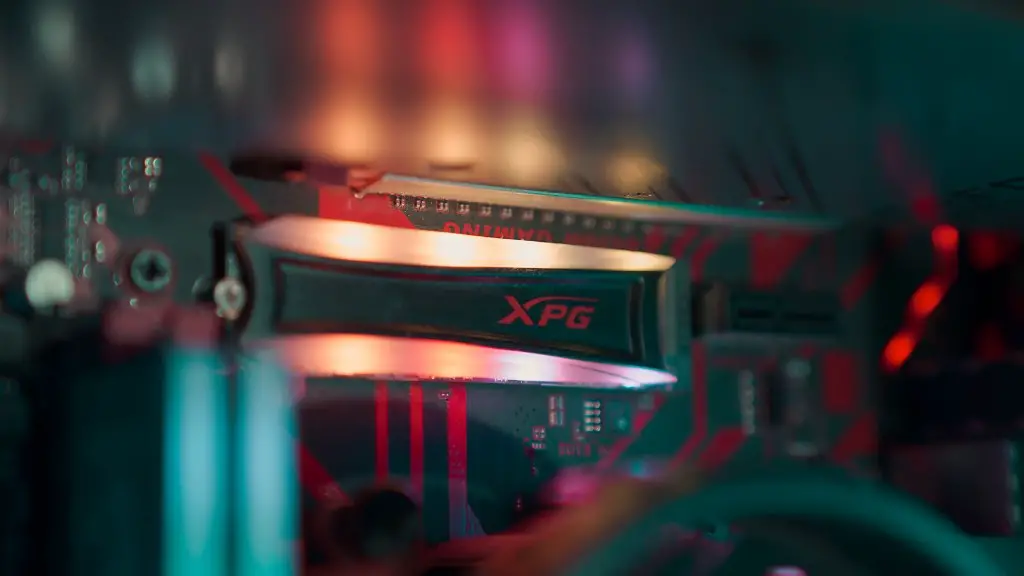
Once you have all of your components, it’s time to start assembling your PC. Before you begin, make sure you have the right tools and materials. You’ll need a Phillips-head screwdriver, a box cutter, and some thermal paste. You’ll also need a good anti-static wrist strap to protect your components from static electricity. Start by putting the CPU and GPU on the motherboard, and then attaching the power supply and cooling system. After the main components are installed, add the memory, SSD, and other components like WiFi adapter, fan, and optical drive.

Next, it’s time to assemble the chassis. Once all of the components have been mounted to the motherboard, place the motherboard in the case and connect the power supply, storage, and other cables. Before turning on the power, check that all of the components are connected properly and that the cables are routed correctly. Buckle up the case and close it, and make sure all of the screws are tightened. When everything is in place, you can turn on the power and begin the installation of the operating system.
Finally, you’ll need to install the necessary drivers and software. This is the part where most people can get overwhelmed. There are several options, from downloading them from the manufacturer’s website to using a driver utility tool. You should also install any games and other software you plan on using with your gaming PC. When all is said and done, you should have a fully functional, high-performance gaming PC.
CPU Choice for a $1500 Gaming PC
When choosing the best CPU for a $1500 gaming PC, you want to consider performance, power consumption, and overclocking potential. Most gaming PCs built within this budget range should have an Intel Core i5 processor or better. For high-end gaming PCs, the recommended CPU should be an Intel Core i7 such as the 9700K or the new 10th gen 10900K. Both will have 9 or 10 cores and higher clock speeds, which will result in better multitasking performance. Of course, they will also have higher power consumption, so you’ll have to have an adequate power supply.
It is also worth considering an overclocking-capable CPU. If you are willing to overclock your processor, you can get much higher performance gains than you would with a standard CPU. You will need to invest in a quality CPU cooler for optimal temperatures, but it will be well worth it. In addition, most high-end CPUs come with integrated graphics, which is a nice bonus for a gaming PC.
When shopping for a CPU, take the time to read reviews and compare specs. The CPU is the heart of your gaming machine, so it pays to make sure you get the best product for your money. Also, make sure to look at the thermal design power (TDP) of the processor, as this will give you an indication of how much power the CPU will consume.
Finally, always read the manufacturer’s instructions before installing a CPU, as the procedure can differ from model to model. If you follow their instructions properly, you should have no trouble installing the CPU and getting your gaming PC up and running.
GPU Choice for a $1500 Gaming PC
The Graphics Processing Unit (GPU) plays an important role in the performance of a gaming PC. Choosing the right GPU for your build is an important step to ensure good gaming performance. If you have a budget of $1500, the best graphics card you can get is the Nvidia GeForce RTX 3070. This card offers great performance with support for up to 4K resolution, as well as ray-tracing technology.
If you’re looking for a more budget-friendly option, the Nvidia GeForce RTX 2070 Super is another great choice. This card offers excellent performance and can handle most games at medium to high settings. If you need something more powerful, you can opt for the RTX 3080, which is the latest and most powerful GPU on the market right now.
When it comes to AMD graphics cards, the Radeon RX 5700 is a good alternative for a $1500 gaming PC. This card offers excellent performance at Full HD and 1440p resolutions, and comes with great features such as Freesync support and Mesh Shader technology. If you want to push the boundaries, the Radeon RX 6800 XT is the best choice for a gaming PC build with a budget of $1500.
Again, it is important to read reviews before investing in a GPU. Also, it is wise to spend some time researching what type of games you plan to play. Knowing the games you plan to play can help you make the right decision when it comes to the best GPU for your build.
Cooling System Choice for a $1500 Gaming PC
When building a gaming PC, the cooling system is just as important as the hardware itself. The cooling system will keep your hardware from running too hot, thus helping to avoid potential hardware damage. Moreover, a proper cooling system will help you squeeze out extra performance from your hardware.
For a $1500 gaming PC, the best cooling system you can get is an all-in-one liquid cooler. This type of cooler is an easy-to-install solution that comes with water blocks that mount directly on the CPU and GPU. They also come with pre-installed fans and a pump, making them an ideal choice for performance-oriented gaming PCs.

If you’re looking for a budget-friendly option, you can opt for an air cooler. Air coolers come in various sizes and shapes and are much cheaper than liquid coolers. They are also easier to install, although they are not as effective at cooling as liquid coolers.
No matter what type of cooling system you choose, make sure to install it correctly and keep it well maintained. Improper installation and maintenance can cause your hardware to overheat and result in hardware damage.
Power Supply Choice for a $1500 Gaming PC
The power supply is the heart of any gaming PC build, and the quality of the power supply has a direct impact on the stability of the system. When selecting the best power supply for a $1500 gaming PC, you should get an 80 Plus Gold certified PSU with a minimum wattage of 650 watts. A higher wattage PSU is recommended if you plan to overclock your components or use more than one graphics card.
Other important factors to consider when selecting a power supply are efficiency, modularity, and build quality. A high efficiency power supply will ensure that you get the most power out of your system without wasting energy. Modularity will allow you to only connect the cables you need, helping to improve the airflow of the system. Finally, the build quality of the power supply should be of high quality to provide reliable performance over the years.
It is also worth noting that some power supplies come with specialized features such as RGB lighting, fan control, and automatic power management. These features can provide an extra layer of convenience and control, but you should consider them only if it fits your budget.
The power supply is one of the most important components in your gaming PC. It is worth taking the time to find the best power supply for the job at hand. Good luck with your build!
