
Building a mini gaming PC can be an exciting and rewarding process. It takes careful planning, research, and dedication to assemble the components for a powerful gaming rig. Here are 7 steps for creating a mini gaming PC.
1) Identify Your Requirements: First, determine your budget and determine the games you’ll be playing and their recommended system specifications. Then, consider which components you’ll need, such as a motherboard, processor, graphics card, RAM, cooling system, and power supply.
2) Select Components: Research different products to find the ones that fit your requirements and budget. Look for reviews and customer feedback to ensure that your components are reliable.

3) Assemble Component: Purchase your components, mount the motherboard and other items within the mini-tower case and connect them properly. You can then install the operating system, such as Windows 10, or boot from a USB drive.
4) Connect Power Supply: Connect the power supply to the components and the wall outlet. Test the power cables and components to check for proper functioning.
5) Install Additional Components: Install any additional components like additional RAM and graphics cards as needed. Set up a Wi-Fi router if desired.
6) Perform Stress Tests: Run stress tests on the components to ensure that the entire system is working. Stress tests can detect the temperatures of components, verify the processor’s clock speed, and show if a component is failing.

7) Enjoy Gaming: Once the mini-gaming PC has been set up, it will be ready to play your favorite games. Make sure that the graphics and audio are properly configured and turn off any unused components or programs to conserve energy.
Hardware Requirements
When building a mini-gaming PC, the processor and graphics card are the most important components. Having a good processor is essential for playing newer releases of games, especially those with advanced AI and graphics. Look for laptops featuring the latest Intel or AMD processors that run at least 3.8GHz.
Graphics cards are integral for optimum gaming performance. Look for cards that feature 4GB of dedicated video RAM (VRAM) and are based on the latest Nvidia or AMD graphics technology.
Matching the power supply with your components is also essential. Look at each component and determine how much power each device uses. Choose a power supply with a wattage rating that meets or exceeds the total power consumption of all components.
Additional components should also be considered when building a mini-gaming PC. Make sure to get enough system memory (RAM) to keep your games running smoothly. Invest in a cooling system to prevent your system from overheating. Also, consider a liquid cooling system if you plan to overclock your processor in the future.
Finally, investigate different case sizes and styles depending on your needs and the type of gaming PC you are creating. Mini-towers are great for those with limited space and can accommodate most components.
Software Requirements
Choosing an operating system is essential for a mini-gaming PC. Windows 10 is often the preferred choice for gamers looking for the most up-to-date features and support. Opt for an SSD (Solid State Drive) when selecting a hard drive to maximize performance and reduce loading times.
Installing the latest device drivers is also important for peak performance. Visit the manufacturer’s website for the latest drivers for your particular components. Also, use a gaming management console such as Steam or Blizzard’s Battle.Net to organize your games and keep track of updates.

Finally, think about the other software that you’ll need to run your PC. Video-editing and streaming programs are key for those who are looking to create game videos. Some programs can require powerful hardware, so make sure that your mini-gaming PC has the necessary specifications. Additionally, make sure you have anti-virus software to protect your system from malicious viruses.
Storage Options
A mini-gaming PC will require enough storage space to store your games and related media. Look at the hard drive capacity of the system and determine whether you need more space. Adding multiple hard drives can add substantial storage to your system.
Additionally, look at cloud-based storage options such as Google Drive and dropbox. These cloud-based services allow users to store documents, videos, and photos in the cloud for safekeeping.
Another option is to use an SDD as the system drive. SSDs are fast and can improve load times drastically. If you’re running multiple hard drives, an SSD can help balance out the load across multiple drives.

Finally, consider an external storage device. External hard drives are great for backing up your data in case of a system crash. These drives are typically less expensive than internal ones and can expand your system’s storage at a lower cost.
Accessories
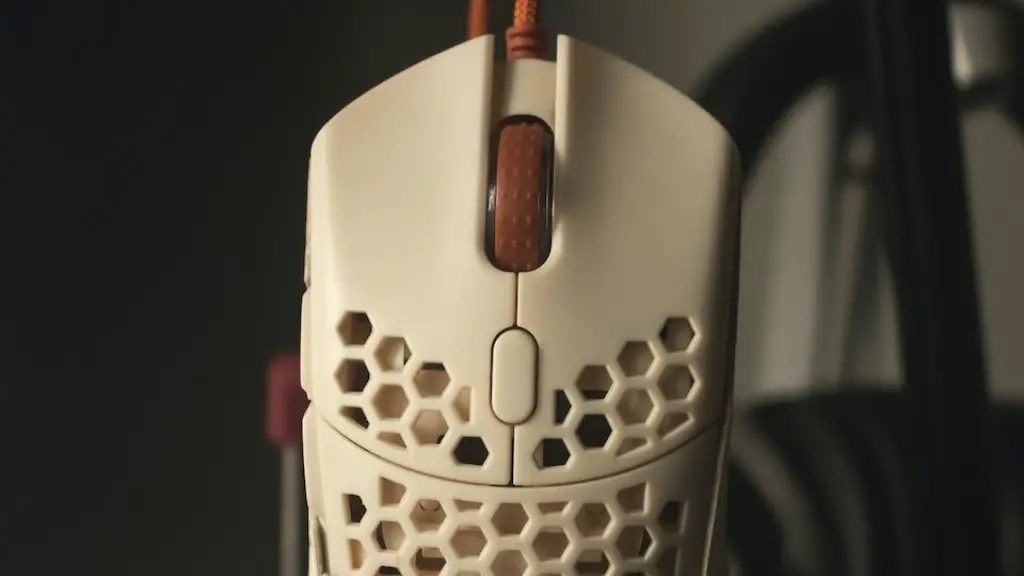
Before you get started building your mini-gaming PC, decide which accessories you will need. You may wish to invest in a gaming keyboard and mouse for a more comfortable gaming experience. Wireless or wired headphones are also great for gaming and can help to improve the immersion as well.
You may also want to purchase a monitor or multiple monitors to hold more information while gaming. Look for monitors that can display at least 1080p resolution and have multiple inputs to facilitate the use of multiple monitors. Look for monitors with a refresh rate of at least 120Hz for smooth gaming performance.
Another thing to consider is a gaming-specific laptop. Investing in a laptop specifically designed for gaming can allow you to enjoy your games without having to build your own PC. Look for laptops featuring the latest i7 processor, 8GB RAM minimum and a discrete graphics card.
Finally, consider investing in a gaming chair. A gaming chair is designed to provide comfort and enhance controller response. Look for chairs with adjustable height, back support, and armrests for maximum comfort.
