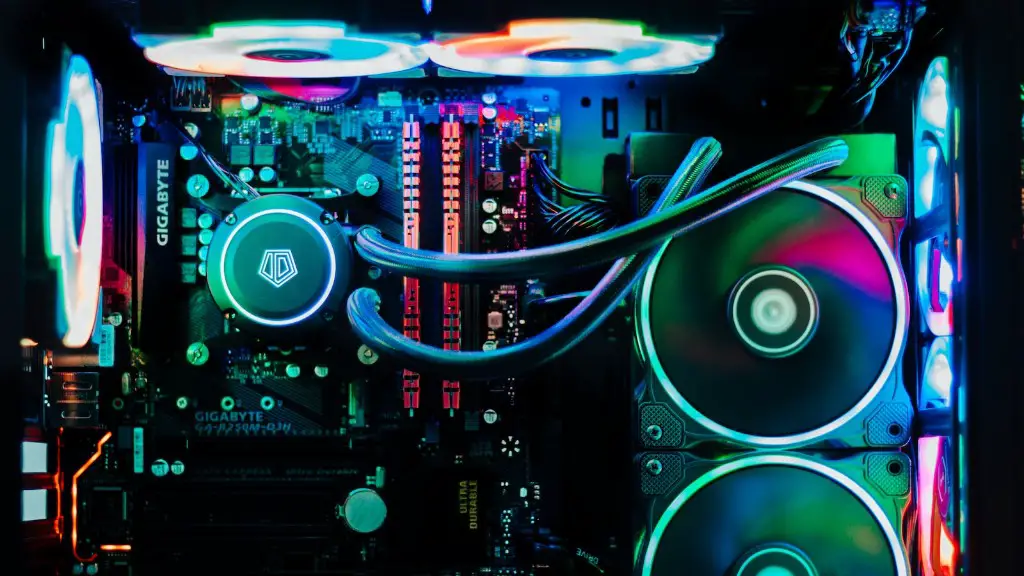
Building a great gaming PC doesn’t have to cost a fortune. With a budget of $2,000, you can build an effective gaming system that will handle any modern game. Here are the basic steps you’ll need to take to build a gaming PC with a $2,000 budget.
The first step is to choose the right components. You’ll need to select a CPU, a Graphics Processing Unit (GPU), a motherboard, RAM, a hard drive, and a power supply. There are many different types of components to choose from, so it’s important to research and compare the different options to make sure you get the best performance for your budget.
Next, you’ll need to purchase the components. Many computer parts and components are available online, so you can compare prices and read reviews to make sure you get the best deals.

Once you have all the components, you’ll need to assemble them. This can be a daunting task for those who are not experienced with PC building, but there are many tutorials available online that can help.
After the components are assembled, you’ll need to install the operating system. Windows 10 is the current standard for gaming PCs, so it is recommended you go with that.
At this point, you’re ready to start installing all the necessary games and software. This can take a bit of time and patience, but if you take your time and do your research, you can get the best performance for your budget.
Finally, you’ll need to configure the settings to get the best performance out of your system. This will involve tweaking things like game settings and graphics settings, but it’s definitely worth the extra effort.
CPU Selection
Selecting the right CPU is one of the most important considerations when building a gaming PC. You want to choose a processor that will be able to handle the latest games, as well as multitasking. An Intel Core i7 processor with a high clock speed is often recommended as the best choice. Keep in mind that the Intel processor may be significantly more expensive than other options, so you may have less money left over for other components.
When choosing a CPU, it is also important to keep the power consumption in mind. If you are building a budget system, you don’t want to select a processor that is too powerful, as it will take up too much of your budget.
You also want to consider the cooling capabilities of the CPU. If you are going to be pushing your processor to its limits, you will need to make sure that you have adequate cooling. Certain CPUs may require additional cooling solutions such as liquid cooling, while others may be able to handle increased temperatures with proper airflow.
Finally, it is important to consider the cost of the CPU. The type of CPU you choose should fit within your budget, so make sure you research the different options and find the best value for your needs.
GPU Selection

Choosing the right GPU is essential when building a gaming system. The GPU is the single most important component when it comes to gaming performance, so you want to make sure you select one that is powerful enough for your needs.
When selecting a GPU, you need to take into consideration the type of games you plan on playing. If you are looking to play AAA titles, then you will need a more powerful card than if you are only going to be playing older or less graphically demanding titles.
The size and power of the card you choose will also have an impact on the budget. You don’t want to go for the most expensive card, but you also don’t want to go for the cheapest card as it may not be able to handle the games you want to play.
It is also important to consider the connection type when selecting a GPU. Many modern GPUs require a specific type of connection such as PCI-E or NVLink, so you need to make sure you select the right one.

Finally, you need to consider the cooling capabilities of the card. If you are going to be overclocking the card, you will need to select one with adequate cooling. Many modern GPUs come with their own cooling solutions, while others may require you to purchase one separately.
Motherboard Selection
The motherboard is an essential component of any gaming build, and it should not be overlooked. There are a few things to consider when choosing a motherboard. First, you need to make sure that the motherboard is compatible with the type of CPU and GPU you have chosen.
The dimensions of the motherboard are also important. If you have a larger case, then you’ll need to get a larger motherboard. You also want to make sure that the motherboard has the necessary ports and slots for the components you need to use.
The type of expansion slots available is also important. If you plan on using multiple GPUs or dual-channel RAM, then you will need a motherboard with the appropriate number of expansion slots.
Finally, you need to make sure the motherboard supports overclocking if you plan on pushing your processor to the maximum. Not all motherboards have built-in overclocking capabilities, so make sure you check the motherboard’s specifications before purchasing.
RAM Selection
Choosing the right type of RAM is essential for any gaming build. The type of RAM you choose should match the type supported by your motherboard, and it should also be fast enough to handle the tasks you want it to.
The capacity of RAM is also important. If you plan on multitasking, then you’ll need to make sure you have enough memory. However, it is not recommended to get too much RAM as it will eat into your budget without providing much of a performance boost.
The type of RAM you choose will also affect the cost. If you want the best performance, then you should go for higher-end RAM such as DDR4. However, if you are on a budget, then you can opt for slower and cheaper RAM such as DDR3.
The frequency of the RAM is another important factor. Higher-frequency RAM will provide better performance, but it will also cost more. If you are going to be pushing your system to the limits, then you should consider investing in higher-frequency RAM.
Finally, you should consider the size of the RAM. If you have a larger case, then you can opt for larger modules. However, if you are on a tight budget, then smaller modules may be preferable as they generally cost less.
Storage Selection
The type of storage you select is also an important consideration. The two most popular types of storage are hard drives and solid-state drives. Hard drives are cheaper, while solid-state drives are more expensive but offer better performance.
The size of the storage is also an important factor. You need to get a drive that is large enough to store all the games and software you want to install. If you are on a budget, then you should consider getting a smaller drive and installing additional storage later.
The speed of the storage is also important. Solid-state drives are much faster than hard drives, but they are also more expensive. If you are looking for the best performance, then an SSD is the way to go.
Finally, you need to consider the connection type of the storage. If you are purchasing a hard drive, you’ll need to make sure it is compatible with your motherboard. If you are purchasing an SSD, then you’ll need to make sure it supports the type of connection your motherboard has.
Power Supply Selection
Selecting the right power supply is essential for any gaming build. You want to make sure the power supply can handle all the components you have chosen. The wattage is the most important factor to consider, so you want to make sure the power supply you choose is rated higher than the total wattage of all your components.
The power supply should also be efficient. The efficiency rating will tell you how efficiently the power supply converts the electricity. The higher the rating, the better.
The size of the power supply is also important. If you have a large case, then you’ll need a larger power supply. You should also make sure that the power supply is compatible with the motherboard you have chosen.
The type of connector the power supply has is also important. Most power supplies come with a variety of different connectors, so you’ll need to make sure you get the ones that would fit your components.
Finally, you should make sure the power supply is quiet. Many power supplies are fairly noisy, so you may want to invest in a better quality unit if you want a quieter gaming experience.
