
Building a gaming PC is not as intimidating as it sounds. The process is really just a series of logical steps that even rookies can master. Here’s how to go about constructing one. 1.Choose a processor: The processor should be your primary concern when constructing a gaming PC. Depending on your budget and the type of games you’ll be playing, you will have a variety of options to choose from. Intel’s newer products are generally preferable because they offer superior performance. Your processor will determine the type of motherboard and other components you chose. 2.Choose a motherboard: A motherboard is the glue that holds all the components together. It needs to be compatible with your processor (and other components, if you’re upgrading). Make sure you choose one that has all the features and ports you need. Additionally, it should provide enough slots for future expansion. 3.Buy Memory and Storage: Memory and storage are crucial for any gaming PC. You should opt for the fastest DDR4 RAM you can afford. Additionally, you should purchase a solid-state drive (or two, if you can afford them) for faster loading times. A larger hard drive is also recommended for extra storage. 4.Pick a graphics card: A high-end graphics card is necessary for any gaming PC. Your choice will depend on your budget and the types of games you want to play. AMD and NVIDIA both offer excellent cards. You should also make sure your card has enough VRAM to handle your games. 5.Choose a Power Supply: An adequate power supply is a must for any gaming PC. You’ll want to select one that provides enough wattage to power all your components. Additionally, consider purchasing a semi or fully modular power supply to reduce clutter. 6.Get a cooling system: Your gaming PC will generate a lot of heat. Therefore, you’ll need to invest in a reliable cooling system. Air cooling is generally the most affordable option, but if you’re willing to spend a bit more, water cooling can provide better performance. 7.Assemble the Pieces: Once you have all the components, it’s time to assemble them. This is where a good guide can be invaluable. Read through the directions and double-check any connections. Make sure the motherboard and processor are compatible, and that the RAM is installed correctly. Then, boot up the system. Once it’s up and running, you’ll be ready to start gaming!
Choosing Components
Choosing the right components is the key to building a successful gaming PC. You should start by selecting the processor. This will determine the type of motherboard and other components needed. After choosing the processor, you’ll need to choose a motherboard, memory, storage, a graphics card, and a power supply. Make sure all of your components are compatible and capable of handling your games.
An important component for any gaming PC is the graphics card. AMD and NVIDIA both offer excellent cards with varying levels of performance. If possible, choose a card with plenty of VRAM to handle your gaming demands. Another essential component is the power supply. Make sure you select one with enough wattage to power all your components, and consider a semi or fully modular option.
Cooling is also important for a gaming PC. Air cooling is generally the most affordable option, but if you want an even cooler system you may want to invest in water cooling. A dedicated cooling system will ensure your PC runs at optimal performance. Additionally, make sure you have enough space in your case for your components; if necessary, consider investing in a larger case.
Installing Components
After you have all the components, the next step is installing them.The process is relatively straightforward, but you should have a good guide on hand in case you encounter any difficulties. Begin by installing the motherboard and processor. Once that’s done, you’ll need to mount the RAM and graphics card. After that, it’s simply a matter of connecting all your components and powering up the system.
It’s important to make sure all your components are installed correctly. Double-check that the motherboard and processor are compatible, and make sure the RAM is installed correctly. You’ll also want to ensure that the power supply is adequately connected to all components. Additionally, it’s often helpful to cable manage your components to avoid clutter and to improve airflow inside your case. Once everything is in place, you can turn on your PC and make sure it’s running smoothly.
The most important part of building a gaming PC is ensuring that all components are installed properly. A small mistake can prevent the system from booting up. Before turning the system on, make sure the connections are secure and double-check for any loose cables. Give the system a few minutes to boot up and run a diagnostic to confirm that all components are working.
Upgrading Your PC
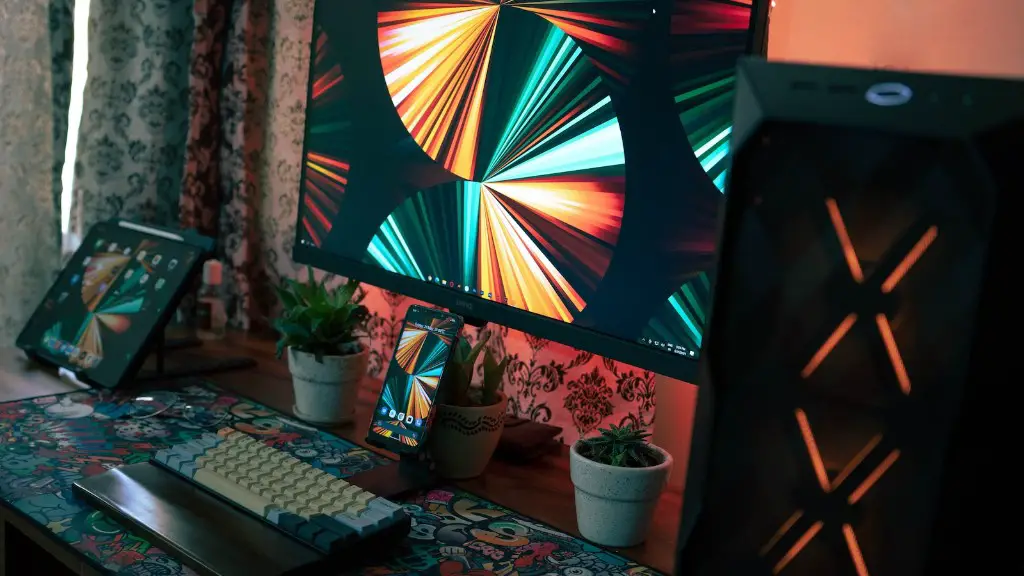
Once your gaming PC is up and running, you may want to upgrade it in the future. Upgrading a few components such as the RAM or graphics card can help you get more performance out of your PC. When selecting components for an upgrade, make sure they are compatible with the existing components. Additionally, make sure the motherboard has enough slots for additional RAM or a larger graphics card.
Sometimes, the best way to upgrade is to simply replace your motherboard and processor. A newer processor can often offer a significant boost in performance. When selecting a new motherboard, make sure it has all the features you need and plenty of slots for additional components. Additionally, it’s important to make sure the new processor and motherboard are compatible.
The most efficient way to upgrade a gaming PC is by replacing the CPU and motherboard with an updated model. This will improve your system’s performance and make it more capable of handling more modern games. Make sure you select components that are compatible with each other and ensure you have enough slots for all your components. Additionally, a good cable-management system will go a long way to helping maximize your PC’s performance.
Maintaining Your PC
It’s important to keep your gaming PC running at peak performance. The most effective way to do this is to regularly clean and maintain your components. Make sure to blow out your case and keep your fans free of dust. Additionally, you should unplug and clean your components at least once every few months. This will help keep your system running smoothly.
It’s also important to check for software updates for your operating system and games. Out-of-date software can be a source of errors and performance issues. Similarly, make sure your BIOS is kept up to date. This is essential for optimal performance and compatibility with new components. Additionally, make sure you have an adequate antivirus program installed to help protect your system.
Finally, make sure you keep your hardware up to date. Consider upgrading components such as your processor or graphics card if you find that your performance is lagging. When selecting components, you should pay attention to compatibility and make sure they are compatible with your current components. This will help ensure your PC runs at its peak performance.
