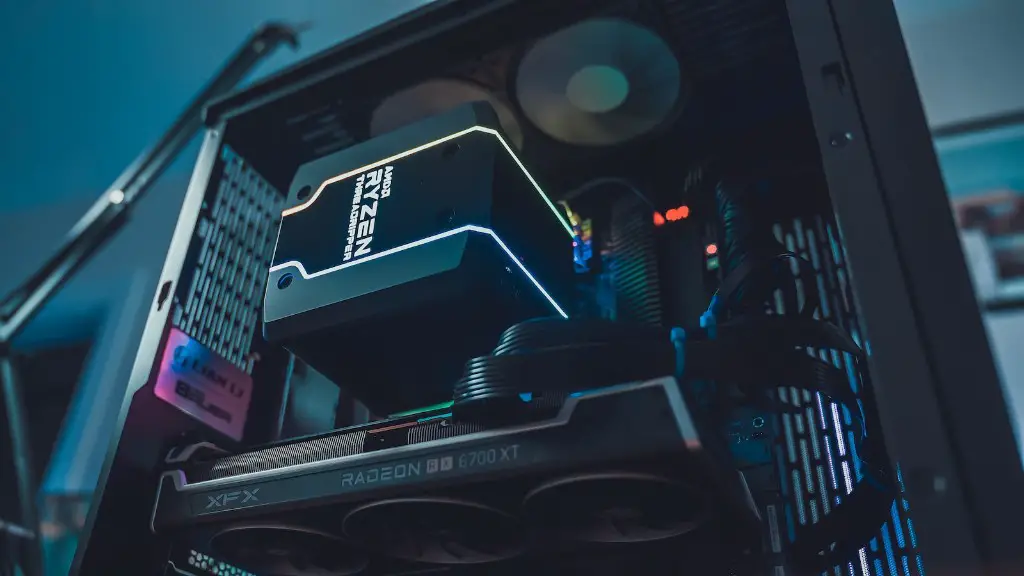
Building a quiet yet powerful gaming PC doesn’t have to be difficult. There are several steps to consider and design choices to make to ensure that the PC runs efficiently and quietly. First, choose components that are built to run with low heat and noise levels. Next, carefully position the gaming PC’s components in the enclosure to ensure proper ventilation. Additionally, invest in a good case and fans that provide ample cooling. Lastly, use power saving techniques and soundproofing materials to make the gaming PC as quiet as possible.
Choose Components Built to Low Noise and Heat Levels
When building a gaming PC, you should always make sure to choose components that have low heat emissions and noise levels. This is because both heat and noise can interfere with your gaming experience. A good way to find components that are designed for low heat and noise is to read reviews from other customers who have purchased and tested out the same components. Additionally, investigating the specifications of the components is a great way to assess how well a component might perform in terms of heat and noise.
For example, you want to look for CPU models that have large heatsinks and are capable of running at lower speeds, as these types of CPUs tend to generate less heat. Furthermore, if you are building a gaming PC with multiple graphics cards, you should pay attention to the model and type of the graphics card as these factors play a major role in how much heat and noise it will generate.
When choosing components for a gaming PC, look for fans that are designed with low noise levels. Many companies design special fans that emit low noise levels so as not to interfere with your gaming experience, and these fans can be quite effective in helping to reduce the noise levels emitted by your gaming PC.
Position the Gaming PC’s Components for Proper Ventilation
Proper ventilation is essential for keeping a gaming PC cool and quiet. Ideally, you want the components in the enclosure to be arranged in such a way that air can flow freely from one component to the next. For example, if there is a component that tends to be quite hot, you want to make sure there is an adequate amount of air that is able to circumnavigate that component and be emitted out the back of the PC.
Additionally, make sure that you leave enough room between components so air is able to move freely by giving components their own spaces. Opting for larger enclosures can also be beneficial, as they provide more space for components to move around, which can help improve airflow and ventilation.
When it comes to designing a gaming PC setup, it’s always best to plan ahead and anticipate any potential issues or problems that might arise in relation to the components in the enclosure. This allows you to focus on ventilation and airflow before the components are placed in the enclosure, which can make all the difference in terms of keeping your gaming PC cool and quiet.
Invest in a Good Case and Cooling Fans

If you want to keep your gaming PC cool and quiet, investing in a good case and the right cooling fans is a must. Most cases come with pre-installed fans, but these fans might not be enough for the components in the enclosure, especially when gaming. When selecting a case, make sure to look for one that is well-ventilated and comes with enough slots for additional fans.
Additionally, fans with high CFM (cubic feet per minute) ratings tend to be more effective at drawing out hot air and keeping components cool. If the gaming PC setup includes multiple graphics cards, then you should look for graphics card coolers that are specially designed to keep the graphics cards cool. Lastly, you can install additional fans to help lower the internal temperature, but make sure that these fans are adequately powered and don’t generate too much noise.
Power Saving Techniques and Soundproofing Materials
Power saving techniques are essential for keeping the gaming PC running at low power. Utilizing power saving features on the motherboard, graphics cards, and other devices can help reduce the amount of electricity consumed and the amount of heat produced. Additionally, programs such as Windows Vista and Windows 7 have automatic power-saving features that can help reduce GPU power consumption.
If the noise generated by the gaming PC becomes too much, then you can use soundproofing materials to minimize the noise. Soundproofing materials such as foam insulation and acoustic foam can effectively absorb the noise, while noise-resistant fans can help minimize the fan noise. Additionally, you can use fan speed controllers to adjust the speed of the fans and reduce the amount of noise they generate.
Understand CPU and Motherboard Power Characteristics

When it comes to building a quiet gaming PC, it’s important to understand the power characteristics of the components being used. The CPU and motherboard, in particular, are important components when it comes to power consumption, thermal performance, and even noise levels. For example, a high-end CPU can generate a lot of heat while a mid-range CPU can generate a more acceptable amount of heat if the right cooling solutions are employed.
In addition, many motherboards nowadays come with integrated power saving features that can help control fan speeds and various other power settings. By understanding the power characteristics of your CPU, motherboard, and other components, you can better control the power levels and in turn reduce the amount of noise and heat generated.
Select Components with Low Electrical Resistance
Another important factor to consider when building a gaming PC is the components’ electrical resistances. Components with high electrical resistances can draw more power, which generates more heat and noise. It’s important to select components with low electrical resistance, as these components draw less power and generate less heat and noise. Additionally, some components might offer adjustable resistance levels, which gives you more control over the power usage and temperature.
Before purchasing components for your gaming PC setup, it’s also important to look for components that come with fan control features. Fan control features enable you to adjust the fan speed and noise levels, which can help keep the gaming PC quiet. Additionally, look for components that come with a built-in noise-dampening feature, as this can help reduce the overall noise levels.
Choose Quality Power Supplies
The power supply is essential for keeping the gaming PC running efficiently, so it’s important to make sure that the power supply is of good quality. Quality power supplies tend to be more reliable and offer more features than low-quality power supplies. Additionally, some power supplies come with noise-dampening features that can help reduce the noise levels of the power supply.
In addition, it’s important to look for power supplies that have high efficiency ratings. These power supplies draw less power from the grid, which helps keep the gaming PC at a low noise level. Lastly, make sure to get a power supply that is of the correct wattage for the components you have chosen.
