
Are you looking to upgrade your PC to a gaming PC and don’t know where to start? Making a PC into a gaming PC is a fun and rewarding endeavor. Here’s a few tips to help you get started.
First, you’ll need to think about what components you’ll be installing. Common components for gaming PCs are a high-end processor, graphics card, mainboard, RAM, power supply, and case. Your budget and requirements will need to be taken into account when you’re deciding on these components.
Next, you’ll need to install the components. This can be a bit daunting if you’ve never done it before, so it’s important to make sure you follow the manufacturer’s tutorials properly. If you’re unsure about the installation, it may be a good idea to get a professional to help you, or you can even try to find a local PC shop who can do it for you.
Once your components are installed, you’ll have to set up your operating system. If you’ve already got an existing operating system, you’ll probably only need to install a few updates. However, if you’re starting from scratch and don’t have an existing OS, you’ll need to install one. Windows is the most popular OS for gaming PCs, but you may want to look into Linux or macOS as well depending on your needs.
Now it’s time to install all of your games and other software. Make sure that you follow the installation instructions properly and don’t be afraid to consult the manual if you’re unsure. Additionally, it’s important to make sure your games are fully patched, as this will ensure they run smoothly.
Finally, you’ll need to customize your PC to your liking. This is where you can really make your PC your own. Whether it’s customizing the RGB lighting system or adding a custom-built water cooling system, there’s plenty of ways to get creative and make your gaming PC uniquely yours.
Overclocking the CPU
Overclocking the CPU is one of the best ways to increase the performance of a gaming PC. Overclocking involves increasing the clock speed of the CPU by running it at higher than stock frequencies. The exact process for overclocking your CPU will depend on the model and manufacturer, but it’s generally achieved through the BIOS or UEFI. Additionally, you may need to purchase additional cooling components such as heatsinks and water cooling to help your CPU run efficiently at higher speeds.
Choosing the Right Case
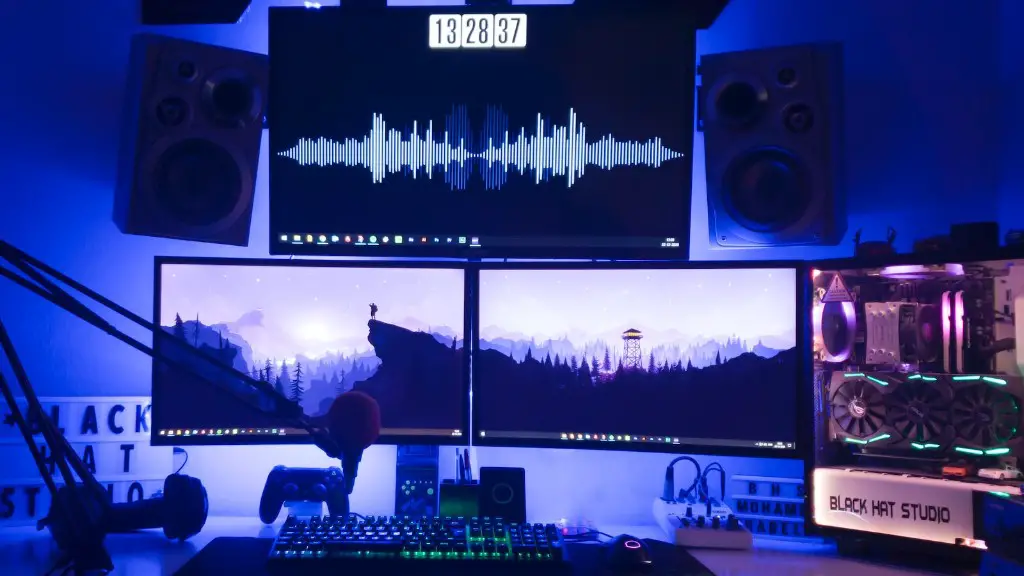
Choosing a case for your gaming PC is important as it will determine what components you can and can’t fit in your system. Make sure you take into consideration what size motherboard you’ll be using, how many fans you want to install, and, now more than ever, the number of RGB LEDs you want. Additionally, you want to ensure that the case is sufficiently ventilated to keep your components cool during your gaming sessions.
Upgrading the Power Supply
When it comes to gaming PCs, a reliable power supply is essential. A good quality power supply will ensure that all of your components receive enough power and help your PC run smoothly. You can go for a reliable brand such as Corsair for your power supply and make sure you check the wattage before buying so you can make sure it can handle all of your components.
Optimizing the Operating System
Finally, it’s important to make sure your operating system is properly optimized for gaming. This includes disabling unnecessary background processes, disabling Cortana and other voice assistants, and using an SSD rather than a regular hard drive. Additionally, you can look into ways to increase the responsiveness of your mouse and keyboard inputs such as lowering input latency or adjusting the polling rate.
Choosing the Right Speakers
Choosing the right speakers is essential if you want to fully immerse yourself in gaming. Make sure you research what type of sound system your game requires and go for a brand you can trust. A 2.1 or 7.1 surround sound system is ideal if you’re after a more immersive experience, but it may be overkill if you’re just looking for some basic speakers.
Installing Mods and Software
Many modern games come with moddable content, giving you the opportunity to customize your gaming experience in a variety of ways. For example, you can install graphical enhancements to make your game look better, add mods for new content, or tweak the rules to suit your playstyle. Additionally, you may also want to install additional software such as anti-virus, game launchers, and graphics control panels. These can all come in handy when it comes to managing your games, keeping your system secure, and making sure your games run as smoothly as possible.
Installing a Graphics Card
Installing a dedicated graphics card is essential if you want to achieve the best gaming performance. GPUs come in all shapes and sizes, and the type you need will depend on your budget and the games you’ll be playing. Make sure the one you choose has driver support on your operating system, and don’t forget to take into consideration any additional power connectors that may be required.
