For hardcore gamers, having the right hardware for their gaming PC is paramount. Much of their gaming experience relies on their PC’s ability to handle high frame rates, run intense graphics, and rapidly process commands. As such, it’s important to ensure that a gaming PC has certain components that are essential for a premium gaming experience. In this article, we’ll go over the most important parts for a gaming PC and how they impact performance.
Graphics Cards
Graphics cards are one of the most important components of an optimal gaming PC. They are responsible for rendering all of the images and textures displayed on the user’s screen, and their performance is directly tied to the quality of the game. A high-end GPU (Graphics Processing Unit) can give improved visual fidelity and higher frame rates for faster in-game movement. Although more expensive cards do offer better performance, there are plenty of budget cards that can still give decent gaming performance.
CPU
CPUs (Central Processing Units) are largely responsible for processing all of the data received from the game. From game logic to AI and physics calculations, it’s the CPU’s job to analyze the data and send commands to the GPU. AMD and Intel are the two main producers of CPUs, with Intel providing higher-end models with superior performance. For a gaming PC, it’s important to invest in a powerful CPU that can keep up with your other components and provide an enjoyable experience.
RAM

RAM (Random Access Memory) serves as a form of temporary storage for system data. It holds all of the data that the other components need to access in order to process a game’s information. The more RAM a PC has, the more data it can store, which leads to smooth performance when running more intensive applications and games. The type of RAM used is also important as not all RAM is equal. DDR4 is the latest version of RAM and is the most efficient and fastest type currently available.
Cooling System
Heat is one of the biggest enemies of gamer’s PCs. Many graphics cards reach very high temperatures and require a powerful cooling system in order to operate properly. Without proper cooling, a system can suffer from reduced performance, unstable frames, and worse, permanent damage to the components. The best cooling systems feature temperature sensors, multiple fans, and a large heatsink to effectively manage the PC’s temperature.
Power Supply
The power supply unit (PSU) is the lifeline of the computer because it’s responsible for providing power to all of the components. The wattage of the PSU should be based on the amount of power draw and the type of components in the system. A higher wattage number won’t necessarily give any performance boosts, but it will ensure that the PC has enough power to operate without fail. Moreover, a good PSU will last longer, have more protection features, and have higher efficiency ratings.
Motherboards
Motherboards are the base on which all of the components are plugged in and connected. It’s important to pick a motherboard that is compatible with the other components, as different components require different sizes, memory types, and connective ports. The more advanced motherboards come with additional features such as SATA ports, USB ports, and overclocking capabilities. Overclocking can increase the performance of the CPU and GPU, but it can also damage the system if done incorrectly.
Storage
A PC’s storage system is where the user’s operating system and games are installed, but unlike the other components, storage isn’t necessarily important for gaming performance. Faster, higher-capacity drives will, of course, be more efficient in transferring and loading data faster. The most common types of storage used for gaming PCs are hard disk drives (HDD) and solid-state drives (SSD). HDDs are cheaper, have higher capacity, but are slower. SSDs are more expensive, have less capacity, and are faster.
Monitors
Monitors are the display device that shows the video content generated by the other components of the PC. The most important aspect of a monitor for gamers is refresh rate, which determines how frequently the image on the screen refreshes. A high refresh rate (144 Hz or higher) produces smoother visuals. Also, a larger display size is important for a high-end gaming experience, as it gives gamers a wider field of view.
Peripherals
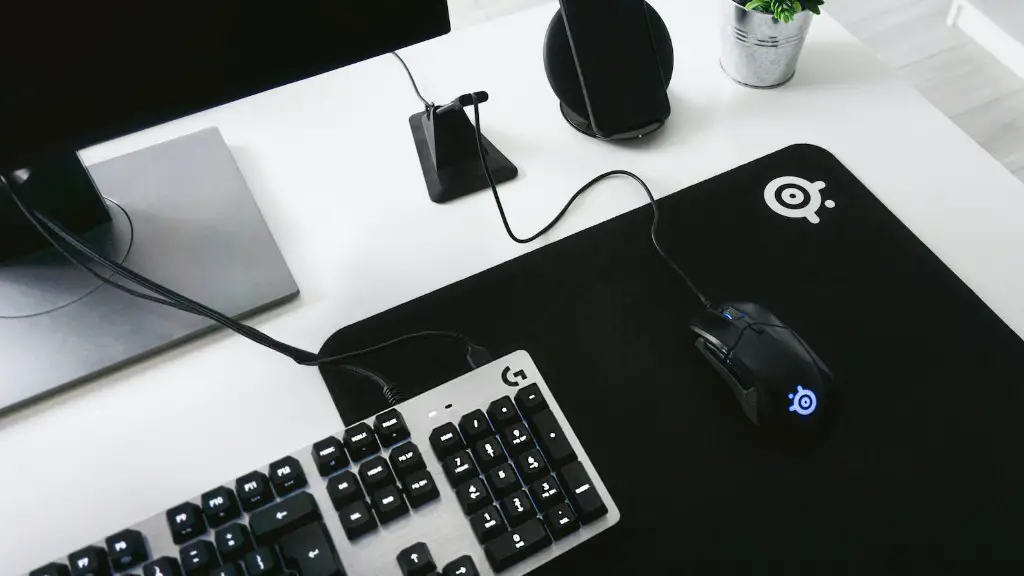
Having the right peripherals can make a huge difference in the gaming experience. This includes gamepads, keyboards, and mice. A keyboard with mechanical switches and n-key rollover can provide the user with better accuracy and performance in high-speed gaming. A gaming mouse should have advanced features such as customizable DPI and be comfortable to use for long gaming sessions. Gamepads give more precision and control over game actions as opposed to a mouse and keyboard.
Cases
Although gaming PC cases don’t necessarily impact performance, they still play a big role in the overall gaming experience. PC cases come in a wide variety of sizes and shapes, and depending on the PC’s components and intended use, the right case should be chosen. Cases are important because they ensure adequate ventilation and cooling for the PC’s components and they provide a neat and aesthetically pleasing appeal. There are also cases specifically designed for gaming that come with built-in RGB lighting and a variety of mounts and slots for easier access.
Optimizing Music With High-End Audio Components
For those gamers who prefer to enjoy their gaming sessions with high-fidelity audio, investing in a good sound card is a must. High-end sound cards come with hardware acceleration and better hardware components, which allow for a richer audio experience. For gamers who enjoy intense gaming sounds and music, good sound cards make a considerable difference in the quality of their sound.
Networking
Having good networking is vital for gamers who either partake in competitions or simply enjoy playing with others. A high-speed, stable internet connection is necessary for a quality gaming experience. Moreover, having effective LAN (Local Area Network) setup is important for those who want to play with their friends at the same location. Good networking equipment can eliminate latency problems and ensure a reliable connection.
System Maintenance
Every gaming PC needs regular maintenance in order to keep running optimally. This includes things like updating drivers, cleaning out dust, and ensuring that all of the components are properly cooled and functioning. Also, it’s important to make sure that no software conflicts exist on the system, as these can cause performance issues. Having a regular maintenance schedule can help to extend the life of the system and ensure better performance.
