
Building a high end gaming PC cheap can be difficult, but the results when done correctly can be highly satisfying. You need to strike a balance between cost efficiency, quality components, and convenience. You need to ensure compatibility between different components and take into consideration future modifications and upgrades. The following steps will help you build a high end gaming PC cheaply.
Firstly, you need to determine the purpose of your PC, including the types of games you intend to play and the kind of tasks that it will be used for. Once you are clear about this, you can start to research the components that you need. Pay attention to user reviews and try to find the best components for your budget. This might involve shopping around for deals and discounts.
Secondly, you should use a standard motherboard that is neither too expensive nor too cheap. Look for one that uses the ATX or micro ATX form factor, as these are the most widely available. Make sure you select a model that has plenty of USB ports, as well as enough RAM slots.
Thirdly, select a suitable CPU for your gaming PC. For games, you should opt for an Intel Core-i5 processor or better. These are powerful, fast and efficient and will give you a great gaming experience. For budget gamers, AMD’s Ryzen series can also be considered.
Fourthly, select a GPU (Graphics Processing Unit) based on the type of games that you play. NVIDIA and AMD offer a range of high-end GPUs for gaming PCs, so be sure to check out the products available.
Fifthly, buy an adequate amount of RAM. For gaming PCs, 8GB is the minimum that you should consider. If you intend to do serious 3D modelling or video editing, 16-32GB of RAM may be necessary.
Finally, make sure you install a quality power supply unit. You want one that delivers the right amount of wattage, as too little or too much power can damage your PC. Investing in a high quality power supply will ensure your PC runs efficiently and safely.
Types Of Games You Play On Your High End Gaming PC
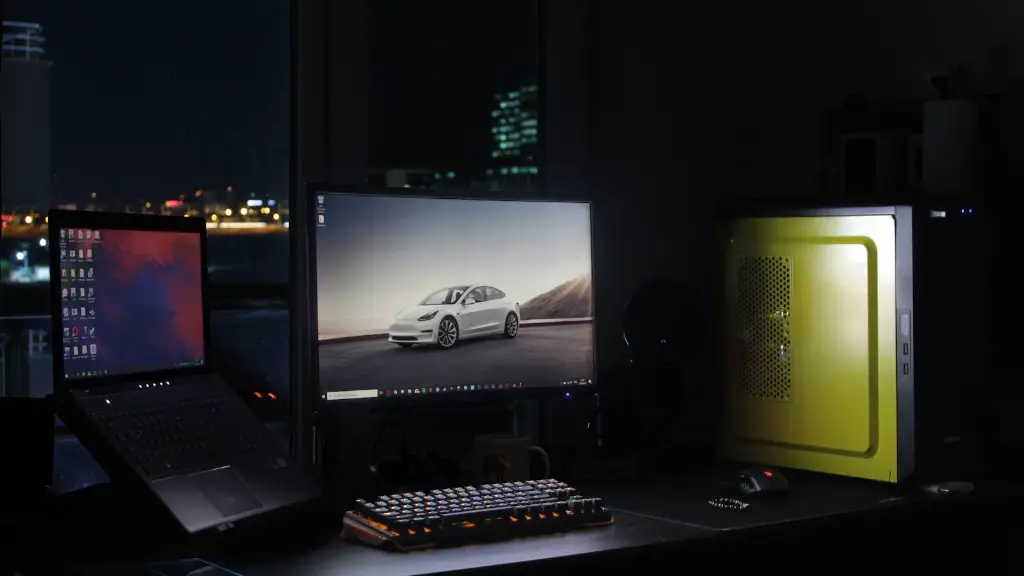
When building a high end gaming PC, it’s important to consider the types of games that you plan to play. Different PCs will offer different levels of performance for different types of games. For instance, a PC optimized for first person shooters (FPS) will have different hardware to a PC that is optimized for role playing games (RPG).
FPS games require strong single-threaded performance, and therefore a good quality processor is essential. Graphics cards with higher frame rates are also necessary for smoother gameplay. On the other hand, games that emphasise strategy and exploration may not require a high-end processor or GPU, but still need adequate RAM and a solid-state drive to ensure short loading times.
Ultimately, it is important to identify the types of games that you play and research components that are specifically designed for them. This will ensure you get the most out of your high end gaming PC.
Selecting A High Performance Power Supply Unit
A power supply unit (PSU) is an important component when building a high end gaming PC. It delivers power to your computer’s components, but it can also be a source of inefficiency and instability. To ensure your PC runs efficiently, you need to select the right PSU for your needs.

First, you need to buy a PSU with sufficient wattage. Determine how many watts you need by adding up the wattage of all your components. If the wattage you arrive at is higher than the PSU you are considering, it is best to go for a more powerful unit.
Second, the efficiency of the PSU is important. In general, the more efficient the PSU, the better. Look for models with 80+ certification which indicates that the PSU is at least 80% energy efficient.
Finally, power delivery is important. You want to ensure that all components are getting the power they need, so ensure that your PSU has enough connectors with the right type of voltage. This is usually marked clearly on the PSU.
Ensuring Compatibility With Other Components
One of the most common mistakes people make when building a high end gaming PC is buying components that are not compatible with each other. For example, a motherboard may not be compatible with a particular type of processor, or a GPU may not fit into a particular case.
To prevent compatibility issues, it is important to research the different components and ensure that they are compatible. If you are buying an off-the-shelf gaming PC, you may still need to check for compatibility – for example, the GPU might be compatible with the motherboard, but the case might not fit the GPU.
Before purchasing components, look for detailed specifications and check the manufacturer’s website for compatibility information. If you are unsure, contact the manufacturer directly and they can provide advice on which components are compatible.
Overclocking And Customization Of Components
For those looking to squeeze every last ounce of performance out of their high end gaming PC, overclocking and customizing components can prove invaluable. Overclocking refers to increasing the speed of components and can be used to boost performance significantly. However, it also comes with added risks, so caution should be taken.
Overclocking and customization are best reserved for experienced users. Before attempting any modifications, it is important to research the components and the risks involved. Make sure you understand the technical terms and the implications of overclocking. You should also consult the manufacturer’s website for guidance.

If you do decide to overclock or customize components, ensure you are comfortable with the risks and prepared to cope with any setbacks that might occur. Overclocking and customization may help you squeeze more performance out of your PC, but it is important to go in with realistic expectations.
Getting The Most Out Of Your High End Gaming PC
A gaming PC is an investment, so it’s important to get the most out of it. Once you have assembled your system, it is important to fine tune it for optimum performance. This is not a difficult process and can make all the difference when gaming.
The first step is to update your hardware drivers and software. This will make sure you are using the latest version and can help to improve system performance. You should also check that your graphics settings are optimized for gaming. Most games will have options for adjusting the graphics quality and resolution, as well as other features such as anti-aliasing, texture filtering, and VSync.
You may also want to consider overclocking certain components. As mentioned previously, overclocking can provide a noticeable performance boost but should only be attempted by experienced users. If you do decide to overclock, always ensure you are familiar with the process and the risks involved.
Finally, ensure your PC is kept cool. Many games demand considerable resources, and this can generate a lot of heat. A reliable cooling system is essential if you want to ensure your components run at optimum performance levels.
