For many gamers out there, getting the right gaming PC can be a daunting task. With so many options available and features to consider, it can be hard to determine which gaming PC is right for you. Fortunately, by following the steps outlined below, you can narrow down the choices and make the right selection.
First and foremost, do your research. Researching different models, components, and features will help you narrow down your selection. Knowing the specs and features of the PC you want and understanding what type of gaming you want to do will go a long way. Consider the needs of the games you want to play as performance requirements. Look into the GPU and CPU specs, RAM, storage, and other components that can make a difference in your system and gaming experience.
Second, set a budget. With so many variants of gaming PCs, it’s important to know how much money you are willing to spend. Consider how often you plan to upgrade and factor that into your budget. Remember, a gaming PC will last you longer than an entry level PC, so it’s worth spending more for a higher-end model. Spend a little extra for better components that will last you longer.

Third, consider purchasing from a reliable brand. There are many good brands out there such as Dell, Asus, and MSI. When purchasing from a reliable brand, you can expect better than average quality, warranties, and customer service. This should be one of the most important factors when looking for a gaming PC.
Fourth, look into the power supply unit. Make sure you know how much power the PC needs in order to run smoothly. Consider the type, wattage, and other specs of the PSU when budgeting for the gaming PC.
Lastly, shop around to compare prices. Look around at different stores and websites to get the best deals and prices. Don’t just go with the first option that you see. Compare prices and look for hidden or added fees.
Understanding your Processor
When looking for the right gaming PC, it is important to understand the power of the processor. The CPU (central processing unit) is the brain of the gaming PC. It is responsible for running the game and other applications. The faster the processor, the more power the system can handle. Look for a CPU with more cores, higher clock speeds, and more cache memory for the best gaming experience.

A gaming PC should be well equipped with the latest generation of CPU. The newer generation supports faster speeds and require higher power for better performance. The CPU plays a huge role in determining the gaming performance of the PC, so pay close attention to the specs.
An important factor to consider when looking for a processor is its power consumption. High-end processors require more power, hence more wattage is required to run the components smoothly. Check the manufacturer’s specifications to know the wattage of the CPU before making the purchase.
It is also important to know the type of processor. CPUs come in two types – integrated and discrete. An integrated processor is less powerful but also less expensive. A discrete processor has more power and is suitable for gaming. Choose the right processor depending on the type of games you play and the FPS (frames per second) you need.
Lastly, when choosing a processor, don’t be overly concerned about how many cores it has. The number of cores is not related to the gaming performance. There are other more important specs to consider such as cache memory, thermal design power, clock speed, and so on. Make sure to consider all these elements in your selection.
Choosing the Right GPU for Gaming
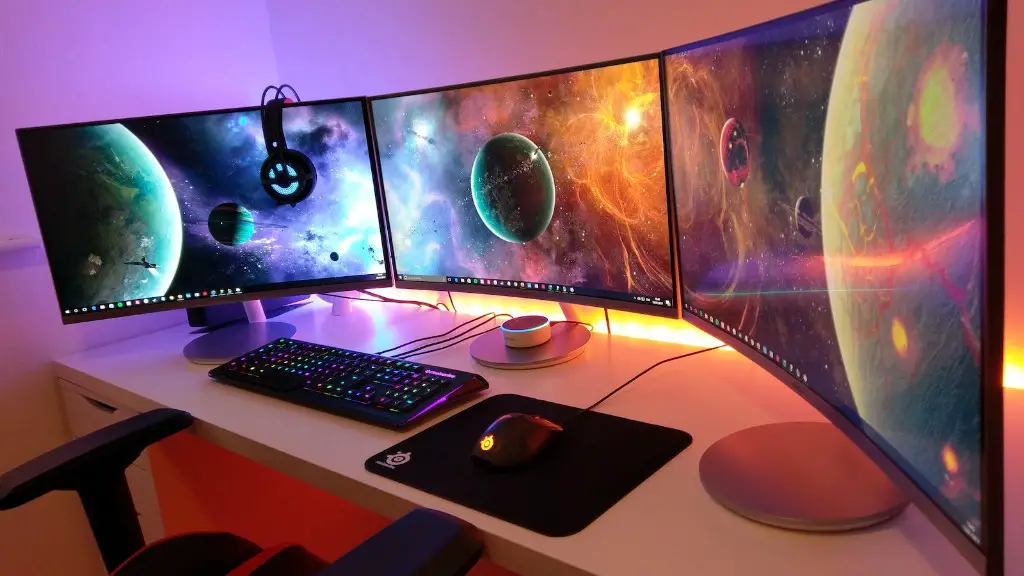
The graphics processing unit (GPU) is the most important factor in determining the performance of any gaming PC. The better the GPU, the better the gaming experience. When selecting a GPU, determine your gaming needs. Consider the games you want to run and the power they will require. It is also important to consider the display resolution, refresh rate, and the quality of graphics you want.
The latest GPUs on the market come with more processing power and performance than the ones released a few years ago. Some GPUs come with additional features such as AI (artificial intelligence) and ray tracing that improves the gaming experience. Generally, the more powerful the GPU, the better the performance.
It is important to factor in the power and cooling requirements of the GPU. GPUs require more power and cooling than other components in the PC. Make sure that the power supply and the cooling system of the PC will be able to handle the GPU requirements.
Another important factor to consider is the physical size of the GPU. Make sure you have an appropriate case and sufficient space inside the PC for the GPU. Some GPUs are very large and need more space than other components.
Lastly, consider the price of the GPU. Do not be intimidated by the price tag. GPUs come in a variety of prices and it is important to understand the value you are getting for the price.
Choosing the Right Motherboard
The motherboard is the foundation of the gaming PC. It connects all the components together and is responsible for managing their communication. The type of motherboard and its components have a big impact on the gaming performance, so it is important to consider them before making a purchase.
The most important factors to consider when selecting the motherboard are the size, memory slots, and expansion slots. Make sure the size of the motherboard is compatible with the form factor of the case. Consider the number of memory slots you will require and make sure the number of slots on the motherboard is sufficient. Most motherboards come with several expansion slots, so make sure you have sufficient expansion slots for the components you want to add.
When selecting the motherboard, consider the processor socket and chipset. The chipset is the main controller of the motherboard and determines the features and components the motherboard can handle. Make sure the chipset you choose is compatible with the processor socket you have selected.
The type of I/O ports on the motherboard is another important factor. Make sure the motherboard comes with the right connectors and ports for the components you will add. Also consider the USB ports for a better gaming experience.
Finally, make sure the motherboard is compatible with the operating system you are using. Not all operating systems are compatible with all motherboards, so make sure you check the requirements before making a purchase.
Choosing the Right RAM for Gaming
Random Access Memory (RAM) is another important component for a gaming PC. RAM is used for storing the instructions that are used by the CPU and GPU. The more RAM the better, as it enables the computer to store more instructions at one time. When looking for the right RAM for gaming, consider the capacity, speed, latencies, and size.
Choose a RAM capacity that is appropriate for your gaming needs. A minimum of 8GB is recommended, though more is recommended for heavier gaming. Select a RAM speed that is compatible with the processor. The higher the speed, the faster the RAM can process and send the instruction to the processor. Look for RAM with lower latencies for better performance.
The size of the RAM is also important. Make sure you have sufficient space in the PC for the RAM modules. The most common RAM sizes are DIMM and SO-DIMM, but some motherboards come with other types such as U-DIMM and XMP. Check the manufacturer’s specifications to make sure the RAM modules will fit.
In addition to the standard RAM, some gamers might want to consider adding high-performance memory such as DDR4 RAM. This type of RAM is designed for higher gaming performance. The cost is usually high though, so make sure you are willing to pay extra for the improved performance.
Picking the Right Storage for Gaming
Storage is another important factor to consider when selecting a gaming PC. You need to have enough space to store the games and applications you will eventually install. The type of storage you choose will depend on your gaming needs.
The most common type of storage is Hard Disk Drive (HDD). HDDs are fairly inexpensive, but are not as reliable and not as fast as the other types of storage. For gaming, you may want to consider a Solid State Drive (SSD). SSDs are faster, more reliable, and more expensive than HDDs.
You also need to consider the capacity of the storage. A minimum of 500GB is recommended for gaming, and more for heavy gaming. It is also important to consider the read/write speed of the storage. The faster the read/write speed, the faster the storage can access the data.
Another option is to use hybrid storage such as a Solid-State Hybrid Drive (SSHD). A SSHD is a combination of an HDD and an SSD. It shares the capacity of an HDD, but has the speed and performance of an SSD. This is a great option for those who don’t have the budget for an SSD.
Lastly, consider an M.2 drive. M.2 drives are SSDs that are much smaller than traditional SSDs and are installed directly on the motherboard. They are very fast and are perfect for gaming PCs.
