Having more storage on a gaming PC can be a game-changer, improving the overall gaming experience. But how can gamers and techies get more out of their systems without sacrificing performance? Here are several tips for optimizing storage for gaming and boosting performance overall.
Firstly, start by using a solid-state drive (SSD). SSDs are faster than traditional hard drives, as long as you choose a model with fast read and write speeds. An SSD is much smaller than a hard drive and must be used in conjunction with a hard drive for extra storage. You can also get a larger capacity solid state drive to effectively double your storage capacity.
Next, look into upgrading the RAM. The more RAM you have, the better the performance of your gaming PC. It’s important to check the compatibility of the RAM before purchasing, as certain platforms and processors have different requirements. It’s also important to make sure your graphics card is compatible with the RAM.
Thirdly, increasing your storage capacity can be done by either getting a larger hard drive or adding more hard drives in an array configuration. Some modern gaming PCs come with an array setup already installed. If you have a more traditional system, you can purchase an array setup or add more hard drives.
Fourthly, external storage solutions are also an option. It’s possible to get external solid state drives, hybrid drives and even flash memory sticks to provide additional storage capacity. Some of these devices can be used with a laptop or desktop computer for added convenience.
Fifthly, cloud storage is a great solution for gamers who want extra storage without the need for physical hardware. You can use online cloud storage such as Google Drive, iCloud or Microsoft OneDrive to store files and documents from your PC. It’s also possible to store large files such as videos and music on the cloud, providing even more storage capacity.
Finally, gamers can take advantage of virtualization to increase the storage capacity of a gaming PC. By setting up a virtual machine, gamers can essentially run two operating systems on the same hardware, allowing them to use the available storage more effectively.
Optimizing Internal Storage
Keeping the internal storage of your gaming PC optimized is key for improved performance. When choosing a hard drive for your gaming PC, look for one that has a fast speed and enough storage space for your games and apps. Internal SSDs are ideal for gamers as they provide faster loading times and boot times compared to traditional hard drives. When choosing a hard drive, make sure it has good random read and write performance to ensure smooth game play.
If you already have a hard drive installed on your gaming PC, it’s important to keep it optimized. Keeping your hard drive free of rogue applications, temporary files and other clutter can help prevent it from becoming fragmented and slow. There are various tools available that can help optimize your hard drive and make sure it’s running as efficiently as possible.
Having multiple hard drives installed in your system can also help keep your storage optimized. Using a hard drive for storing the operating system and applications can help boost your performance, as this will leave the games and apps stored on the other drive for faster access.
Finally, it’s important to keep your software and drivers up-to-date to ensure your system is running at maximum performance. Regularly check for updates and apply them when available to ensure your games are running smoothly.
External Storage Solutions
External hard drives offer gamers a great way to boost their storage capacity without having to upgrade their internal hardware. External hard drives come in both USB and eSATA varieties and come in a variety of sizes. External hard drives are slower than internal drives, but they are a great way to free up internal storage, allowing your gaming PC to run more efficiently.
It’s also possible to use external SSDs to get the same benefits of internal SSDs. External SSDs can be connected via USB or Thunderbolt and offer faster read and write speeds compared to traditional hard drives. They’re also smaller and more lightweight than traditional hard drives, making them an ideal solution for gamers who want more portable storage.
Flash drives are another option for external storage. Flash drives come in a variety of sizes and offer a convenient and reliable way to store data. Smaller flash drives are ideal for storing small files, such as documents and images, while larger drives offer enough space for larger files, such as games and movies.
Finally, gamers can also take advantage of cloud storage to back up their data and save it for later. Cloud storage services such as Google Drive, iCloud and Microsoft OneDrive offer secure and reliable off-site storage that can be accessed from any device with an internet connection.
Optimizing Your System For Gaming

Having the right storage setup is an important part of getting the most out of your gaming PC. Using an SSD to store the operating system and applications can help boost performance, as will keeping your software up-to-date. It’s also possible to use multiple hard drives in an array configuration to combine the storage capacities of your drives and boost overall performance.
Additionally, external storage allows gamers to free up internal storage to improve their PC’s performance. External drives offer a great way to store large files, such as games and movies, without having to sacrifice internal storage. And cloud storage is a great option for backing up data and keeping it safe from system crashes.
Lastly, optimizing your system’s virtual memory can also help improve performance on a gaming PC. Virtual memory allows your PC to use the RAM in combination with the hard drive to store data, effectively freeing up RAM for other tasks. Increasing the size of your virtual memory can help boost performance on your gaming PC and ensure smooth game play.
Monitoring Systems Performance
To get the most out of your gaming PC, it’s important to keep an eye on its performance. Installing system monitoring software can help you keep track of your PC’s performance and adjust settings to improve its efficiency. This software can track CPU and RAM usage, as well as storage space, and alert you when a certain resource is being heavily used.
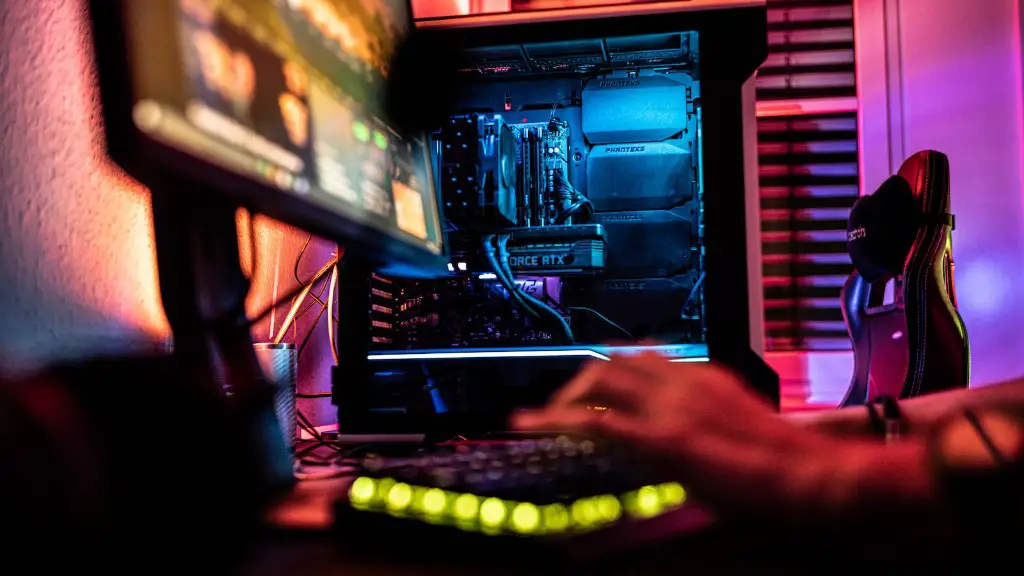
Monitoring the temperature of your gaming PC is another way to boost its performance. Heat buildup can cause components to slow down or even fail, so it’s important to keep an eye on the temperature of your system. Many computers come with thermal sensors that allow you to track the heat generated by components and take action if the temperature starts to rise.
Finally, using a benchmarking software can help you gauge the performance of your system and detect any potential issues. Benchmarking software runs a series of tests on your hardware to measure its performance and give you an overall score. This can help you identify performance bottlenecks and determine the best way to improve them.
Security Features
While optimizing your storage for gaming is important, don’t forget about security. Without proper security measures, your data is vulnerable to theft and malicious attacks. Installing an anti-virus software can help protect your system from these threats, as well as keeping all software up-to-date. Additionally, using a firewall to block incoming traffic can further protect your system from malware and other malicious attacks.
For storing files in the cloud, make sure you use a reliable provider that offers the latest security measures. Many cloud storage providers offer the ability to encrypt your data, which makes it virtually impossible for anyone to access your files without the correct credentials.
Finally, you can also use a password manager to create secure and unique passwords for different accounts. Password managers store your passwords and automatically fill them in when required, making it much more difficult for hackers to gain access to your data.
