There has been a huge surge in the popularity of gaming PCs over the past decade. It is not just a great way to get into the world of gaming, but it also gives gamers the freedom to play their favorite games without relying on their console or gaming laptop. So, what exactly is a good gaming PC?
A good gaming PC is one that offers a balance between performance and affordability. It will have a powerful CPU, capable of running modern games at high frame rates, as well as having plenty of RAM, storage, and graphics card power. It will also have an efficient power supply and cooling system to ensure that all components are kept running properly. Additionally, a good gaming PC will feature reliable components, such as proven motherboards, good PSU and storage options, and a reliable graphics card.
The price of a good gaming PC can vary greatly, depending on the type of components you choose and the brand you opt for. Generally, the more powerful the components you choose, the more expensive the machine will be. For instance, if you go with a more advanced GPU and motherboard, you will likely pay much more than if you were to settle for something more mid-range. In addition to components, you also need to factor in the cost of software, peripherals, and additional accessories for the gaming PC.
To get the best out of a gaming PC, it is important to choose the right components. For example, you should opt for a CPU that supports the latest games and has Hyper-Threading technology. Graphics cards should also be chosen carefully, with respect to the games they can run and the resolution they support. To keep the gaming PC running smoothly, there should be plenty of RAM and a generous hard drive size.
Picking the right manufacturer is also essential when buying a gaming PC, as this will ultimately determine the overall quality of the machine. There are many reputable brands on the market, such as ASUS and MSI, so it pays to do your research and opt for the one with the best reputation for reliability and customer support. When it comes to budget PCs, be sure to check out pre-built systems from companies like HP and Lenovo.
Lastly, buying the right accessories for a gaming PC is an important consideration. This includes the monitor, keyboard, mouse, and other peripherals. For a smoother gaming experience, you should also opt for a high-quality gaming headset and mice, a gaming-grade keyboard, and a controller, if necessary.
What are the best components for a gaming PC?
When choosing components for a gaming PC, it is essential to know what type of games you will be playing. For instance, if you plan to play newer games that require a lot of power, then you should look into higher-end components, such as the latest CPU and graphics card models. If you only need a PC for casual gaming, then you can opt for mid-range components. In any case, you should try to get the highest-quality components you can afford.
The CPU is the heart of any gaming PC and should be chosen according to your needs. Intel processors are generally considered to be the best for gaming PCs and most recent models offer excellent performance. AMD models are also good for gaming, though usually not as powerful as their Intel counterparts.
Additionally, when it comes to GPUs, Nvidia and AMD are the two main players. They both offer powerful GPUs for a variety of budgets, though Nvidia models tend to be more expensive. If you are on a tight budget, you can find good deals on used GPUs or entry-level models from both manufacturers. Ultimately, you should choose the GPU that best suits your budget and the type of games you plan to play.
RAM is also important for a gaming PC, since most games require at least 8GB of RAM. For a smooth gaming experience, you should opt for 16GB. When it comes to storage, opt for a solid state drive (SSD) as they offer faster loading speeds and better performance. Hard drives are also good if you need more storage capacity.
Finally, the power supply will determine how much power the PC can draw, so you should choose a reliable model that can handle the components you have chosen. A good rule of thumb is to get a PSU that has an 80 Plus rating or higher.
What are the best gaming PC accessories?

The type of accessories you need for a gaming PC largely depends on the type of games you plan to play. It is important to remember that, although having good components is important, having the right accessories can vastly improve the gaming experience.
For starters, you need a monitor that can provide a smooth gaming experience. Most gamers prefer larger models with high resolutions like 1440p or 4K. It is also important to pick a monitor with a good refresh rate, such as 144Hz or higher.
A quality mouse, keyboard, and headset are also must-have items for gaming PCs. When it comes to mice, look for ones with extra buttons and adjustable sensors. For keyboards, look for ones with mechanical switches and adjustable RGB lighting. For headsets, noise cancellation and adjustable sound settings are essential.
You will also need to pick the right gaming router and headset to ensure that you have a stable connection while gaming. A gaming router should give you a high bandwidth and low latency. As for headsets, a good one should have noise cancellation, a good microphone, and a comfortable design.
Finally, if you plan to play certain games, such as racing games and certain first-person shooters, you will want to pick up a gaming controller. You can also use a joystick and flight stick for certain flight simulators. Ultimately, the key is to choose the right preferences and accessories that will give you the best gaming experience.
How much should you spend on a gaming PC?
The amount you spend on a gaming PC largely depends on the type of games you plan to play and the components you choose. However, there is no one-size-fits-all answer and the amount can vary from gamer to gamer. Generally speaking, it is recommended to spend around $1000 for a mid-range PC that can play most recent games at 1080p or 1440p at high settings.
If you want to go for a more powerful PC that can run games at a 4K resolution and high settings, then you should look at spending upwards of $1500 or $2000, depending on the components you choose. However, it is possible to find decent gaming PCs for less if you do your research and opt for entry-level components. At the end of the day, it all boils down to finding the right balance between power and affordability.
What are the advantages of gaming PCs?
There are several advantages to gaming PCs that make them highly attractive to gamers. Firstly, they offer greater performance and more customizability than consoles or laptops. This is because gaming PCs can be upgraded with better hardware as time passes. As such, you can use the same PC to play the latest games for many years after you buy it.
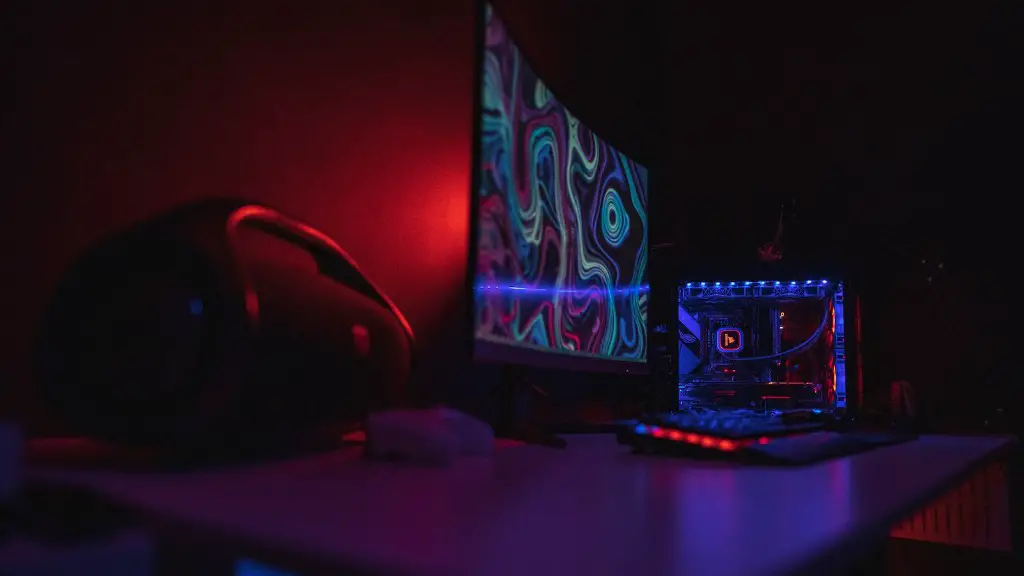
Another advantage is affordability. By opting for mid-range components, you can usually get a good gaming PC for around the same price as a gaming console or laptop. Additionally, gaming PCs generally run games more smoothly than consoles and offer better graphics. This is due to the fact that gamers can choose higher-end components than those offered with consoles.
Finally, gaming PCs offer much better value for money than gaming consoles and laptops. This is because buying a gaming PC allows you to upgrade certain components as you go. You can buy more RAM, better GPUs, and beefier CPUs whenever you can afford it, allowing you to keep the same PC up to date.
What are the disadvantages of gaming PCs?
As with any technology, gaming PCs have their own disadvantages. Firstly, they are more expensive upfront than gaming consoles or laptops. For example, you will typically have to pay around $1000 or more to get a decent gaming PC with good components. It is also important to note that gaming PCs require more maintenance than consoles, since they have more components that can suffer damage or become outdated over time.
Another factor to consider is technical knowledge. You need to have a basic understanding of hardware and software in order to set up and maintain a gaming PC. In comparison, gaming consoles are simple plug-and-play devices that do not require any additional knowledge. Finally, gaming PCs are bulkier than consoles or laptops and can take up more space, depending on the components you choose.
