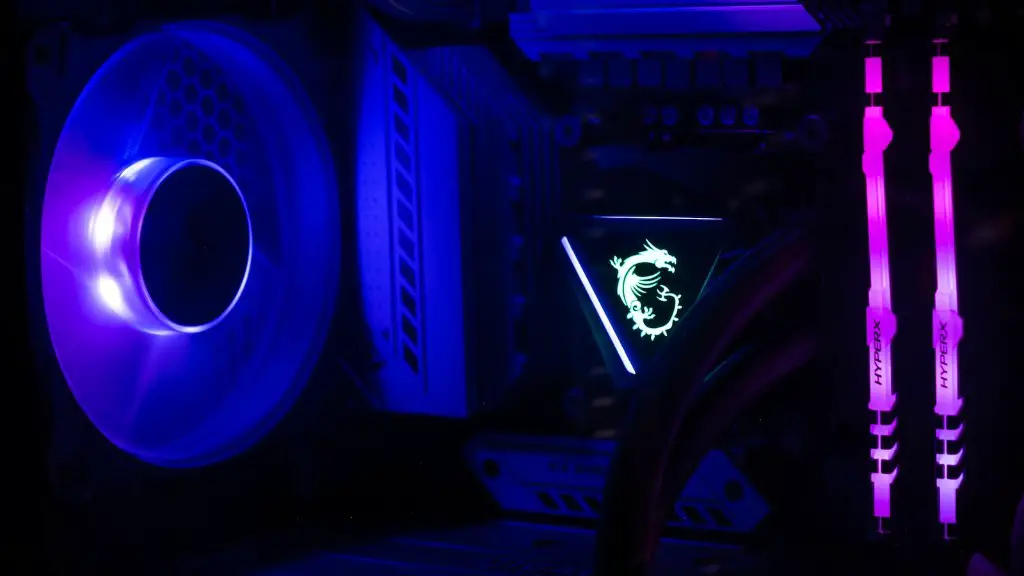
Building the best gaming PC can be a daunting task for new and veteran PC gamers alike. From selecting the right components to putting it all together, there are many decisions to make that could make or break your gaming experience. The key to assembling a great gaming PC is understanding the different components and how to put it all together. This article outlines the best components for a gaming PC and how to select them.
The most important component of any gaming PC is the processor (CPU). An efficient and powerful CPU is essential to every gaming machine, as it is responsible for executing instructions, running applications and handling data. Choose a processor that comes with a high clock speed and a large number of cores to provide your gaming experience with the most efficient processing power. Additionally, look for a CPU with adequate thermal management, allowing it to run cooler and use less energy.
The graphics card (GPU) is the next component necessary to play any game. Having a good GPU is essential, as it provides the visuals for most games. When choosing a GPU, look for one with a high core clock speed and enough RAM for the games you will be playing. Additionally, make sure the GPU has an additional power connection for further performance. Also, choose a card that is compatible with the motherboard you select.
Having enough memory (RAM) is also necessary for running games without lag or stutters. Choose RAM with a high frequency, as well as enough capacity for the games you will be playing. Look for RAM with a latency that is lower than the other components in your PC, as this will ensure the best performance. Additionally, consider the type of RAM you choose for the most compatibility with your processor and other components.
The final component that goes into building a gaming PC is the power supply (PSU). A good PSU will provide enough wattage to power all the components of your PC. Additionally, look for a PSU with adequate power protection, as this will prevent any damage to your components. Ensure the PSU you choose is compatible with your motherboard and other components, as this will ensure the most efficient power delivery.
In summary, these are the essential components for building a powerful gaming PC. Find a processor with a high clock speed and a large number of cores, a GPU with a high core clock speed, enough RAM with a low latency and a compatible PSU to provide enough wattage to power your gaming machine. All of these components play an important role in optimizing your gaming experience and should be carefully selected.
Design
When it comes to building the best gaming PC, design is an important consideration. Quality components are necessary but they must also be placed and configured correctly to optimize the performance of the entire system. Think about the components you need and make sure to buy parts which will fit appropriately into your case. Additionally, consider the airflow inside the case. Ensure there is adequate ventilation to keep the system cool, as this will ensure optimal performance for your PC.
Think about the elements of physical design such as a gaming PC case, lighting, and fan placement. Buy a desktop case that offers enough space for components like storage and graphics cards and which can adequately contain all the hardware. Lighting can be added for aesthetic appeal, and also helps you identify cables and ports when tinkering with your PC. Furthermore, pay attention to the fans, as how they are placed will affect the cooling capacity and power efficiency of the system.
Another important element to consider is the type of connections available. Look out for ports and connectors in your case like SuperSpeed USB ports and DisplayPort. A DisplayPort connection is necessary for connecting 4K monitors, whereas USB 3.0 and USB 3.1 Type-C ports are ideal for external devices such as an Xbox controller or headset. Furthermore, consider the number of ports you need and the placement of ports on your motherboard.
Furthermore, consider the peripherals that you need and make sure they are compatible with your gaming pc. Look out for general reliability and compatibility, as well as features like response time, sound systems, and programmable keys. Other features like wireless range, the quality of the microphone, or other extras should be taken into consideration.
Design is an essential part of gaming PC building, so make sure you choose components that fit and look great, as well as offering the best performance. Consider the overall size of the build as well as which connectors you will need and make sure to check the compatibility of peripherals with your system.
Storage

Storage is a key consideration when building a gaming PC, as games take up a lot of space, and you will need a hard drive (HDD) or solid state drive (SSD) to store all your data. A HDD is more affordable, with more storage capacity whereas an SSD will offer more performance, with less storage capacity. An appropriate balance between price and performance should be found according to your budget and gaming needs.
HDDs are good for storing large files and applications, and they can be used to install and run games. For better performance, choose a drive with a higher RPM rate, as this will increase the speed of the drive and overall performance. However, keep in mind that an HDD may not be the best option when it comes to loading times or boot times, as it is much slower than an SSD.
An SSD is a superior storage drive for a gaming PC. An SSD has no moving parts, providing superior data transfer rates and better performance in loading or boot times. For content creators, an SSD is essential if you want to experience the fastest data transfer speeds. Additionally, make sure you choose an SSD with a high endurance rating for longer life and better durability.
While buying an SSD can be more expensive, adding of one them to your build will offer significant improvements in system performance. Prices vary greatly depending on capacity, but you can find good options in the 240GB to 500GB range. It is important to note the form factor of the SSD’s interface and make sure it fits into the system.

Upgradeability is another factor to consider when looking for a storage solution. Make sure to get a drive that can be upgraded in the future, as your gaming needs may change and you will need more storage space. Additionally, some drives can come with a toolkit, enabling you to upgrade the drive with ease.
Finding the right storage solution for your gaming PC is important, and you should consider the form factor and interface of the drive that you choose. Also, make sure it offers upgradeability if you want to increase your storage capacity in the future. An SSD will offer better performance, but if you are on a budget, then an HDD may be a better option.
Motherboards
The motherboard of a gaming PC is an integral component, and selecting the right one is essential. To get the best performance, getting the right type of motherboard for your build is key. Different motherboard chipsets support different types of processors; a motherboard supports only one type of processor, so you need to know which processor you’re getting and get the matching motherboard. Additionally, make sure to select a motherboard with enough expansion slots and ports for your other components.
When looking for a motherboard, make sure to take into account the form factor of the board. This means the size and shape of the board, such as ATX, E-ATX and Micro-ATX. The type of form factor you need will depend on the size of the case you choose, as well as the number of components you need to fit inside it. Additionally, make sure the ports and slots on the motherboard are compatible with the components you have chosen.
Another critical factor to look at when deciding on a motherboard is the amount of RAM it supports. Make sure to get a motherboard with enough RAM slots to accommodate your needs. Additionally, look at the type of RAM the motherboard supports, as it needs to be the same type as the one you purchased. Lastly, make sure the bus speed of the motherboard matches the speed of your RAM.
Choose a motherboard with features that match or exceed your requirements. If a motherboard has been overclocked to match its high-level processor and GPU, it may require additional cooling, so consider this when selecting your board. Furthermore, ensure your board has the latest ports and connectors, as this will make sure that your system is capable of handling the fastest hardware available now and in the future.
This is an important decision, and it is essential to get the right motherboard for your gaming PC. Choose a motherboard that has enough slots and ports, supports your type of RAM and processor, has enough expansion slots and is compatible with the rest of the components in your system. Ensure it has plenty of connectivity and the right form factor and make sure to choose one with enough cooling support.
Cooling
A cooling system is an essential part of any gaming PC, as it keeps components like the processor and GPU from overheating. A good cooling system will ensure that all the components remain at a stable temperature and extend the lifespan of the computer. Also, it is important to check the airflow within the PC to make sure that the hot air is being pushed away from the components.
When it comes to cooling your gaming PC, there are several options available. The most basic is the use of air cooling which uses fans to transfer the heat away from your system. Fans are available in a variety of sizes and can be used in combination with a heat sink to increase cooling performance. Additionally, fan speed and noise can be adjusted to increase efficiency and reduce sound levels.
Liquid cooling is the next option available to cool your gaming PC. Liquid cooling is a more efficient way to cool components as it transfers heat from the components to the liquid and away from the system. However, it is important to make sure the liquid is compatible with the components and to ensure the liquid does not leak in order to protect the components.
When it comes to cooling, it is important to find the right balance between performance and noise. Also, consider the type of cooling system that works best for your gaming PC. Water cooling kits are available for those who want to customize their cooling systems; however, it can be a more complicated process. Additionally, it is important to find a system that fits the size and design of your PC.
Finally, when it comes to cooling, pay attention to the software that comes with it. Make sure the software allows you to monitor temperatures and adjust fan speeds. This will help you manage the temperature of your gaming pc and adjust the fan speeds according to the game you are playing in order to maintain optimal performance.
Cooling plays an important role in keeping your gaming PC running at optimal temperatures. Choose a cooling system that offers adequate performance and noise levels. Air cooling is cheaper and easier to install, whereas liquid cooling offers more performance but is more expensive and complicated. Additionally, ensure the cooling system is compatible with your other components and comes with temperature and fan speed monitoring software.
