
Building a gaming computer 2020 can be one of the most exciting and interesting projects you do this year. Whether you’re a budget gamer, or a high-end enthusiast with money to spend, there’s a perfect setup out there for everyone. Here are the steps you’ll need to follow to make sure you get the best of the best.
Firstly, decide on your budget. How much money can you afford to spend on a gaming PC? Decide whether you’d like to build or buy prebuilt. Building your own PC can save you money and let you customize exactly what you want but it requires a lot more research and work than buying prebuilt. Then, choose the parts. This is where it starts to get tricky, as you’ll need to decide not only on the components, but also the brands.
The next step is to choose your processor. Intel is typically the go-to for gaming PCs, but AMD processors offer comparable performance for significantly cheaper. Newer Intel processors are more expensive but bring more threads and higher clocks speed, and the latest AMD processors offer the best bang for your buck. Once you’ve chosen your processor, you need to pick a motherboard that supports it. Try to choose one with at least four RAM slots and plenty of USB ports.

Next, pick your RAM and storage. Choose a minimum of 8GB RAM, although 16GB is preferable. SSDs offer faster loading times and better performance but you’ll want to make sure you have enough storage for all your games. With the graphics card, you’ll want to make sure it’s powerful enough to run all the games you want. Nvidia and AMD both offer a wide range of cards from budget to high-end enthusiast.
Finally, choose the peripherals and case. The peripherals include the keyboard, mouse and monitor. Monitors come in all sizes, so choose the right one for your budget, and decide on the resolution you want. The case should provide the space and air flow you need, and fit all the components you’ve chosen. With all the components in place, it’s time to get to the building part.
Choosing the Right Processors
When deciding which processor to go with, there are a few key factors to consider. The main one is the number of cores and threads the processor has, as this will determine how many tasks the processor can handle simultaneously. In terms of gaming, more cores will give you better performance, but won’t necessarily affect the framerates. When it comes to Intel processors, more cores also mean higher clock speeds, which do affect gaming performance.
Another important factor is power draw. Intel processors typically draw more power than their AMD counterparts. If you’re building a gaming PC, you want to make sure that the power your PC consumes is going towards performance, and not wasted on components that don’t offer much benefit. Choosing the right processor is essential for getting the best performance out of your gaming PC.
Comparison Between AMD and Intel
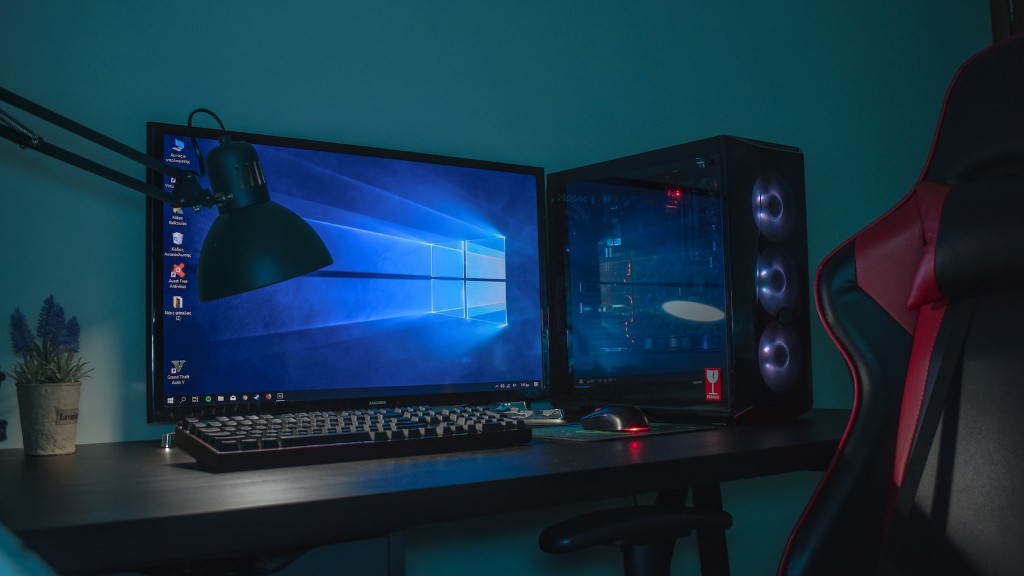
When it comes to gaming CPUs, there are two main options available: AMD and Intel. AMD processors typically offer better performance per dollar than Intel, and their latest Ryzen processors are incredibly powerful. They have great core counts and offer good performance in gaming and productivity tasks. On the other hand, Intel processors are often more expensive, but they have better clock speeds and can offer better single thread performance.
For the average gamer, the choice between AMD and Intel is down to the budget you’re willing to spend. AMD processors are typically cheaper, but their performance might not be as good as Intel’s. Ultimately it comes down to personal preference. If you want the best of the best and can afford to spend, go for Intel, but if you’re on a budget AMD is probably a better choice.
Cooling and Airflow
Cooling is an important factor to consider when building a gaming PC. You want to make sure that all the components are kept at an optimal temperature, so they can perform at their best. A good rule of thumb is to make sure that the air going into and out of your computer is moving at a minimum of 50 cubic feet per minute. Investing in a larger case with more air vents is recommended, as is getting an aftermarket CPU cooler or a dedicated graphics card cooler.
Air flow inside your case is also important, so try to space out your components as much as possible. Good cable management also helps as it reduces the amount of clutter and allows the hot air to escape more easily. Be sure to check that all the fans are spinning correctly and check their orientation, as this can make a big difference to the temperature inside your case.
Building the Gaming PC

Once all the parts have been chosen and the case is set up, it’s time to start building the PC. Make sure to check the manufacturer’s instructions for specific steps. Start by installing the motherboard, CPU, and RAM. Then add the graphics card, SSDs, and HDDs. Connect the power supply and any cables that need connecting. Once that’s done, double check all the components are correctly installed and secure, and then power up the PC.
Most modern motherboards have a built-in diagnostic feature, so if you see any error messages, look up the codes and troubleshoot the issue. Once the PC is running, you’ll need to install an operating system. Windows 10 is often the go-to choice, or if you’re on a budget Linux can be a great alternative. After the OS is installed, you’ll need to install all the necessary drivers for your components to make sure everything is running as smoothly as possible.
Installing and Testing Games
Now the PC is built, it’s time to start installing some games. Before you do that, it’s worth running some benchmark tests to make sure that the PC is running well. It’s also a good time to overclock the CPU and graphics card if you’re looking for extra frames. Some games have their own benchmark tools, so you can see how your system performs with different settings.
Once you’re happy with the results, you can create an account on Steam and start installing all your favourite games. Check the system requirements for each game so you aren’t installing something that won’t run properly. Finally, it’s time to start playing and to enjoy the fruits of your labour.
