
For the serious gamer, there’s no substitute for a powerful gaming PC. The performance of the best computers offers you an edge over the competition, and with a well-built and high-end gaming PC, you don’t have to worry about lag or slowdowns. But what should you look for in a good gaming PC? Here are some key features to look out for.
First off, you’ll need a top-notch graphics card. The graphics card is what makes your gaming experience look beautiful, so it’s important to get one that can handle the latest games on the highest settings. You’ll also want to make sure you have enough storage space for all your games and the memory to run them smoothly.
Next, you should think about the processor. Gaming PCs will typically have Intel or AMD processors, with Intel being the better choice if you want ultimate performance. The more powerful the processor, the better your gaming experience will be.
When building a gaming PC, investing in a good cooling system is also essential. As gaming PCs run at extremely high temperatures, a good cooling system is essential for keeping your computer running smoothly. A good gaming PC should come with a good cooling solution, such as liquid cooling.
Lastly, make sure your gaming PC comes with enough ports for all the peripherals you may need. You’ll need ports for things like your mouse, keyboard and gaming controllers, so ensure there are enough USB ports to meet your gaming needs.
Gaming Monitor
Where a high-end gaming PC is concerned, a good gaming monitor is essential. You’ll need something with a good refresh rate of at least 144Hz and a good response time, such as 1-2 milliseconds (ms). This helps reduce lag and makes your gaming experience smoother.
High-end gaming monitors also come with features such as adaptive-sync technology and HDR compatibility. Adaptive-sync helps reduce screen tearing and stuttering, while HDR compatibility ensures your games look more vibrant and clear.
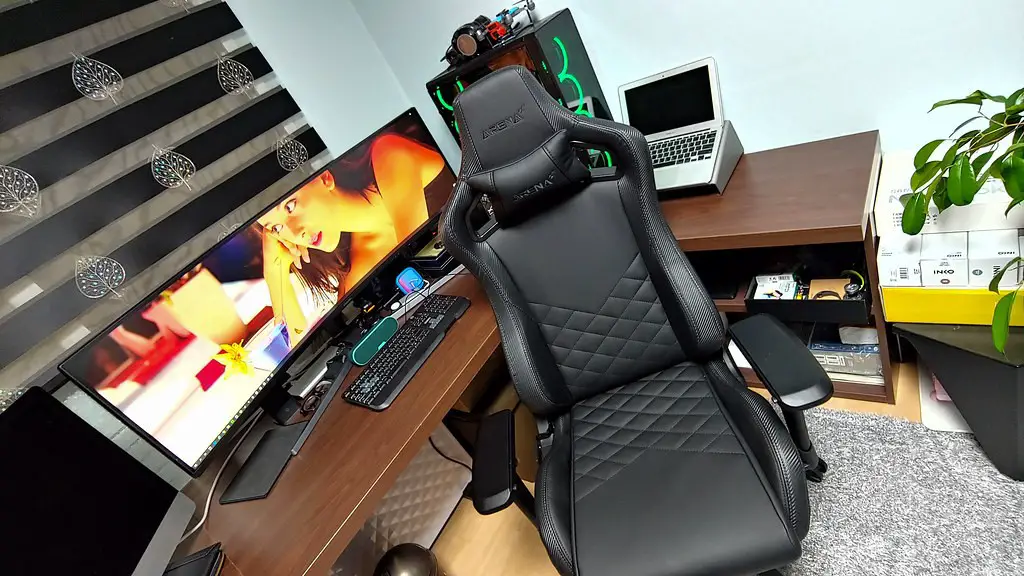
You should also look out for a good resolution, such as 1440p or 4K. This gives you a sharper image, allowing you to see more detail in games. And make sure your monitor also has good viewing angles so you can see the image clearly from any angle.
Of course, you’ll also need to ensure your gaming PC and monitor are compatible, so keep that in mind when selecting a monitor.
Power Supply
A good power supply (PSU) is essential for gaming PCs. As gaming PCs tend to draw a lot of power, you’ll need to make sure you get a PSU that can support all your hardware. Look for a PSU with a high wattage rating and good efficiency ratings.
You should also look for PSU features such as modular cabling and multiple +12V rail outputs. Modular cabling is ideal for making sure your PC doesn’t get cluttered by all the cable and helps improve airflow, while multiple +12V rail outputs allows for better power distribution.

It’s also important to make sure your PSU is compatible with your other hardware, such as your graphics card. In general, higher-end graphics cards may require more power than a typical PSU can provide, so make sure to check the specs before buying.
RAM
RAM, or random access memory, is another important component of a gaming PC. The more RAM you have, the faster your gaming performance will be, since it handles all the data needed to run the game. As a general rule, 8GB of RAM is typically the minimum you should look for in a gaming PC.
However, if you want a higher performing system, you can opt for 16GB or even 32GB of RAM. If you’re playing games that require a lot of assets and textures, such as open-world games, you’ll definitely want more RAM.
Look for RAM that runs at a high clock speed and low latency for better performance. You should also check to see if your motherboard is compatible with the RAM you’re looking to purchase.
Storage

You’ll need plenty of storage space for all your games, so make sure to get enough space. Solid-state drives (SSDs) are the best choice for gaming PCs, as they are much faster than traditional hard drives. A typical gaming PC should have at least 500GB of storage space, and preferably 1TB or more.
You should also consider a secondary hard drive for games and applications you don’t need to run at the highest speeds, such as your Steam library. This way, you can leave your games on the secondary drive while freeing up more space on the primary drive.
Finally, think about getting an external hard drive for backups. An external hard drive can be extremely useful for restoring files in case of a system failure, so make sure to get one with enough storage for your backups.
Optimal Settings
One of the most important factors in getting the best gaming experience is optimizing the settings of your games. This includes tweaking the graphical settings, such as resolution and frames per second (FPS). You can also adjust the settings of your CPU, GPU and RAM to get the best performance out of your hardware.
You should also look into using software programs such as MSI Afterburner and Windows Game Mode to further optimize your gaming performance. These programs allow you to tweak settings such as the clock speed and fan speed of your CPU and GPU, allowing you to get maximum performance out of your gaming PC.
Finally, take the time to research the best settings for each game you play. You can usually find settings that have been pre-tested and optimized for maximum performance, so be sure to research each game before playing.
