Using a gaming PC has become the norm for many gamers. Many people choose to build their own custom gaming PC due to its cost-effectiveness and flexibility. Building a gaming PC is not as difficult as it may seem. With the right combination of hardware and software, anyone can put together a powerful gaming system.
The first step in building a gaming PC is determining what components are needed. The main components of any gaming PC are the motherboard, a CPU, a graphics card, and RAM. In addition, a power supply, a storage drive, and a chassis are also required. It is important to get the right components to ensure a smooth and efficient gaming experience.
The next step is to assemble the computer. This should be done in a well-ventilated area with plenty of light. Assembling a gaming PC is not difficult and does not require any special tools. All that is required is a screwdriver, some patience, and a lot of care.
Once the components have been assembled, the computer can be powered on. This requires connecting the power cables from the power supply and the motherboard, as well as the monitor and any other peripherals. After powering the system on, the BIOS should be configured. This is done in the BIOS settings, which can be accessed by pressing a specific key during the boot sequence.
Once the BIOS settings are configured, the operating system can be installed. This is usually done via a USB drive, though CDs and DVDs can also be used. It is important to install any drivers that are needed to ensure that the system operates properly. After the operating system is installed, the system is ready to use.
Finally, the gaming software can be installed. This can involve downloading the software or purchasing a pre-built system. Once the gaming software is installed, the gaming PC can be used to play any game that is compatible with the hardware.
Installing Games
Once the gaming PC is ready, it is time to install the games. Many games can be purchased in digital form and downloaded directly to the computer. Others may require a physical copy to be purchased, which can then be inserted into the DVD drive. Once the game is installed, it is now ready for use.

When the game starts up, it is important to make sure that it is running at its optimal performance. The graphics settings should be adjusted to ensure that the game is running properly. This can be done within the game’s settings. It is also important to make sure that all updates are installed to ensure that the system is as up to date as possible.
When playing the game, it is important to monitor the performance of the system. This can be done by looking at the CPU and GPU usage in the task manager. If the CPU or GPU performance is low, then the system may need to be upgraded. Any hardware upgrades should be done carefully as an incorrect installation may damage the system.
In addition, it is important to make sure that any game updates are installed. This ensures that the game is always running at its optimal performance. It is also important to make sure that any mods that are installed are compatible with the current version of the game.
Finally, it is important to keep the system clean and organized. This ensures that the computer runs smoothly and efficiently without unnecessary issues. Cleaning the computer regularly and performing regular maintenance can go a long way in making sure that the gaming PC functions properly.
Upgrading A Gaming PC
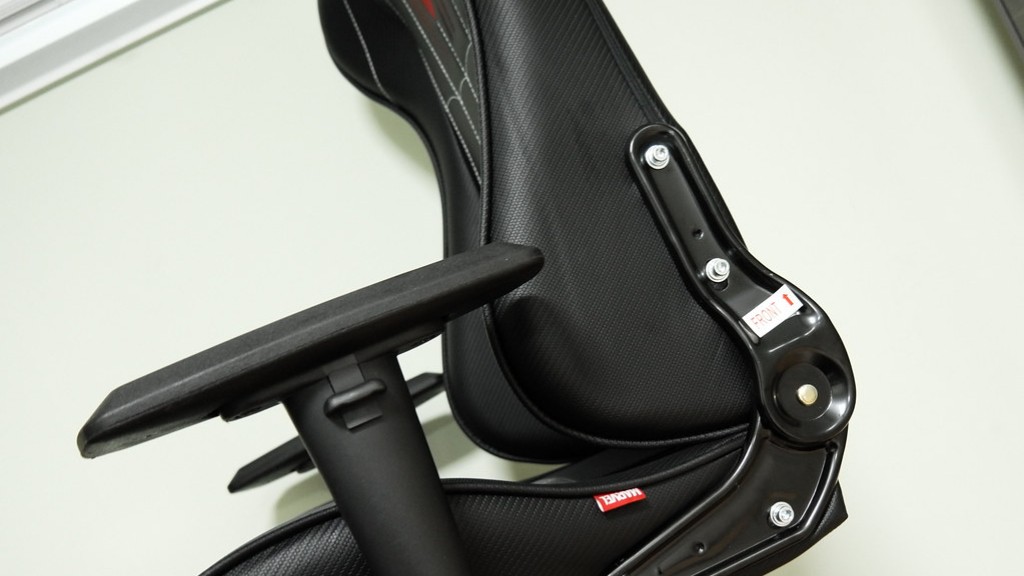
With time, it is likely that the gaming PC will need to be upgraded in order to continue running all the latest games. Upgrading a gaming PC can simply involve replacing the existing components with faster and more powerful ones . The most common upgrades for a gaming PC include a faster CPU, more RAM, and a better graphics card. These upgrades should be done carefully as an incorrect installation may damage the system.
When upgrading the components, it is important to make sure that they are compatible with the existing components. It is also important to make sure that the new components are of high quality and will provide the necessary performance. The new components should be adequately cooled as well to ensure that they are not damaged by excess heat.
It is also important to make sure that the existing power supply is adequate to power the new components. A new power supply may be needed if the existing one is not powerful enough. The power supply must also be connected properly to the components to ensure that it is providing adequate power.
When the components have been installed, the BIOS should be updated to recognize the new components. This can usually be done via a USB drive or via a CD or DVD. After updating the BIOS, the system is now ready to use with the updated components.
Finally, the games must be tested to make sure that the system is working properly. This includes testing the game performance, graphics, and resolution. If the system is not performing as expected, the settings should be adjusted and the game reinstalled.
Maintaining A Gaming PC
Maintaining a gaming PC is an important part of making sure that it remains in good working condition. The system should be cleaned regularly to make sure that all the components are working properly and that there is no dirt or dust buildup. Any connections should be checked regularly as well to make sure that they are secure.
It is also important to make sure that any drivers that are installed are up to date. This includes the motherboard and graphics card drivers. This can be done by downloading the drivers from the manufacturer’s website.
It is also important to make sure that all the games are updated. This can be done by updating the games within the game’s settings. It is also important to make sure that any mods that are installed are fully compatible with the version of the game.
A good maintenance routine should also include regular backups. These backups should be done on a regular basis to make sure that the system is safe in the event of any unexpected accidents. If a system crashes, then these backups can be used to restore it to its previous state.
Finally, it is important to make sure that the system is not overheating. If a system runs too hot, then it can damage the components and reduce the performance. To prevent this, all components should be cooled adequately and the interior of the case should be kept clean.
Troubleshooting A Gaming PC
It is likely that a gaming PC will experience some problems at some point. If this occurs, it is important to figure out what is causing the problem and to take the necessary steps to fix it. Some common problems with gaming PCs include graphics and audio problems, heating issues, and game freezing.
When troubleshooting a gaming PC, it is important to remain calm. It is also important to check all the components of the system to make sure that they are in good working condition. This includes making sure that the power cables are properly connected and that the cooling fans are working properly.
If a game is crashing or freezing, it is important to make sure that the latest patch is installed. This can be done by downloading the patch from the game’s official website. It is also important to make sure that all the game’s settings are correctly configured.
If the game is still crashing or freezing, then it is likely that some components of the system are damaged. In this case, the system should be disassembled and the components inspected. If any components are damaged, then they should be replaced.
If the system is still experiencing problems, it is possible that some parts of the system may be incompatible. This can usually be solved by updating the BIOS or resetting the system. If the system still does not work, then it is likely that some components need to be replaced or upgraded.
Cleaning The Components
It is important to make sure that all the components of a gaming PC are clean. This ensures that the system runs smoothly and efficiently. It is important to remove any dust or debris that might accumulate on the components. A can of compressed air can be used to blow the dust and debris away.
It is also important to clean the interior of the case. This includes the motherboard, the CPU, and the graphics card. A vacuum can be used to clean any accumulated dust from the interior. It is also important to make sure that all the cables are properly connected.
If any of the components is damaged or worn, it is important to replace it as soon as possible. This may involve buying a new part or repairing the existing one. It is also important to make sure that any replacements are of a good quality to ensure that they are not damaged easily.
In addition, it is important to keep all the components cool. This can be done by ensuring adequate airflow and by making sure that any fans are in good working order. This helps to ensure that the system can run without any unnecessary problems.
Finally, it is important to make sure that the system is well-ventilated. This means installing extra fans or vents in the case. This helps to ensure that the system is running efficiently and that all the parts are adequately cooled.
