Getting a cheap gaming PC today is not as difficult as it used to be. With a variety of options available in the market, you can get yourself a great gaming setup without breaking the bank. Here are some tips on how to get a cheap gaming PC:
1. Invest in good components: Investing in high-quality components like a gaming-grade GPU, CPU, and RAM will ensure that you have a better gaming experience without completely breaking the bank. You should also look into buying a dedicated GPU if you are interested in 4K gaming.
2. Consider used components: Used components can often offer great performance at cheaper than retail prices. You can easily find used components in local stores or online marketplaces. Just make sure you do your research first to make sure you are buying reputable components.
3. Buy in bulk: Bulk purchases can often lead to cost savings when buying gaming PCs. Check for bundle deals on components and peripherals to get better deals.
4. Shop online: Online retailers often offer better deals than local stores, so it is always a good idea to look online when searching for a cheap gaming PC. You’ll also have access to a wide range of specialized components that you won’t be able to find in brick-and-mortar stores.
5. Utilize coupons: There are several websites and forums dedicated to getting deals on gaming PCs. Online coupons or promo codes can often lead to significant savings when buying components or peripherals.
6. Use recycled components: Components like hard drives and RAM modules can easily be salvaged from computers that have seen better days. This can be a great way to save money, just make sure that the components are still functional.
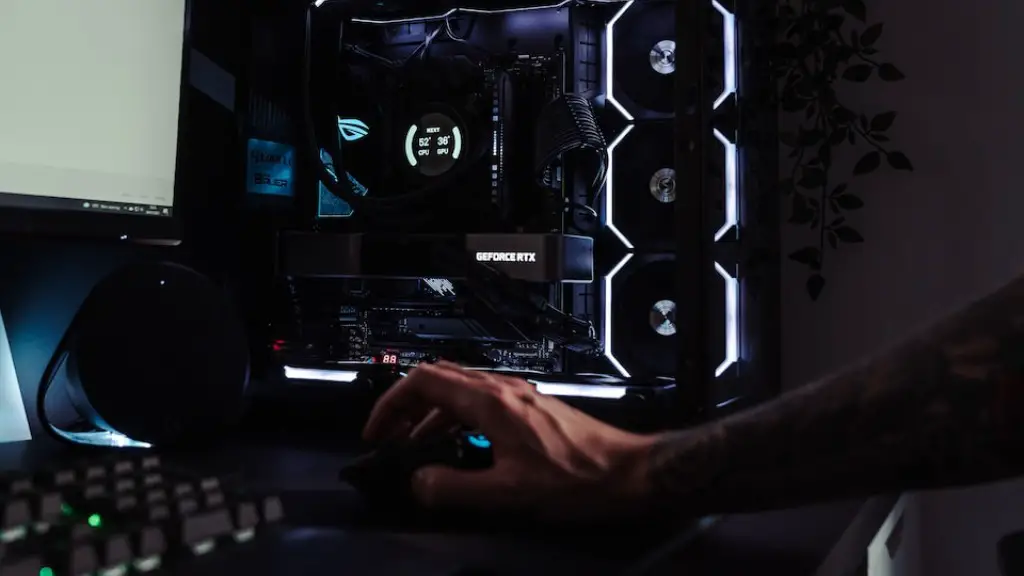
7. Build it Yourself: This is probably the best option for getting a cheap gaming PC. You can save a lot of money by constructing your own gaming rig from individual components. All you need is a bit of technical know-how and the right tools.
Put Together the Perfect Setup
Once you have all the components you need for your gaming PC, you will need to put them together. This is where things can get tricky, so you’ll need to do your research and come prepared. First off, make sure that you have all of the right tools and be sure to take anti-static precautions when handling the components. Make sure all parts are securely connected and are installed in the right directions. A good way to make sure everything has been installed correctly is to do a visual check.
It is also important to have the right software installed on your PC. This includes your operating system, drivers, and gaming applications. When installing programs, make sure they are compatible with your hardware and software. This is especially important when it comes to games, as they require specific software and hardware to work properly.
Finally, make sure to keep your gaming PC up-to-date with all the latest patches and software updates. This will ensure that your PC is running optimally and is free from problems. Also, make sure to back your data up regularly in case of a hardware or software failure.
Connect Your Gaming PC Wireless
Using a wireless network to connect your gaming PC to the Internet is a great way to cut down on cables and keep things tidy. Wireless networks provide faster speeds than wired connections, making them great for gaming. Setting up a wireless connection is relatively simple and can be setup with only a few clicks. All you need is a wireless router and a compatible wireless network adapter.
When connecting your gaming PC to a wireless network, it is important to secure your connection with a strong password. Having a strong password helps protect your network from outside intruders. You should also update the firmware on your router and network adapter as needed for optimal performance.
When connecting to a public wireless network, it is important to use a virtual private network (VPN). This ensures that all of your data is encrypted while using the public Wi-Fi, which helps protect your data from hackers and other malicious actors. If you are playing a game online, using a VPN will also help reduce lag and increase your ping times.
Get the Most From Your Gaming PC
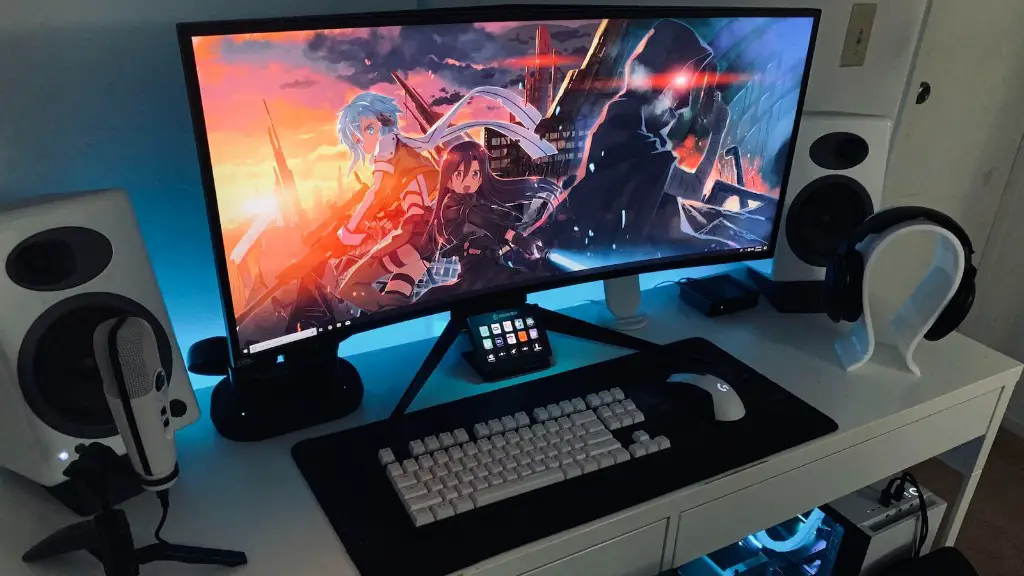
Having a gaming PC is no good if you don’t take advantage of its features. There are a few simple ways to get the most out of your gaming PC. First off, invest in a good monitor. A good monitor will be able to display games at the best resolution, making for a more enjoyable experience.
Besides having a good monitor, you can also boost the performance of your gaming PC by tweaking the performance settings on your games. This helps reduce lag and improves overall performance. Additionally, overclocking your CPU can often lead to improved performance. Just make sure you do your research first to make sure you know what you are doing.
Using a gaming headset is another great way to get the most out of your gaming PC. A good headset will provide clear audio and helps you stay immersed in the game. Headphones also help reduce external noise, reducing distractions when gaming.
Lastly, it is important to keep your gaming PC clean and dust-free. Make sure you regularly vacuum or blow out the dust from inside your PC to help keep its temperature low. This can help increase performance and help your PC last longer.
Take Care Of Your Gaming PC
Taking good care of your gaming PC is an important aspect of getting the most out of your PC. Make sure that you have good cooling in your setup. This can be done by using fans or water-cooling to keep your components from overheating. It is also important to use good power supplies to ensure that your components get the necessary power.

When you aren’t using your gaming PC, make sure to shut it down and disconnect from the mains. This will prevent any energy from being wasted and will also help protect your components from power surges and other electrical issues. You should also consider investing in a surge protector to give an extra layer of protection to your components.
Finally, remember to keep your PC clean. Dust can accumulate inside components, which can decrease their performance and lead to overheating. Make sure to regularly vacuum or blow out the dust from inside your PC using air. This will help keep your PC running at optimal performance.
Get Professional Help If Needed
Getting professional help is always an option if you are having trouble putting together a gaming PC. There are a number of companies or websites dedicated to helping people out with their gaming PC setups. All you need to do is research the right places to go and get the necessary help.
Another option is to find local PC shops that specialize in gaming PC setups. They usually offer a range of services such as installation, testing, and troubleshooting for a fee. This can be a great way to get the help you need without having to do the work yourself.
Lastly, you can also consult your friends or peers who already have gaming PCs. They can usually provide valuable advice and information that can help you set up your own gaming rig. Plus, having someone to bounce ideas off of can be invaluable when trying to troubleshoot issues.
